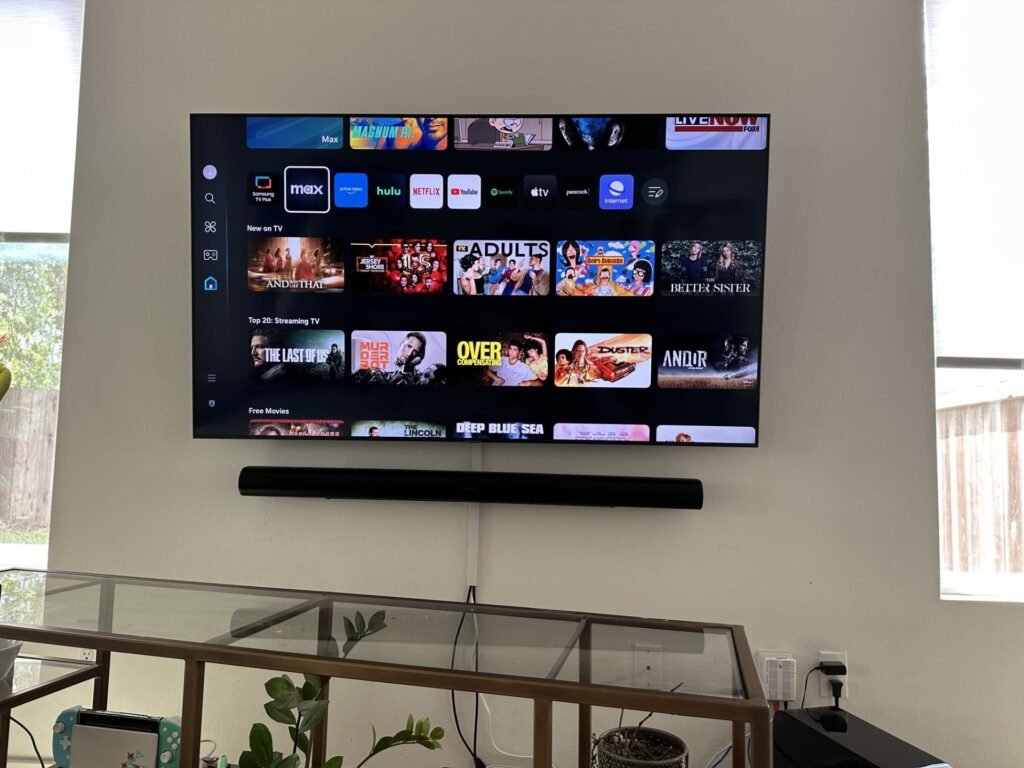
Wall Mounting a TV Near a Window: Best Distance and Ideal Height
Introduction
Wall mounting a TV near a window is one of the most common challenges homeowners face when designing a living room or office space. Many people choose to install their TV on a wall close to a window to maximize available space. However, if the standard distance between the TV and the window and the ideal TV mounting height are not properly considered, issues such as glare, reduced picture quality, eye strain, and even a shorter TV lifespan can occur.
Today, wall-mounted TVs have become increasingly popular because they create a modern appearance, save floor space, and improve the overall look of a room. However, selecting the right mounting location is just as important as choosing the right wall mount. Factors such as sunlight exposure, the distance from the window, mounting height, viewing angle, and wall strength all play a significant role in picture quality, viewing comfort, and the longevity of your television.
One of the most frequently asked questions is: What is the best distance between a TV and a window? Is it safe to mount a TV directly beside a window? What is the standard height for mounting a TV on the wall? And how can you prevent glare on the screen?
In this comprehensive guide, we’ll cover everything you need to know about wall mounting a TV near a window, including the recommended distance from the window, the ideal mounting height, choosing the best installation location, reducing screen glare, extending your TV’s lifespan, and avoiding common installation mistakes.
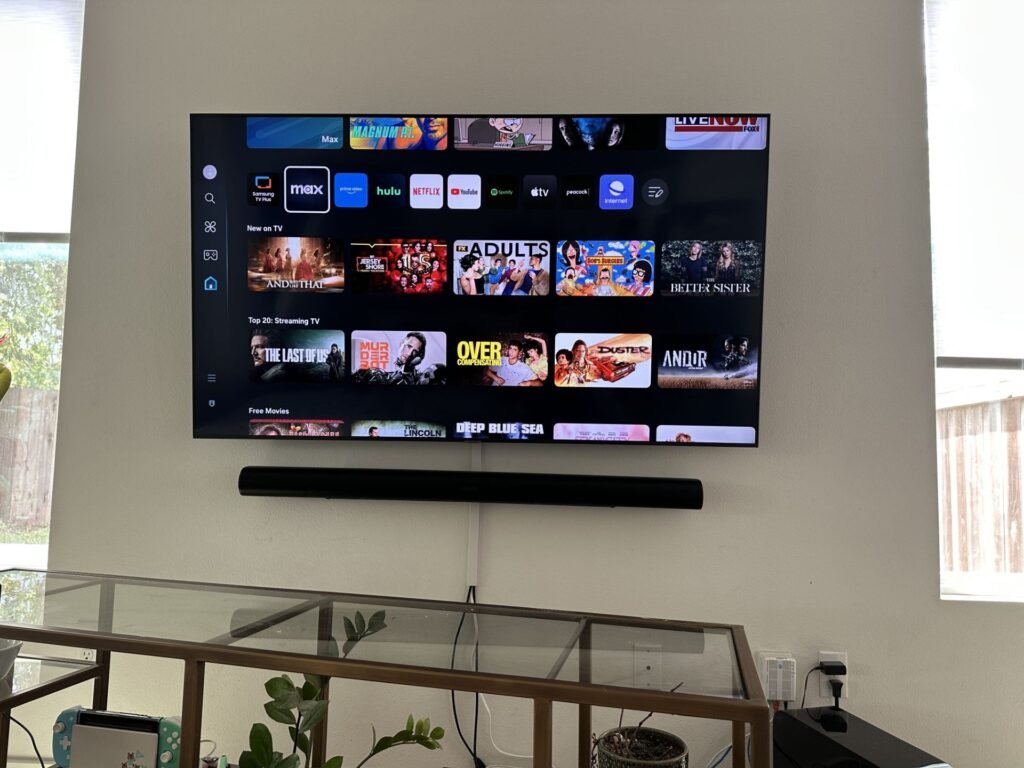
Wall Mounting a TV Near a Window
Why Does the TV Mounting Location Matter?
Choosing the right location for your TV is about much more than interior design. It directly affects picture quality, eye comfort, viewing experience, installation safety, and the overall lifespan of your television. A poor mounting location can significantly reduce your enjoyment of movies, sports, and everyday TV viewing.
If a wall-mounted TV is installed in the wrong place, you may experience the following problems:
- Glare and reflections from nearby windows
- Reduced picture quality during daylight hours
- Eye strain during extended viewing sessions
- Neck and shoulder discomfort caused by improper mounting height
- Increased operating temperature due to direct sunlight
- Reduced lifespan of the display panel and internal electronic components
For these reasons, it’s essential to evaluate factors such as the distance between the TV and the window, the recommended mounting height, viewing angle, room lighting, and wall strength before installing your wall mount.
Wall Mounting a TV Near a Window
Is It a Good Idea to Mount a TV Next to a Window?
Yes, mounting a TV near a window is perfectly possible—as long as proper installation guidelines are followed.
In many modern homes and apartments, wall space is limited, and the only practical location for a television may be beside a window. In these situations, there’s no need to avoid the installation entirely. Instead, make sure you maintain the recommended distance between the TV and the window and use solutions such as blackout curtains, adjustable wall mounts, or proper screen positioning to minimize glare.
What Is the Best Distance Between a TV and a Window?
If you’re planning to wall mount a TV near a window, one of the most important factors to consider is maintaining the recommended distance between the TV and the window. Proper spacing not only preserves picture quality but also helps prevent direct sunlight exposure, overheating, and unwanted screen glare.
Many homeowners focus only on the mounting height, but the distance between the TV and the window also has a significant impact on viewing comfort, eye health, and the overall lifespan of the television.
There isn’t a single measurement that works for every home. Factors such as the window’s orientation, the amount of natural light, room size, curtain type, and the TV’s display technology all influence the ideal placement. However, professional TV installers generally recommend the following guidelines.
Wall Mounting a TV Near a Window
Minimum Recommended Distance Between a TV and a Window
As a general rule, your television should be installed at least 50–70 cm (20–28 inches) away from the edge of the window. Maintaining this minimum distance reduces direct sunlight exposure and significantly minimizes glare on the screen.
If the window receives direct sunlight for most of the day, increasing this distance is highly recommended to prevent overheating and extend the lifespan of the TV’s internal components.
Ideal Distance for the Best Viewing Experience
If space allows, the ideal distance between a TV and a window is approximately 80–120 cm (31–47 inches). This range minimizes reflections, improves airflow around the television, and protects the display from excessive heat caused by direct sunlight.
If you’re looking for the best location to wall mount your TV, following this recommendation will improve picture quality, enhance viewing comfort, and help extend the life of your television.
Wall Mounting a TV Near a Window
What If You Don’t Have Enough Space?
In many apartments and smaller homes, maintaining a one-meter distance from the window isn’t always possible. Fortunately, you can still reduce the effects of sunlight by following these practical solutions:
- Install blackout curtains or roller shades to control natural light.
- Use a full-motion or articulating TV wall mount to adjust the viewing angle.
- Position the TV to minimize direct reflections from the window.
- Choose a television with an anti-glare screen.
- Avoid mounting the TV where it receives direct sunlight for extended periods.
Standard TV Mounting Height Near a Window
After selecting the right wall, the next step is determining the ideal TV mounting height. Mounting the television too high or too low can lead to neck pain, eye strain, and an uncomfortable viewing experience—even if the picture quality is excellent.
Wall Mounting a TV Near a Window
The general rule is simple:
The center of the TV screen should be approximately at eye level when you’re seated.
For most living rooms, the center of the screen should be positioned about 100–110 cm (39–43 inches) above the floor. However, the ideal height may vary depending on your seating position, furniture height, and TV size.
Recommended Mounting Height by TV Size
Although every room is different, these guidelines work well in most homes:
- 43–50-inch TVs: Screen center approximately 100 cm (39 inches) from the floor.
- 55–65-inch TVs: Screen center approximately 105 cm (41 inches) from the floor.
- 70-inch TVs and larger: Screen center approximately 110 cm (43 inches) from the floor.
These measurements are general recommendations. If your seating is unusually high or low, adjust the mounting height so that the center of the screen aligns with your natural eye level.
Wall Mounting a TV Near a Window
How to Prevent Glare on Your TV Screen
One of the biggest challenges of mounting a TV near a window is screen glare. Reflections can significantly reduce picture quality and make watching movies, sports, or TV shows less enjoyable.
Here are several effective ways to reduce glare:
Use the Right Window Coverings
Blackout curtains, roller shades, or dual-layer curtains are excellent choices for controlling natural light and preventing direct sunlight from hitting the TV screen.
Mount the TV Perpendicular to the Window
Whenever possible, install the TV on a wall that is perpendicular (90 degrees) to the window. This is one of the most effective ways to minimize reflections.
Wall Mounting a TV Near a Window
Install a Full-Motion TV Wall Mount
A swivel or articulating wall mount allows you to adjust the TV’s angle throughout the day, helping reduce glare as sunlight changes.
Adjust the TV’s Brightness Settings
Most modern televisions include automatic brightness adjustment and HDR features. Enabling these settings can improve visibility in bright rooms, although they should be used alongside proper lighting control rather than as a replacement.
Wall Mounting a TV Near a Window
How Direct Sunlight Affects Your TV’s Lifespan
Direct sunlight does more than reduce picture quality—it can also damage your television over time. Continuous heat exposure increases the operating temperature of the display and internal electronics, potentially shortening the TV’s lifespan.
Long-term exposure to direct sunlight may result in:
- Higher display panel temperatures
- Reduced LED backlight lifespan
- Color fading or display degradation
- Increased stress on the TV’s cooling system
- Premature wear of internal electronic components
Wall Mounting a TV Near a Window
For these reasons, experts recommend avoiding direct sunlight whenever possible. If you plan to wall mount a TV near a window, use blackout curtains, shades, or an adjustable wall mount to protect your television while maintaining excellent picture quality.
Common Mistakes When Wall Mounting a TV Near a Window
Installing a wall-mounted TV near a window can create a clean, modern look, but even small installation mistakes can reduce picture quality, cause screen glare, and shorten your television’s lifespan. By understanding these common errors, you can achieve a safer installation and enjoy a better viewing experience.
1. Mounting the TV Too Close to the Window
One of the most common mistakes when wall mounting a TV near a window is placing the television too close to the glass. This exposes the screen to direct sunlight, excessive heat, and unwanted reflections that can make viewing difficult.
To achieve the best results, maintain the recommended distance between the TV and the window and avoid installing the television where sunlight falls directly on the screen during peak daylight hours.
Wall Mounting a TV Near a Window
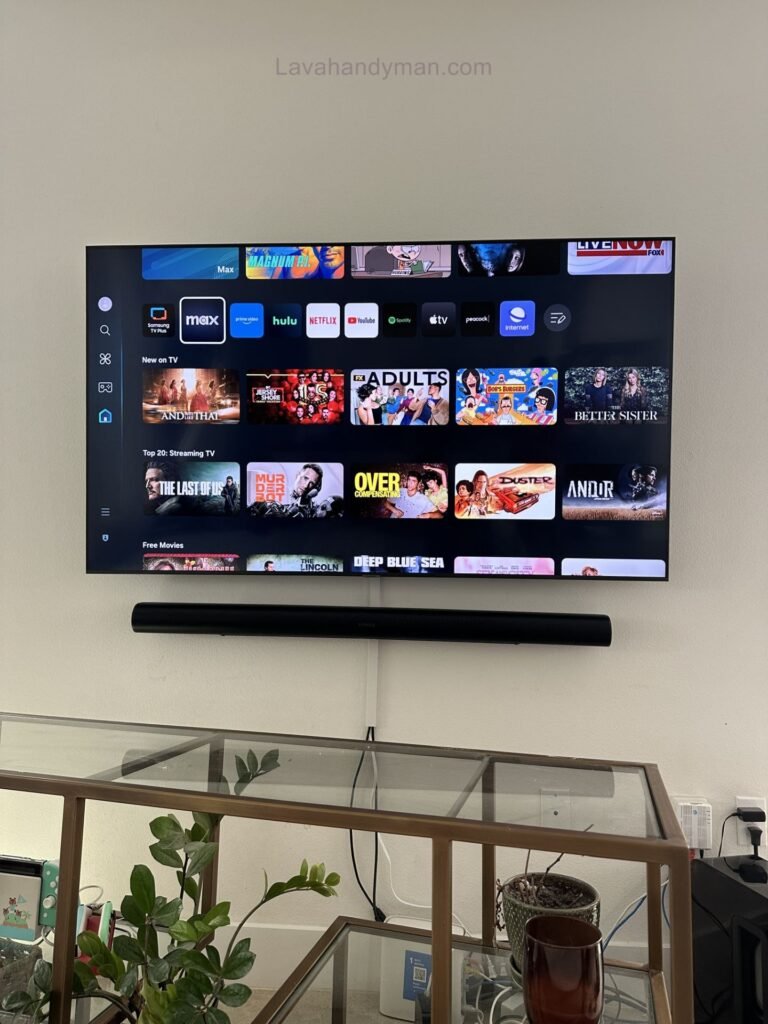
2. Ignoring Natural Light Direction
The direction your windows face plays an important role in determining the best TV mounting location.
- North-facing windows provide soft, consistent daylight and are generally the best option.
- East-facing windows receive strong morning sunlight.
- West-facing windows produce intense afternoon glare.
- South-facing windows typically receive the greatest amount of direct sunlight throughout the day.
Evaluating natural light before installation helps reduce glare and improves overall picture quality.
Wall Mounting a TV Near a Window
3. Installing the TV Too High
Many homeowners mount their televisions too high because they believe it creates a more modern appearance. However, this often results in neck strain, shoulder discomfort, and eye fatigue during long viewing sessions.
For the most comfortable experience, the center of the TV screen should remain close to eye level when seated. Following the recommended TV mounting height improves comfort and reduces physical strain.
4. Choosing the Wrong TV Wall Mount
Selecting the correct TV wall mount is just as important as choosing the installation location.
If your room receives changing sunlight throughout the day, a full-motion TV wall mount offers far more flexibility than a fixed bracket. Being able to tilt and swivel the screen allows you to reduce glare while maintaining the best viewing angle.
Wall Mounting a TV Near a Window
5. Ignoring Cable Management
Poor cable management can make even a professionally mounted TV appear unfinished. Loose cables also create potential safety hazards and make future maintenance more difficult.
For a cleaner installation, consider:
- Running cables inside the wall whenever possible.
- Using decorative cable raceways or covers.
- Organizing HDMI and power cables separately.
- Securing cables with clips to prevent tangling.
A well-organized cable system improves both safety and aesthetics.
Wall Mounting a TV Near a Window
Choosing the Best TV Wall Mount for a Window-Side Installation
The right wall mount can significantly improve your viewing experience, especially when installing a TV near a window.
Fixed TV Wall Mount
A fixed mount keeps the television close to the wall and creates a sleek, modern appearance. It’s an excellent option for rooms with stable lighting conditions.
Advantages
- Affordable
- Slim profile
- Easy to install
Disadvantages
- No angle adjustment
- Limited glare reduction
Wall Mounting a TV Near a Window
Tilting TV Wall Mount
A tilting wall mount allows the television to move slightly upward or downward, making it easier to reduce reflections from windows or ceiling lights.
Advantages
- Better viewing angle
- Reduced glare
- Ideal for higher mounting positions
Full-Motion TV Wall Mount
For most homeowners, a full-motion TV wall mount is the best solution when mounting a television near a window.
This type of bracket allows the TV to extend, swivel, and tilt, making it easy to adjust the screen as lighting conditions change throughout the day.
Benefits of a Full-Motion Mount
- Minimizes screen glare
- Provides flexible viewing angles
- Improves cable accessibility
- Ideal for multiple seating positions
- Offers the best viewing experience in bright rooms
Wall Mounting a TV Near a Window
Does the Type of TV Screen Matter?
Absolutely. Your TV’s display technology directly affects how well it performs in bright environments.
Glossy Displays
Glossy screens deliver richer colors and deeper contrast, but they also reflect significantly more light. These displays work best in rooms where sunlight can be controlled with curtains or blinds.
Matte and Anti-Glare Displays
Televisions with matte or anti-reflective coatings scatter incoming light, making them a better choice for bright living rooms with large windows.
If your room receives plenty of natural daylight, choosing an anti-glare TV can dramatically improve daytime viewing quality.
Wall Mounting a TV Near a Window
Professional Tips for Wall Mounting a TV Near a Window
Professional TV installers recommend following these best practices before mounting your television:
- Measure the installation area carefully before drilling.
- Confirm the wall can safely support your TV’s weight.
- Keep the television out of direct sunlight whenever possible.
- Use a stud finder or high-quality wall anchors.
- Leave adequate ventilation space behind the TV.
- Install a surge protector to safeguard electronic components.
- Conceal cables for a clean, professional finish.
- Test the viewing angle before tightening the wall mount permanently.
Following these recommendations will improve safety, picture quality, and the overall lifespan of your television.
Wall Mounting a TV Near a Window
Frequently Asked Questions
Can you mount a TV directly next to a window?
Yes, but it’s recommended to leave at least 50–70 cm (20–28 inches) between the television and the window. Blackout curtains or roller shades can further reduce glare and protect the display.
Can sunlight damage a TV?
Yes. Continuous exposure to direct sunlight increases internal temperatures and may shorten the lifespan of the display panel and electronic components.
What is the ideal TV mounting height?
For most living rooms, the center of the TV screen should be approximately 100–110 cm (39–43 inches) from the floor, aligning closely with seated eye level.
Wall Mounting a TV Near a Window
What is the best wall mount for a TV near a window?
A full-motion TV wall mount is usually the best choice because it allows the screen to tilt and swivel, reducing glare while improving viewing angles.
Wall Mounting a TV Near a Window
How Window Direction Affects TV Placement
When planning to wall mount a TV near a window, understanding the direction your windows face is essential. The amount and angle of natural sunlight entering a room directly affect TV picture quality, screen glare, and even the long-term performance of your television.
Choosing the right wall based on window orientation helps reduce reflections, improves viewing comfort, and protects your TV from unnecessary heat exposure. Before installing a wall-mounted TV, take a few minutes to observe how sunlight moves through the room during different times of the day.
North-Facing Windows
North-facing windows provide soft, indirect daylight throughout most of the day, making them the ideal location for wall mounting a TV near a window. Since direct sunlight is minimal, you’ll experience fewer reflections and more consistent picture quality.
South-Facing Windows
Wall Mounting a TV Near a Window
South-facing windows receive the most sunlight during the day. If your television is mounted near one of these windows, direct sunlight may increase glare and raise the display’s operating temperature. Blackout curtains, UV-filtering shades, or anti-glare screens are highly recommended.
East-Facing Windows
East-facing windows receive bright morning sunlight. If you usually watch TV in the evenings, this layout may work well. However, daytime viewing can become difficult without proper window coverings.
West-Facing Windows
West-facing windows produce intense afternoon sunlight, creating strong reflections on glossy TV screens. A full-motion TV wall mount allows you to adjust the screen angle throughout the day, helping minimize glare and improve visibility.
Wall Mounting a TV Near a Window
Best TV Viewing Distance by Screen Size
Choosing the correct TV viewing distance is just as important as selecting the proper mounting height. Sitting too close can cause eye fatigue, while sitting too far away reduces immersion and makes it harder to appreciate 4K picture quality.
Professional installers generally recommend the following viewing distances:
- 43-inch TV: 5.5–7 ft (1.7–2.1 m)
- 50-inch TV: 6–8 ft (1.8–2.4 m)
- 55-inch TV: 7–9 ft (2.1–2.7 m)
- 65-inch TV: 8–10 ft (2.4–3 m)
- 75-inch TV: 9–11 ft (2.7–3.4 m)
- 85-inch TV: 10–12 ft (3–3.7 m)
Maintaining the recommended viewing distance improves comfort, reduces eye strain, and allows you to enjoy every detail offered by modern 4K and 8K televisions.
Wall Mounting a TV Near a Window
Living Room Design Ideas for a Wall-Mounted TV Near a Window
A wall-mounted TV near a window should complement your living room’s design while providing the best possible viewing experience.
Arrange Furniture Around the Viewing Area
Position sofas and chairs directly in front of the television whenever possible. Avoid seating arrangements where viewers must look toward bright windows.
Control Natural Light
Install blackout curtains, roller shades, or layered drapes to reduce glare while maintaining a comfortable level of daylight inside the room.
Add Ambient Lighting
LED bias lighting behind the television reduces eye strain during nighttime viewing and enhances perceived picture contrast.
Hide Cables for a Clean Look
Concealed cable management creates a professional appearance and improves safety by eliminating loose wires.
Allow Proper Airflow
Leave at least 10–15 cm (4–6 inches) of clearance around the television to ensure proper ventilation and prevent overheating.
Wall Mounting a TV Near a Window
TV Wall Mount Safety Tips
A secure installation is essential for both safety and long-term durability.
Drywall
Never mount a heavy TV directly into drywall alone. Always secure the wall mount to wooden studs or use heavy-duty anchors rated for your television’s weight.
Brick Walls
Brick provides excellent structural support but requires masonry drill bits and expansion anchors for safe installation.
Concrete Walls
Concrete walls are among the strongest surfaces for mounting large televisions and are ideal for oversized displays.
Wood Stud Walls
Wood studs offer the safest and most reliable mounting points. Always locate studs using a stud finder before drilling.
Wall Mounting a TV Near a Window
How to Maintain a Wall-Mounted TV
Proper maintenance helps preserve both picture quality and the lifespan of your television.
Clean the Display Correctly
Use only a soft microfiber cloth designed for electronics. Never spray liquid cleaners directly onto the screen.
Keep Air Vents Dust-Free
Dust buildup restricts airflow and increases operating temperatures. Clean ventilation openings regularly using compressed air or a soft brush.
Limit Sun Exposure
Even after installation, close curtains or blinds during periods of intense sunlight to reduce heat and UV exposure.
Inspect the Wall Mount
Every six to twelve months, inspect mounting brackets and screws to ensure they remain secure.
Check Cable Condition
Replace damaged HDMI or power cables immediately to maintain both safety and performance.
Wall Mounting a TV Near a Window
Professional TV Installation Tips
Professional installers recommend planning every detail before drilling into the wall.
Measure the installation area carefully, identify nearby electrical outlets, plan cable routing, and monitor how sunlight enters the room throughout the day.
Whenever possible, temporarily position the television before permanent installation to verify the viewing angle, screen height, and glare levels.
Investing in a high-quality TV wall mount is equally important. A premium mounting bracket offers greater stability, smoother adjustment, and improved long-term reliability.
Wall Mounting a TV Near a Window
Final Thoughts
Wall mounting a TV near a window is an excellent way to save space and create a modern entertainment area, provided the installation is done correctly. Maintaining the proper distance from the window, selecting the correct TV mounting height, managing natural light, and choosing the right TV wall mount all contribute to better picture quality and a longer-lasting television.
📞 Need Help?
Let us take care of the hard work while you sit back and relax.
📍 Serving: Austin, Round Rock, Cedar Park & more
📱 Call or Text: (737) 420-6992
🌐 Visit: https://lavahandyman.com