
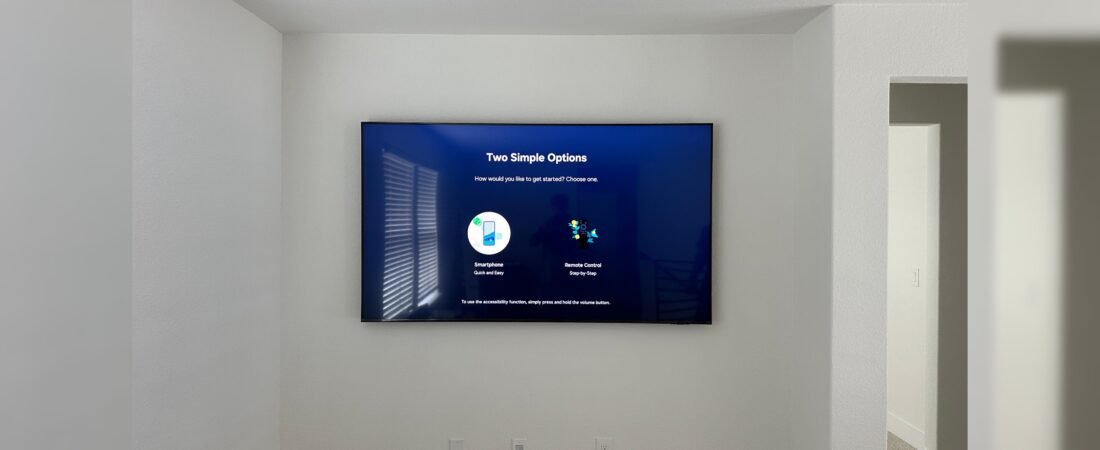
Wall-Mounted TV Installation with Hidden Wiring – A Clean and Professional Look for Modern Interiors
A wall-mounted TV installation with hidden wiring is one of the best ways to create a clean, modern, and professional-looking entertainment space. Instead of leaving power cords, HDMI cables, Ethernet cables, and other wires hanging below the television, concealed cable installation keeps the wiring organized and out of sight.
Whether you are upgrading your living room, bedroom, home theater, or office, mounting a TV on the wall can improve both the appearance and functionality of the space. With the right TV wall mount, proper wall support, and a well-planned cable management system, you can achieve a sleek installation without visible wires.
This comprehensive guide explains how to mount a TV on the wall with hidden wires, how to choose the right wall mount, how to hide TV cables, what to consider before drilling into the wall, and when professional TV installation may be the better option.
Wall-Mounted TV Installation with Hidden Wiring
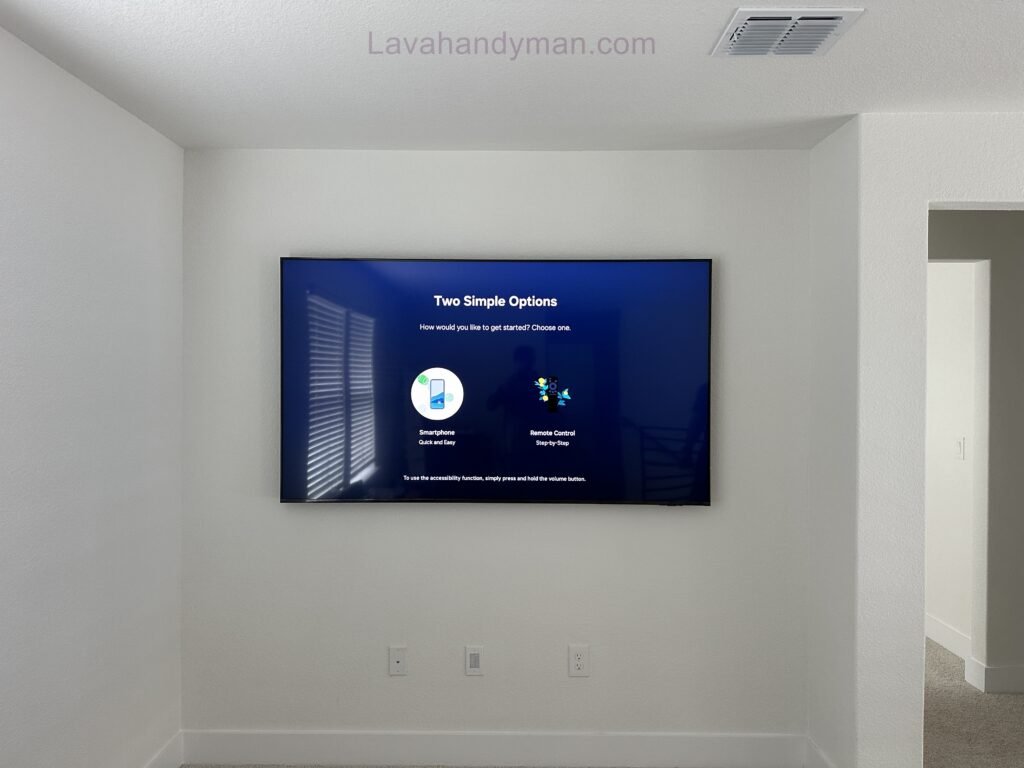
What Is a Wall-Mounted TV Installation with Hidden Wiring?
A wall-mounted TV installation with hidden wiring involves securely attaching a television to a wall while routing its cables through a concealed pathway.
Instead of allowing cables to run visibly from the TV to an outlet or connected device, the wiring is organized behind the wall, inside an appropriate cable-management system, or within a surface-mounted raceway designed to conceal the cables.
Depending on the wall construction and installation requirements, hidden TV wiring may involve:
- In-wall cable conduits
- Recessed TV outlets
- Low-voltage cable plates
- HDMI cable management
- Ethernet cable routing
- Coaxial cable routing
- Surface cable raceways
- Professional electrical installation
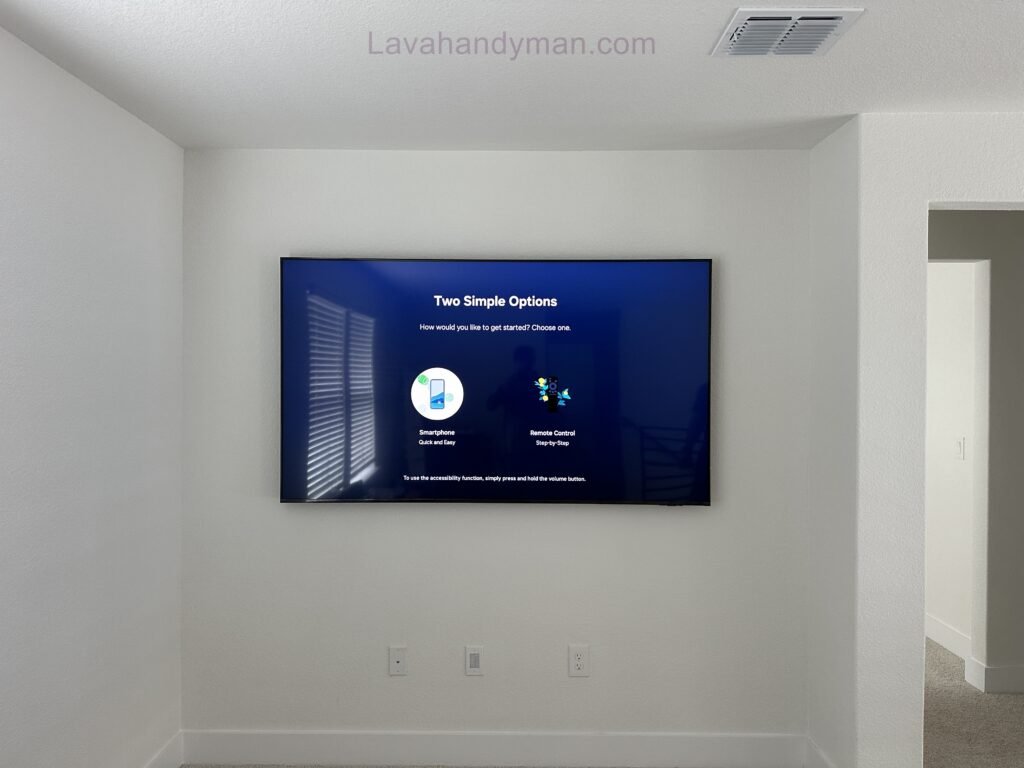
The goal is simple: mount the TV securely while keeping the surrounding wall clean and free from visible cables.
Wall-Mounted TV Installation with Hidden Wiring
Why Install a TV on the Wall with Hidden Wires?
A television can become one of the main focal points of a room. Unfortunately, visible cables can make even a high-end TV and beautiful interior look unfinished.
Concealing the wiring provides several important benefits.
1. Create a Clean and Modern Interior
The most obvious benefit of hidden TV wiring is the appearance.
When cables are properly concealed, the television becomes the main visual feature rather than the cables and connections surrounding it. This works particularly well with minimalist, contemporary, and modern interior designs.
2. Eliminate Visible TV Cables
Wall-Mounted TV Installation with Hidden Wiring
A typical entertainment setup may include several wires:
- TV power cable
- HDMI cables
- Ethernet cable
- Optical audio cable
- Coaxial cable
- USB cables
- Speaker cables
Proper cable management can keep these connections organized and largely invisible.
3. Save Floor Space
A wall-mounted television eliminates the need for a traditional TV stand.
This can make a room feel larger and can create additional floor space for furniture, storage, or decoration.
4. Improve Cable Management
Hidden wiring reduces cable clutter and makes the installation look more organized.
It can also make future maintenance easier when the cables are routed through an accessible conduit or cable pathway.
5. Create a Professional TV Wall
A professionally installed TV wall can give a home, office, hotel, or commercial space a more sophisticated appearance.
For homeowners looking to create a premium entertainment area, concealed wiring is often an important part of the finished design.
Wall-Mounted TV Installation with Hidden Wiring
How to Mount a TV on the Wall with Hidden Wires
Installing a wall-mounted TV with concealed cables requires more planning than simply attaching a bracket to the wall.
The installation should be planned around four main factors:
- TV size and weight
- Wall construction
- Mounting bracket
- Cable and power requirements
Let’s look at each step in detail.
Wall-Mounted TV Installation with Hidden Wiring
Step 1: Choose the Right Location for the TV
Before drilling any holes, determine exactly where the television should be installed.
Consider:
- Viewing distance
- Seating position
- Screen height
- Windows and natural light
- Screen glare
- Furniture placement
- Power outlets
- Soundbar location
- Connected devices
- Cable routes
Avoid choosing the location based solely on the center of the wall.
The best position is the one that provides a comfortable viewing angle while working with the room’s layout.
Wall-Mounted TV Installation with Hidden Wiring
How High Should a TV Be Mounted?
There is no universal TV mounting height because room layout, TV size, seating position, and personal preference all affect the ideal position.
As a general guideline, the center of the screen should be close to the viewer’s natural eye level when seated.
Mounting the TV too high can force viewers to look upward for extended periods, which may become uncomfortable.
Step 2: Choose the Correct TV Wall Mount
The TV bracket is one of the most important components of the installation.
Before purchasing a wall mount, check the television manufacturer’s specifications and confirm:
- TV weight
- Screen size compatibility
- VESA mounting pattern
- Mounting hardware requirements
- Maximum supported weight
The VESA pattern describes the horizontal and vertical spacing between the mounting holes on the back of the TV.
Wall-Mounted TV Installation with Hidden Wiring
Common VESA patterns include:
- 200 × 200 mm
- 300 × 300 mm
- 400 × 400 mm
- 600 × 400 mm
However, these are only examples. Always verify the exact VESA specification of your television.
Types of TV Wall Mounts
Different TV wall mounts are suitable for different rooms and viewing positions.
Fixed TV Wall Mount
A fixed TV mount holds the television close to the wall.
It is ideal for:
- Minimalist interiors
- Living rooms with a fixed seating position
- Bedrooms
- Home theaters
A fixed bracket usually provides the cleanest appearance because the television can sit relatively close to the wall.
Wall-Mounted TV Installation with Hidden Wiring
Tilting TV Mount
A tilting TV mount allows the screen to angle vertically.
This can be useful when the television is mounted higher than normal eye level.
Tilting the screen slightly downward can provide a more comfortable viewing angle.
Full-Motion TV Mount
A full-motion wall mount allows the TV to swivel and tilt.
It can be useful when viewers watch the television from multiple positions.
However, full-motion brackets generally require more clearance behind the TV and can make cable management more complicated.
Step 3: Identify the Wall Type Before Installation
The type of wall determines how the TV should be mounted.
Wall-Mounted TV Installation with Hidden Wiring
Common wall types include:
- Drywall
- Plasterboard
- Wood-stud walls
- Brick
- Concrete
- Masonry walls
Understanding the wall structure is essential for safe TV mounting.
TV Mounting on Drywall
Drywall alone may not provide sufficient structural support for a heavy television.
Where possible, the mounting bracket should be secured to appropriate structural framing or an engineered support system designed for the load.
Using unsuitable anchors can cause the bracket to loosen or, in the worst case, the television to fall.
Wall-Mounted TV Installation with Hidden Wiring
TV Mounting on Wood Studs
Wood-stud walls are common in residential construction.
A stud finder can help identify the framing behind the wall.
The mounting bracket should be positioned so that its mounting points are properly secured to the structural members using suitable fasteners.
TV Mounting on Brick or Concrete
Brick and concrete can provide strong mounting surfaces when the correct anchors and installation methods are used.
Because different masonry materials have different properties, the appropriate drill bit, anchor, and fastener should be selected for the specific wall.
Wall-Mounted TV Installation with Hidden Wiring
Step 4: Plan the Hidden TV Cable Installation
Cable planning should happen before drilling or cutting the wall.
Think about every device that will connect to the TV.
For example:
TV → HDMI → Game Console
TV → HDMI → Streaming Device
TV → HDMI eARC → Soundbar
TV → Ethernet → Router or Network
TV → Coaxial → Antenna or Cable Connection
Planning the entire system in advance helps prevent unnecessary holes and makes future upgrades easier.
Wall-Mounted TV Installation with Hidden Wiring
How to Hide TV Cables on the Wall
There are several ways to hide TV cables.
Option 1: In-Wall Cable Installation
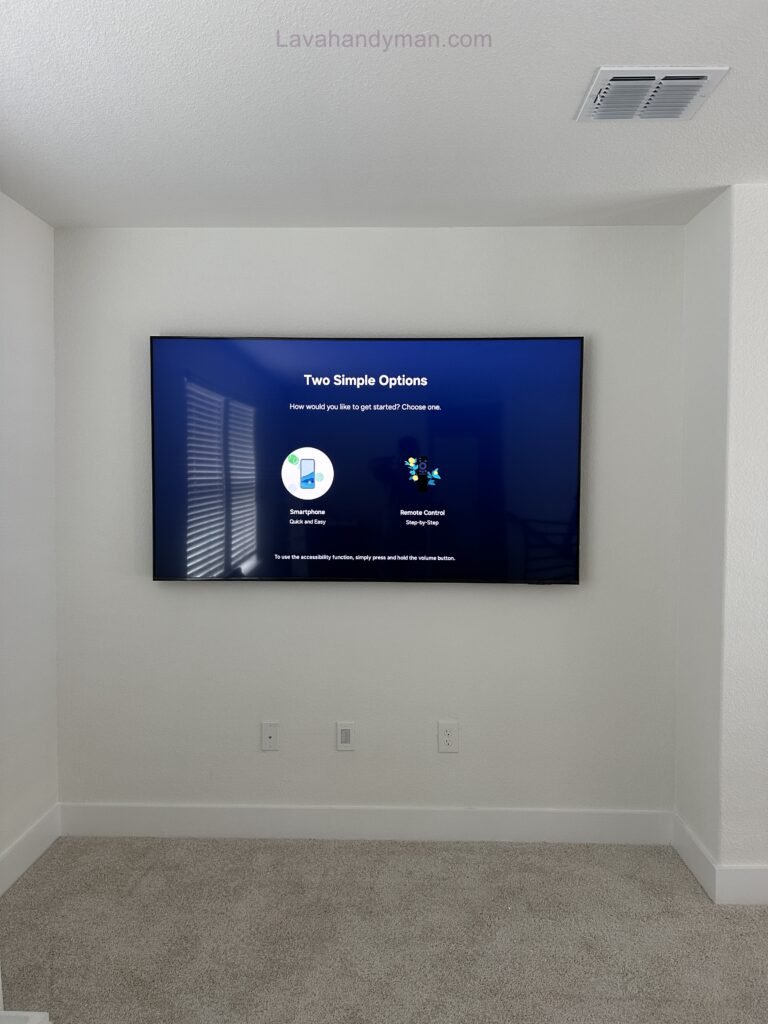
In-wall cable routing provides one of the cleanest TV installations.
Suitable low-voltage cables can be routed through an appropriate in-wall pathway, allowing them to travel from the television to the equipment or connection point below.
This method can produce a nearly cable-free appearance.
However, not every cable should be treated the same way.
Electrical power wiring must follow applicable electrical codes and should be installed using appropriate electrical components and methods.
If electrical modifications are required, hiring a qualified electrician is recommended.
Wall-Mounted TV Installation with Hidden Wiring
Option 2: Use a Recessed TV Outlet
A recessed outlet can help keep the TV closer to the wall.
Instead of having a conventional outlet and plug protruding behind the television, a recessed installation places the connection farther into the wall.
This can be particularly useful with slim fixed TV mounts.
A professional TV wall installation may use a combination of:
- Recessed power outlet
- Low-voltage cable plate
- HDMI connections
- Ethernet connection
- Cable conduit
Wall-Mounted TV Installation with Hidden Wiring
Option 3: Use a Cable Raceway
If cutting into the wall is not possible, a cable raceway is a practical alternative.
A raceway covers the cables and keeps them neatly organized along the wall.
This solution works well for:
- Rental properties
- Finished walls
- Concrete walls
- Temporary installations
- Homeowners who do not want to open the wall
Many cable raceways can be painted to match the wall, making them less noticeable.
Wall-Mounted TV Installation with Hidden Wiring
Can You Hide TV Power Cables Inside the Wall?
This is an important safety question.
You should not simply place a standard extension cord or power strip inside a wall cavity to hide the TV cable.
Electrical wiring installed inside walls must use appropriate wiring methods and components that comply with local electrical regulations.
Low-voltage cables such as HDMI and Ethernet are different from mains electrical wiring and may have their own in-wall installation requirements.
If your TV installation requires modifying electrical wiring or installing a new outlet, consult a qualified electrician.
Wall-Mounted TV Installation with Hidden Wiring
How to Hide HDMI Cables Behind a Wall-Mounted TV
HDMI is one of the most common cables used with modern televisions.
It may connect the TV to:
- PlayStation or Xbox
- Streaming devices
- Blu-ray players
- AV receivers
- Computers
- Soundbars
When HDMI cables are routed inside a wall, use cables and installation pathways suitable for that application.
Also consider the capabilities of your equipment.
For example, gaming systems using high resolution and high refresh rates may require HDMI cables with sufficient bandwidth.
Choosing the correct HDMI cable can help prevent issues such as:
- No signal
- Intermittent picture
- Resolution limitations
- Refresh-rate problems
- Audio connection issues
Wall-Mounted TV Installation with Hidden Wiring
Don’t Forget Ethernet and Audio Cables
A wall-mounted TV may require more than HDMI.
Depending on your setup, you may also need:
Ethernet
A wired network connection can provide reliable connectivity for smart TVs and streaming devices.
Optical Audio
Some audio systems use optical cables for digital audio.
Coaxial Cable
Cable television and antenna systems may require coaxial connections.
USB
USB connections may be used for certain accessories and media devices.
Planning all cable requirements before installation is much easier than adding them later.
Wall-Mounted TV Installation with Hidden Wiring
TV Wall Mount Installation: A Step-by-Step Process
Once the planning is complete, the installation can begin.
1. Measure the Television
Record the TV’s dimensions, weight, and VESA pattern.
2. Mark the Mounting Position
Use accurate measurements and a level to mark where the bracket will be installed.
3. Check the Wall
Identify studs, structural supports, or suitable masonry mounting points.
Also check for electrical wiring, plumbing, and other utilities before drilling.
Wall-Mounted TV Installation with Hidden Wiring
4. Install the Wall Bracket
Use fasteners appropriate for the wall type and the weight of the television.
Always follow the mounting bracket manufacturer’s installation instructions.
5. Prepare the Cable Path
Install the appropriate cable conduit, recessed boxes, cable plates, or raceway.
6. Connect the Cables
Connect the required power, HDMI, Ethernet, audio, and other cables.
Avoid excessive bending or pulling on cable connectors.
7. Mount the TV
Carefully attach the television to the bracket.
For large or heavy TVs, a two-person installation is strongly recommended.
Wall-Mounted TV Installation with Hidden Wiring
8. Test the System
Before completing the installation, test every connected device.
Check:
- Power
- Picture
- Sound
- HDMI inputs
- Internet
- Streaming
- Gaming consoles
- Soundbar
- Remote control
How to Make a Wall-Mounted TV Look More Professional
Installing the TV is only part of creating a professional-looking TV wall.
Wall-Mounted TV Installation with Hidden Wiring
Several design choices can improve the final result.
Keep the Screen Level
Even a small angle can be noticeable.
Use a reliable level when installing the bracket.
Hide External Devices
Streaming boxes, game consoles, and receivers can create clutter.
Where possible, place them inside a suitable media cabinet while ensuring adequate ventilation.
Match Cable Management to the Wall
If a surface raceway is necessary, choose a design that blends with the wall.
Straight, properly aligned cable channels look considerably better than loose cables.
Wall-Mounted TV Installation with Hidden Wiring
Consider a Recessed Connection
A recessed connection can help reduce the visible gap between the TV and the wall.
Plan Soundbar Placement
If you are installing a soundbar below the TV, consider its height, cable route, and relationship to the television.
Future-Proofing Your TV Wall Installation
One of the best professional installation practices is to plan for future upgrades.
You may eventually replace your television, add a gaming console, install a sound system, or upgrade your network.
A suitable conduit or cable pathway can make future cable replacement much easier.
Instead of permanently sealing every cable into the wall, create an accessible pathway where possible.
Wall-Mounted TV Installation with Hidden Wiring
This allows you to:
- Replace damaged cables
- Add HDMI cables
- Upgrade networking
- Install new devices
- Change entertainment equipment
Future-proofing can save significant time and installation costs later.
Common TV Wall Mounting Mistakes
Avoiding common mistakes can make the difference between a professional installation and a problematic one.
Mounting the TV Too High
A television does not need to be placed near the ceiling.
Comfortable viewing should be the priority.
Using the Wrong Wall Anchors
The correct anchor depends on the wall material and load.
Never assume a generic drywall anchor is suitable for a heavy television.
Choosing an Incompatible Mount
Wall-Mounted TV Installation with Hidden Wiring
Check VESA compatibility and weight capacity before purchasing a bracket.
Hiding an Extension Cord Inside the Wall
This can create a serious safety issue.
Use appropriate electrical installation methods instead.
Forgetting Future Connections
Plan for future devices before closing the wall.
Not Testing the Equipment
Test the entire entertainment system before finishing the installation.
Wall-Mounted TV Installation with Hidden Wiring
Professional TV Installation vs. DIY
Some TV installations can be completed by experienced DIY homeowners.
However, professional installation may be the better option when the project involves:
- Large or heavy televisions
- Difficult wall construction
- Concrete or masonry
- In-wall cable routing
- New electrical outlets
- Multiple entertainment devices
- Soundbar installation
- Complex home theater systems
A professional installer can evaluate the wall, choose appropriate mounting hardware, plan the cable route, and create a cleaner finished result.
When electrical modifications are involved, a qualified electrician should handle the electrical work where required by local regulations.
Wall-Mounted TV Installation with Hidden Wiring
How Much Does Wall-Mounted TV Installation Cost?
The cost of mounting a TV with hidden wiring depends on the complexity of the project.
Factors that influence the price include:
- Television size
- TV weight
- Type of wall
- Mounting bracket
- Cable length
- Number of cables
- In-wall cable routing
- Recessed outlets
- Electrical work
- Soundbar installation
- Number of connected devices
- Local labor rates
A basic TV mounting service may be relatively inexpensive, while a complete installation with concealed wiring and electrical modifications can cost considerably more.
The most accurate way to determine the price is to have the wall and installation requirements assessed before work begins.
Wall-Mounted TV Installation with Hidden Wiring
Frequently Asked Questions About Hidden TV Wiring
How do I hide TV wires when mounting a TV on the wall?
TV wires can be concealed using an appropriate in-wall cable pathway, recessed cable plates, or surface-mounted raceways. The best method depends on the wall construction and the type of cables being installed.
Can HDMI cables go inside the wall?
HDMI cables can often be routed through appropriate in-wall pathways, provided the cable and installation method are suitable for that application.
Can I hide a TV power cord inside the wall?
Do not place a standard extension cord or power strip inside the wall. Proper concealed electrical wiring should use approved components and comply with applicable electrical regulations.
What is the best wall mount for a TV?
Wall-Mounted TV Installation with Hidden Wiring
The best wall mount depends on the TV’s size, weight, VESA pattern, viewing position, and desired movement. Fixed, tilting, and full-motion mounts each serve different purposes.
How high should I mount my TV?
The ideal height depends on the seating position and screen size. In many rooms, positioning the center of the screen near the viewer’s seated eye level provides a comfortable viewing experience.
Is a fixed TV mount better than a full-motion mount?
A fixed mount usually provides the cleanest appearance and keeps the TV close to the wall. A full-motion mount offers greater flexibility when the TV needs to be viewed from different positions.
Do I need a professional to mount my TV?
Not always. However, professional installation is recommended for heavy TVs, difficult wall structures, concealed wiring, electrical work, or complex entertainment systems.
How can I hide TV cables without cutting the wall?
A cable raceway or surface-mounted cable channel is one of the simplest options. These systems conceal the cables without requiring major modifications to the wall.
Wall-Mounted TV Installation with Hidden Wiring
Final Thoughts: Creating a Clean TV Wall with Hidden Wiring
A wall-mounted TV installation with hidden wiring combines functionality, safety, and modern interior design. By choosing the correct wall mount, understanding the wall structure, planning the cable routes, and using appropriate cable-management solutions, you can create a TV setup that looks clean and professional.
The key is preparation.
Before drilling into the wall, determine the ideal TV position, identify the wall structure, confirm the VESA pattern, select the correct mounting bracket, and plan every required connection.
For the cleanest appearance, consider recessed outlets and suitable cable pathways. If opening the wall is not practical, a well-installed cable raceway can provide an attractive alternative.
Most importantly, electrical safety should never be compromised for appearance. Never hide a standard extension cord inside a wall. If the project requires electrical modifications, work with a qualified professional and follow local electrical regulations.
With careful planning and the right installation method, your television can appear almost completely cable-free, creating the clean, minimalist, and professional look that modern interiors demand.
📞 Need Help?
Let us take care of the hard work while you sit back and relax.
📍 Serving: Austin, Round Rock, Cedar Park & more
📱 Call or Text: (737) 420-6992
🌐 Visit: https://lavahandyman.com