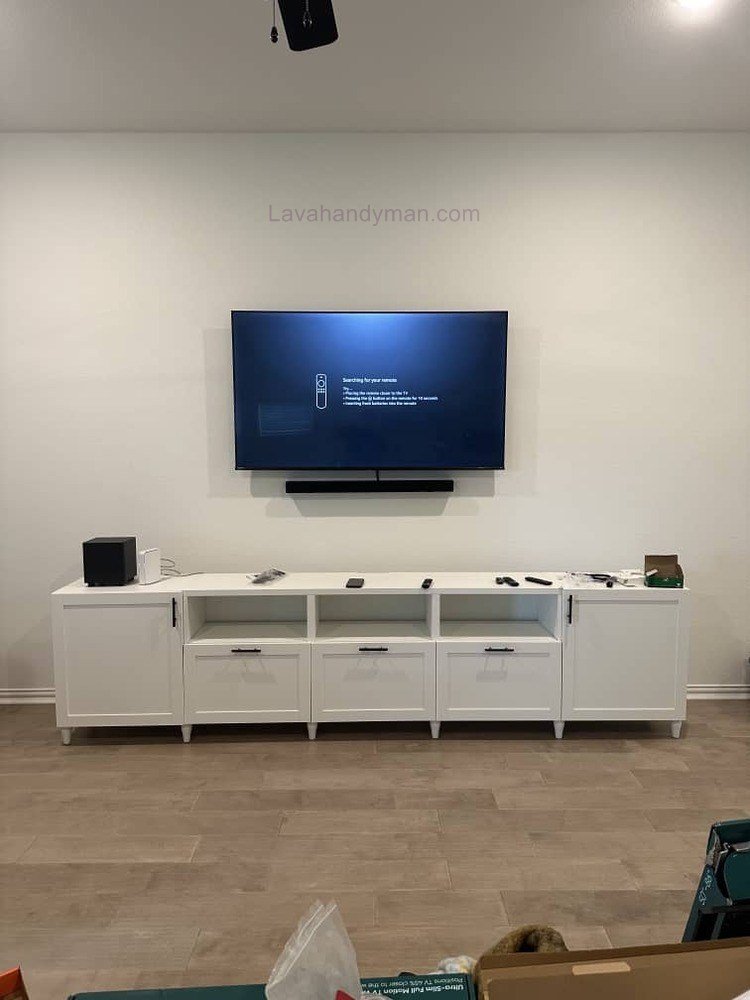
Mounting a TV on the Wall Without Drilling or Extra Cables: A Guide to a Clean and Modern Look
Introduction
Mounting a TV on the wall without drilling is an attractive option for homeowners, renters, and anyone who wants a clean, modern interior without unnecessary wall damage. A well-planned TV installation can save space, improve your viewing experience, and eliminate the clutter created by visible cables.
However, achieving a professional-looking setup involves more than choosing a mounting bracket. You also need to consider the television’s weight, wall material, mounting compatibility, cable routing, and electrical safety.
Fortunately, several solutions can help you create a neat entertainment area without traditional wall drilling. Depending on your situation, you can choose a specialized no-drill TV mount, a freestanding TV stand, surface-mounted cable covers, or furniture designed to conceal wires and electronic accessories.
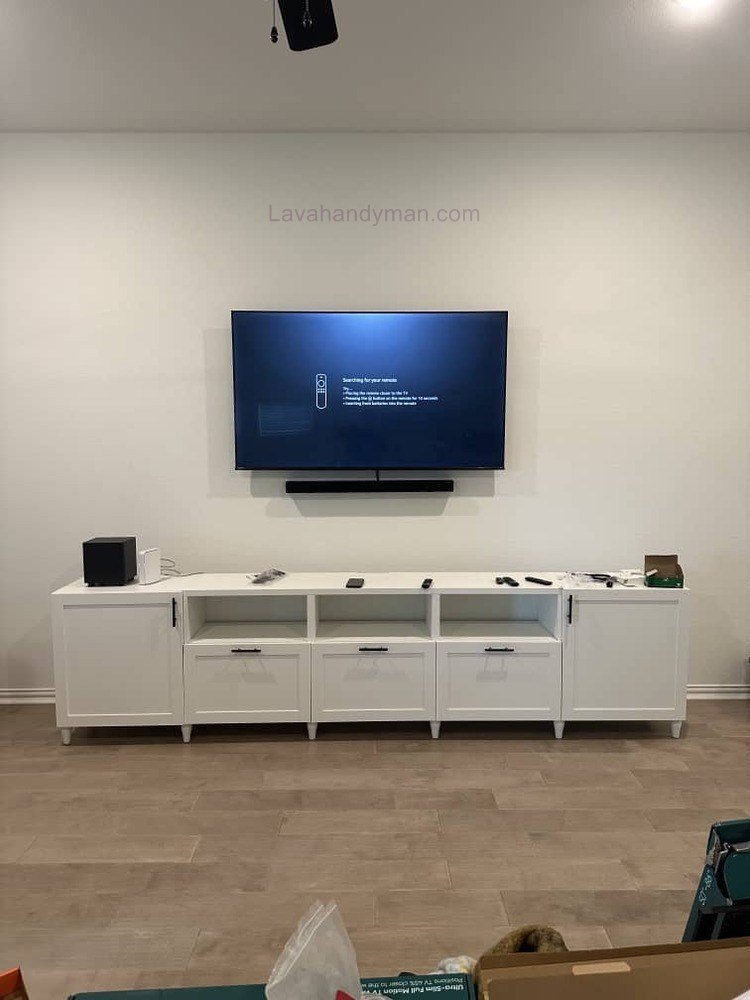
TV on the Wall Without Drilling or Extra Cables
It is important to understand that not every no-drill mounting product is suitable for every television. Ordinary adhesive strips and general-purpose tape should never be used to support a TV unless the complete mounting system is specifically designed and rated for that purpose.
In this guide, you’ll discover how to mount a TV without drilling, explore practical ways to hide TV cables, compare different mounting options, and learn how to create a safe and stylish entertainment space.
1. Is It Possible to Mount a TV Without Drilling?
Yes, mounting a TV without drilling may be possible, but the right method depends on your television, wall construction, and installation requirements.
Traditional TV wall mounts generally use screws and suitable anchors to secure a bracket to the wall. Although this method can provide reliable support when installed correctly, it may not be appropriate for renters or people who want to preserve their existing walls.
TV on the Wall Without Drilling or Extra Cables
A no-drill TV mounting solution can reduce or eliminate the need for conventional wall holes. However, the term “no-drill” describes several different approaches, and each has different limitations.
Specialized No-Drill TV Wall Mounts
Some mounting systems are designed to attach to particular wall surfaces without conventional drilling. These products must be used according to their specific installation instructions.
Before purchasing a no-drill TV wall mount, check the supported television weight, compatible wall materials, screen size, mounting pattern, and any restrictions on adjustment.
Never assume that a product is safe simply because its packaging describes it as damage-free or easy to install.
TV on the Wall Without Drilling or Extra Cables
Freestanding TV Mounts
A freestanding TV mount supports the television using a base and vertical frame rather than relying on the wall for support.
This is often a practical option for renters, apartments, and rooms where permanent wall alterations are not permitted. Some models can be positioned close to the wall, creating a similar appearance to a conventional wall-mounted television.
Make sure the base is stable, the mount is compatible with your TV, and any manufacturer-recommended anti-tip precautions are followed.
TV on the Wall Without Drilling or Extra Cables
Using an Existing TV Wall Bracket
If a suitable wall bracket is already installed, you may be able to mount a compatible television without creating additional holes.
Check the bracket’s condition, weight capacity, VESA compatibility, and attachment hardware before use. The bracket must be securely installed and appropriate for the replacement television.
Are Adhesive TV Mounts Safe?
Adhesive mounting systems require particular caution. The strength of an adhesive depends on the product, wall surface, temperature, humidity, installation quality, and duration of the load.
TV on the Wall Without Drilling or Extra Cables
Ordinary adhesive strips, double-sided tape, and general-purpose glue are not suitable for supporting a television unless the complete mounting system is specifically engineered and rated for that application.
For many installations, a properly secured freestanding TV mount is a more practical alternative when drilling is not an option.
2. Benefits of Mounting a TV Without Drilling
Choosing an appropriate no-drill solution can offer several advantages, especially when combined with effective TV cable management.
Protect Your Walls
TV on the Wall Without Drilling or Extra Cables
Drilling can leave permanent holes in drywall, plaster, brick, or other surfaces. Repairing these holes may involve filling, sanding, repainting, or replacing damaged finishes.
A suitable no-drill solution can help preserve the original appearance of your walls. This is particularly useful in rented apartments, newly renovated homes, and properties with decorative wall finishes.
Keep in mind that adhesive products can still remove paint or damage wallpaper when detached.
Create a Clean, Modern Look
A wall-mounted appearance can make a room feel more organized by reducing visual clutter and freeing up space around the television.
TV on the Wall Without Drilling or Extra Cables
When you combine an appropriate mount with hidden or neatly arranged cables, the TV becomes part of the interior design rather than a collection of visible wires and accessories.
Save Space in Small Rooms
In smaller living rooms, bedrooms, and apartments, a bulky TV cabinet can occupy valuable floor space.
A slim freestanding mount or carefully positioned entertainment unit can provide a more compact arrangement while keeping the television accessible.
Improve Installation Flexibility
TV on the Wall Without Drilling or Extra Cables
Some freestanding mounting systems are easier to relocate than permanent wall brackets. This flexibility can be useful when moving home, rearranging furniture, or changing the layout of an entertainment area.
However, the mounting system must remain stable and secure whenever the television is in use.
3. How to Choose the Right No-Drill TV Mount
Selecting the right mounting system is essential for both safety and appearance.
TV on the Wall Without Drilling or Extra Cables
Check the TV Weight and Size
The television’s weight is one of the most important factors when choosing a mount. Screen size alone does not determine whether a mounting system is suitable.
Check the manufacturer’s specifications for the TV’s weight without its original stand. Compare this figure with the mount’s rated load capacity and follow any additional requirements provided by the manufacturer.
Never exceed the stated weight limit.
TV on the Wall Without Drilling or Extra Cables
Verify VESA Compatibility
VESA is a widely used standard that specifies the spacing of mounting holes on compatible televisions and displays.
Common VESA patterns include 200 × 200 mm and 400 × 400 mm. The correct pattern depends on your television model.
Before purchasing a mount, confirm that its supported VESA dimensions match your TV. Also verify that the mounting screws are the correct diameter and length.
Incorrect hardware can damage the television or prevent the bracket from securing it properly.
TV on the Wall Without Drilling or Extra Cables
Consider the Wall Material
Different wall materials require different mounting methods.
- Drywall: Check the structure behind the surface and the mounting system’s approved installation requirements.
- Plaster: Older plaster walls may be brittle or damaged, making surface condition especially important.
- Brick and concrete: These materials may support conventional mounting when suitable anchors and installation methods are used, but this usually requires drilling.
- Wood panels: Decorative panels may not provide sufficient structural support for a television.
- Wallpaper and painted walls: Adhesive products may damage the finish or detach if the surface is unsuitable.
TV on the Wall Without Drilling or Extra Cables
If you cannot determine whether a mounting system is appropriate for your wall, consult a qualified installer.
Decide Between Fixed, Tilting, and Full-Motion Mounts
A fixed TV mount keeps the screen in a stationary position, while tilting mounts allow the viewing angle to be adjusted. Full-motion mounts can extend and swivel the television.
Movement can increase the forces acting on a mounting system. A no-drill product designed for a stationary television may not be suitable for an adjustable installation.
Choose a mount that matches your viewing requirements and the manufacturer’s permitted installation conditions.
TV on the Wall Without Drilling or Extra Cables
4. How to Mount a TV Without Drilling: Step-by-Step Guide
The installation process depends on the mounting system you choose. These general steps can help you plan a safer, more organized setup.
Step 1: Measure Your TV and Available Space
Measure the television and the area where you want to position it.
TV on the Wall Without Drilling or Extra Cables
Consider nearby furniture, electrical outlets, windows, doors, and your normal viewing position. You can use masking tape to outline the approximate screen dimensions on the wall before purchasing a mount.
The center of the screen is often most comfortable near seated eye level, although the ideal height depends on the room and seating arrangement.
Step 2: Select a Compatible Mounting System
TV on the Wall Without Drilling or Extra Cables
Choose a no-drill TV mount or freestanding TV support that is specifically suitable for your television.
Review the product’s load capacity, VESA compatibility, installation requirements, and restrictions on wall surfaces or screen movement.
Do not select a product based on appearance alone.
Step 3: Prepare the Installation Area
TV on the Wall Without Drilling or Extra Cables
If your chosen system attaches to the wall, follow the manufacturer’s instructions for preparing the surface.
Some products require a clean, dry, smooth surface free from dust, grease, loose paint, and wallpaper that may peel.
Do not install the product on a surface that is incompatible with its instructions.
Step 4: Assemble the Mount
Follow the supplied assembly instructions and use only the specified components.
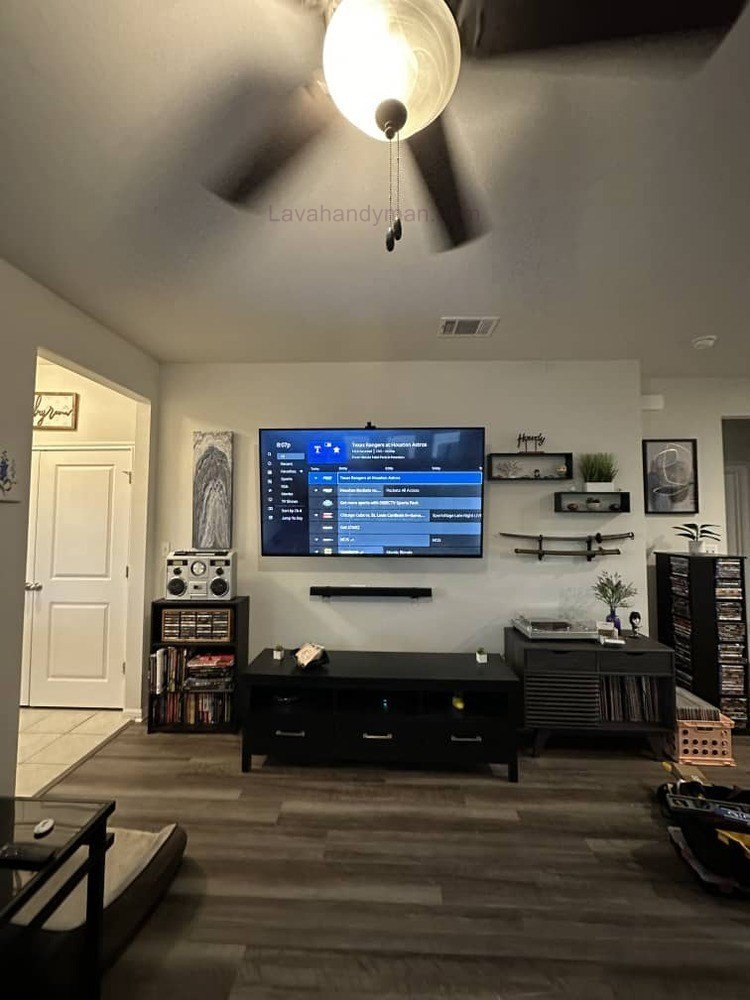
TV on the Wall Without Drilling or Extra Cables
If the mount attaches to the back of the television, make sure the brackets align with the correct mounting holes and that the screws are appropriate for your model.
Avoid overtightening screws or modifying the mounting hardware.
Step 5: Position and Secure the TV
Large televisions can be difficult to handle safely. Ask another adult to assist with lifting and positioning the screen when necessary.
Follow the manufacturer’s instructions for securing the television, including any locking mechanisms or safety latches.
TV on the Wall Without Drilling or Extra Cables
Never test a mount by pulling aggressively on the screen or adding extra weight.
Step 6: Check Stability and Ventilation
Verify that the television is level and that the mounting system is correctly engaged.
Leave the ventilation clearance recommended by the television manufacturer. Avoid covering the ventilation openings or positioning the screen where heat cannot escape.
If the mount becomes loose or the television moves unexpectedly, stop using the installation and have it assessed.
TV on the Wall Without Drilling or Extra Cables
Step 7: Organize the Cables
Connect the required power and signal cables, then arrange them using suitable cable-management accessories.
Leave enough slack to prevent strain on connectors, but avoid loose wires that can become tangled, pinched, or pulled.
Planning cable management before completing the installation makes it easier to achieve a clean final appearance.
5. How to Hide TV Cables Without Drilling
TV on the Wall Without Drilling or Extra Cables
Visible wires can make even an attractive television installation look unfinished. Fortunately, several TV cable management solutions can improve the appearance of your entertainment area without major construction work.
Use Surface-Mounted Cable Covers
Cable covers, also called cable raceways or cord channels, are among the most practical ways to hide TV wires without drilling into a wall.
These channels run along the wall surface and conceal the cables inside a protective cover. Many models are paintable, allowing them to blend into the surrounding wall.
TV on the Wall Without Drilling or Extra Cables
For the best result:
- Choose a channel with enough space for all required cables.
- Measure the cable route before cutting or installing the cover.
- Position the channel along a discreet, practical path.
- Use compatible fittings for corners and connection points.
- Follow the manufacturer’s surface preparation and attachment instructions.
A well-positioned cable raceway can significantly reduce visible clutter without requiring in-wall wiring.
TV on the Wall Without Drilling or Extra Cables
Organize Cables With Clips
Cable clips can guide wires along furniture, desks, and suitable surfaces.
They are useful for keeping HDMI cables, Ethernet cables, and other compatible low-voltage connections organized.
Choose clips that fit the cable diameter. Avoid sharp bends, excessive tension, and clips that compress or damage cable insulation.
Hide Cables Behind Furniture
TV on the Wall Without Drilling or Extra Cables
A media console or low cabinet beneath the television can conceal cables and connected devices.
You can organize streaming boxes, gaming consoles, soundbars, and other equipment within the furniture, provided there is adequate ventilation and easy access for maintenance.
Make sure power cords are not crushed behind heavy furniture and that electrical outlets are not overloaded.
Reduce Signal Cables With Wireless Technology
TV on the Wall Without Drilling or Extra Cables
Wireless streaming, Wi-Fi connectivity, and compatible wireless audio systems can reduce the number of signal cables running between devices.
However, wireless technology does not eliminate the need for electrical power. Your TV and many accessories will still require power cables or charging connections.
Consider which cables can genuinely be removed before purchasing additional equipment.
Use a Decorative TV Wall Panel
TV on the Wall Without Drilling or Extra Cables
A decorative panel can create an attractive feature wall while providing a place to organize cables and accessories.
Depending on its design, the panel may sit in front of the existing wall or form part of a larger entertainment unit.
Do not assume that a decorative panel can support the television’s weight unless it is specifically designed and secured for that purpose.
Avoid Unsafe In-Wall Cable Installation
TV on the Wall Without Drilling or Extra Cables
Concealing cables inside the wall may create a seamless appearance, but it usually requires openings and suitable wiring components.
Never place an ordinary TV power cord or household extension cord inside a wall cavity to hide it. Use an approved concealed-wiring solution that complies with local electrical regulations, and consult a qualified electrician when necessary.
6. How to Create a TV Setup With Fewer Visible Cables
The best cable-management plan starts before the television is installed.
TV on the Wall Without Drilling or Extra Cables
First, identify all the devices you intend to connect, including streaming boxes, gaming consoles, soundbars, satellite receivers, and network equipment.
Remove Unnecessary Connections
Connect only the equipment you need. Unused cables can create clutter and make maintenance more difficult.
Organize essential cables and label them if several devices are involved.
TV on the Wall Without Drilling or Extra Cables
Choose Appropriate Cable Lengths
Excessively long cables can be difficult to organize, while cables that are too short may strain connectors.
Measure the planned route and select appropriate lengths with enough slack for safe movement and maintenance.
Keep Devices Together
TV on the Wall Without Drilling or Extra Cables
Where practical, place media devices in a suitable cabinet or on a dedicated shelf.
A central connection point can reduce the number of visible wires and simplify cable routing.
Ensure that the cabinet provides adequate ventilation and that the equipment remains accessible.
Plan for Future Upgrades
TV on the Wall Without Drilling or Extra Cables
You may eventually add a soundbar, gaming console, or streaming device.
Choose cable covers and organizers that provide enough room for reasonable future changes. This can help you avoid rebuilding the entire cable-management system later.
7. TV Wall Mounting Safety Tips
A clean TV installation should never compromise safety. An improperly supported television can fall and cause serious injury or property damage.
TV on the Wall Without Drilling or Extra Cables
Keep these precautions in mind.
Never Exceed the Weight Rating
Verify the mounting system’s maximum load capacity and confirm that it is compatible with your television.
Check the complete mounting arrangement rather than relying only on screen size.
TV on the Wall Without Drilling or Extra Cables
Avoid Unverified Adhesive Mounts
Ordinary adhesive strips, tape, and general-purpose glue should not be used to suspend a TV unless the complete mounting system is specifically rated for that purpose.
Adhesive performance can change with humidity, temperature, surface coatings, and prolonged loading.
Protect Children and Pets
Keep cables out of walkways and arrange furniture so children and pets cannot easily pull on the television or its connections.
TV on the Wall Without Drilling or Extra Cables
Follow the manufacturer’s recommendations for securing the television and nearby furniture.
Maintain Electrical Safety
Use compatible power supplies and undamaged cables. Avoid overloaded outlets, crushed cords, and connections exposed to moisture.
Never improvise concealed electrical wiring simply to achieve a cleaner appearance.
Maintain Ventilation
TV on the Wall Without Drilling or Extra Cables
Leave the clearance recommended by the television manufacturer and keep ventilation openings unobstructed.
Good ventilation helps prevent excessive heat buildup during normal operation.
Know When to Hire a Professional
Professional installation is advisable for large televisions, uncertain wall conditions, complicated mounting systems, and any work involving electrical wiring.
A qualified installer can assess the mounting location and help identify potential safety problems.
TV on the Wall Without Drilling or Extra Cables
8. Common TV Mounting Mistakes to Avoid
Avoiding a few common mistakes can help you achieve a better installation.
Choosing a mount based only on screen size: Always check weight capacity and VESA compatibility.
Assuming every wall is suitable: Verify the wall material and the product’s installation requirements.
Using ordinary adhesive tape: Lightweight decorative adhesives are not substitutes for appropriately rated TV mounting systems.
TV on the Wall Without Drilling or Extra Cables
Ignoring cable length: Poorly sized cables can create clutter or place tension on connectors.
Mounting the TV too high: Consider your usual seated viewing position before choosing the screen height.
Blocking ventilation: Leave the clearance required by the television manufacturer.
Hiding ordinary power cords inside walls: Use suitable wiring methods that comply with local regulations.
Forgetting maintenance: Keep connections accessible and inspect cables and mounting hardware according to the manufacturer’s guidance.
TV on the Wall Without Drilling or Extra Cables
9. Best No-Drill TV Mounting Options for Renters
Renters often need a TV installation that improves the room without creating permanent alterations.
Before attaching anything to a wall, review your rental agreement and obtain permission if required. Even products advertised as damage-free can remove paint or damage wallpaper.
A freestanding TV mount is often a practical alternative because it supports the television independently of the wall.
TV on the Wall Without Drilling or Extra Cables
Other options include a compact TV stand, a media console with integrated cable management, or a floor-standing support positioned close to the wall.
For smaller apartments, combining a slim stand with surface-mounted cable covers and wireless streaming can create a neat entertainment area without major modifications.
When moving out, follow the manufacturer’s instructions for removing the equipment and any adhesive accessories.
10. How Much Does It Cost to Mount a TV Without Drilling?
The cost of a no-drill TV installation depends on the mounting system, television size, cable-management requirements, and the complexity of the setup.
TV on the Wall Without Drilling or Extra Cables
A basic cable cover may be inexpensive, while a specialized mounting system or freestanding TV support can cost considerably more.
You may also need compatible mounting accessories, cable organizers, a media console, or professional assistance.
Compare the total cost of the complete installation rather than focusing on a single accessory.
An inexpensive adhesive product is not a good investment if it cannot safely support your television. A properly rated freestanding mount may offer better long-term value when drilling is not permitted.
Before buying, check the product specifications, warranty, installation requirements, and return policy.
TV on the Wall Without Drilling or Extra Cables
11. Frequently Asked Questions About Mounting a TV Without Drilling
Can I mount a TV on the wall without drilling holes?
Yes, certain specialized no-drill mounting systems are available, depending on the television and wall surface. A freestanding TV mount is another option when you want to avoid attaching the TV to the wall entirely.
What is the safest way to mount a TV without drilling?
Choose a mounting system specifically designed and rated for your television and installation conditions. A compatible freestanding TV mount can be a practical alternative when wall attachments are unsuitable.
Can adhesive strips hold a large TV?
Ordinary household adhesive strips should not be used to support a television. Only consider an adhesive-based mounting system if the complete product is explicitly rated for the intended TV weight and surface.
How can I hide TV cables without drilling?
Use surface-mounted cable covers, cable clips, furniture-mounted organizers, or a media console. These solutions can conceal wires without requiring openings in the wall.
Can I hide the TV power cord inside the wall?
Do not place an ordinary TV power cord or household extension cord inside a wall cavity. Use an appropriate concealed-wiring solution that complies with local electrical regulations.
Is a no-drill TV mount suitable for renters?
It may be suitable if the mounting system is permitted by the landlord and compatible with the property. A freestanding TV mount is often a practical alternative because it does not require wall attachment.
Does a wireless TV setup eliminate all cables?
No. Wireless technologies can reduce signal cables, but the television still needs electrical power. Some connected devices also require their own power supplies.
How do I choose the correct TV mount?
Check your television’s weight, screen size, VESA pattern, mounting compatibility, and the mount’s load capacity. Also consider the wall material and whether you need a fixed or adjustable installation.
What should I do if my TV mount becomes loose?
Stop using the installation if the television appears unstable. Follow the manufacturer’s instructions for safely removing the load and have the mounting system inspected before using it again.
Conclusion
Mounting a TV on the wall without drilling or extra cables can help you create a clean, modern, and organized entertainment area without unnecessary wall damage.
The best solution depends on your television, available space, wall material, and safety requirements. Specialized no-drill mounts may suit certain installations, while freestanding TV supports can be an effective alternative for renters and people who cannot modify their walls.
Effective TV cable management is equally important. Surface-mounted cable covers, cable clips, furniture, decorative panels, and wireless connectivity can reduce visible clutter and improve the overall appearance of your setup.
Above all, choose mounting equipment that is compatible with your television, follow the manufacturer’s installation instructions, and maintain safe electrical connections and adequate ventilation.
With careful planning and the right equipment, you can enjoy a professional-looking TV setup that combines modern design, practical cable management, and long-term safety.
📞 Need Help?
Let us take care of the hard work while you sit back and relax.
📍 Serving: Austin, Round Rock, Cedar Park & more
📱 Call or Text: (737) 420-6992
🌐 Visit: https://lavahandyman.com