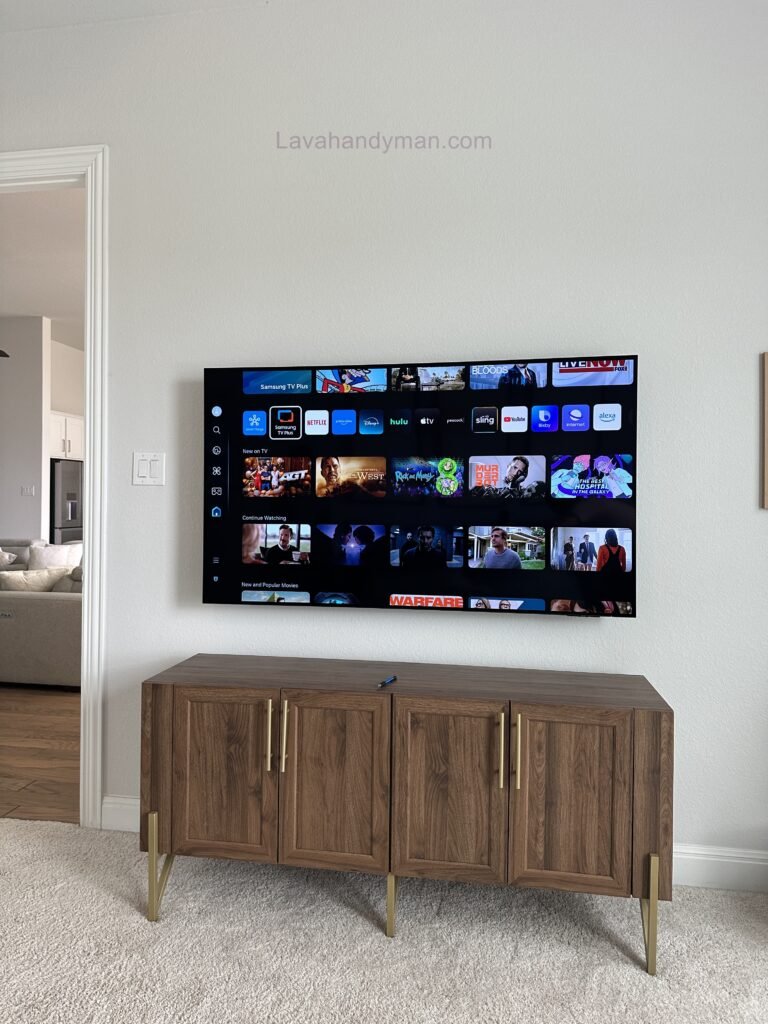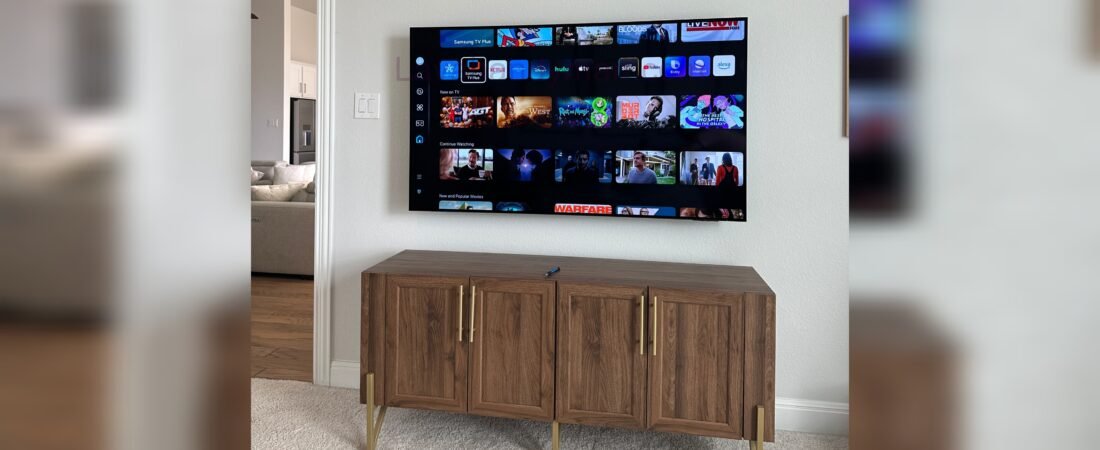
The Complete Guide to Installing a Samsung TV Without Damaging Your Wall
Installing a Samsung TV on the wall is one of the best ways to enhance your home’s appearance while creating a safer and more enjoyable viewing experience. Whether you’ve purchased a Samsung Crystal UHD, QLED, Neo QLED, or OLED TV, proper Samsung TV wall mount installation ensures your television remains secure, level, and protected for years to come.
Unfortunately, many homeowners attempt a DIY installation without understanding their wall structure or choosing the correct mounting hardware. The result can be cracked drywall, oversized drill holes, loose wall anchors, damaged studs, or even a fallen television.
The good news is that you can successfully mount a Samsung TV without damaging your wall by following the correct installation process. This guide covers everything from selecting the right wall mount to locating wall studs, drilling accurately, hiding cables, and avoiding common installation mistakes.
Whether you’re mounting a compact 43-inch Samsung TV or a large 85-inch Samsung Smart TV, the following step-by-step guide will help you achieve a clean, professional installation.
The Complete Guide to Installing a Samsung TV
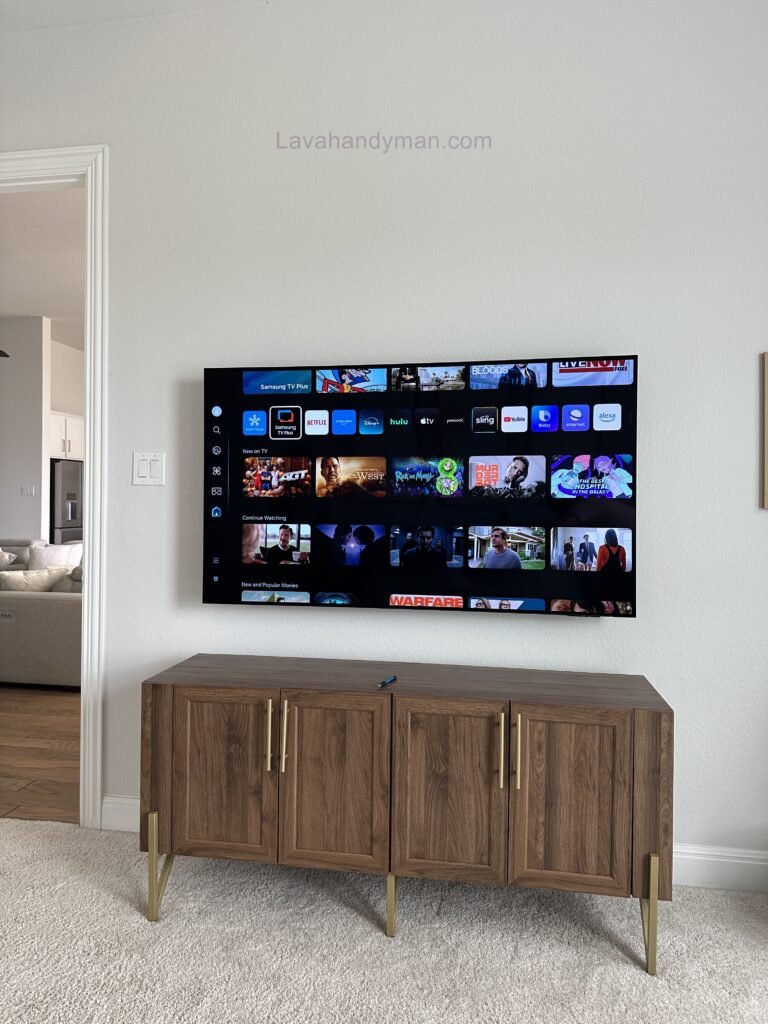
What You’ll Learn
By the end of this guide, you’ll understand how to:
- Install a Samsung TV safely without damaging drywall
- Choose the best Samsung TV wall mount
- Find wall studs correctly
- Mount your TV at the perfect viewing height
- Hide cables for a clean appearance
- Avoid costly installation mistakes
- Know when to hire a professional TV mounting service
The Complete Guide to Installing a Samsung TV
Why Proper Samsung TV Wall Mount Installation Matters
A wall-mounted Samsung TV offers more than a modern appearance. Proper installation improves safety, protects your investment, and creates a cleaner entertainment area.
Today’s Samsung televisions are thinner, larger, and heavier than ever before. While these ultra-slim displays look elegant, they require a properly installed wall mount capable of supporting their weight for many years.
An incorrectly mounted television may lead to:
- Damaged drywall
- Cracked plaster
- Loose wall anchors
- Uneven TV alignment
- Visible cables
- Expensive wall repairs
- TV damage
- Safety risks for children and pets
The Complete Guide to Installing a Samsung TV
Professional Samsung TV installation distributes the television’s weight directly into structural wall studs instead of relying solely on drywall anchors. This significantly reduces the risk of wall damage and improves long-term stability.
Benefits of Professional Samsung TV Installation
A professionally mounted Samsung TV provides several advantages:
- Better viewing angles
- Reduced screen glare
- Cleaner room design
- Improved cable management
- Increased home value
- More usable floor space
- Enhanced child and pet safety
- Long-lasting wall protection
Know Your Samsung TV Before Installation
The Complete Guide to Installing a Samsung TV
Before purchasing a wall mount, you should identify your Samsung TV model and confirm its mounting specifications.
Samsung manufactures several television series, including:
- Samsung Crystal UHD
- Samsung QLED
- Samsung Neo QLED
- Samsung OLED
- Samsung The Frame
- Samsung The Serif
- Samsung The Terrace
Each television has its own:
- Screen size
- Weight
- VESA mounting pattern
- Recommended wall mount type
You can find your Samsung TV model number by navigating to:
Settings → Support → About This TV
or by checking the manufacturer label on the back of the television.
Knowing your model ensures compatibility with your wall mount and helps prevent installation problems later.
The Complete Guide to Installing a Samsung TV
Choosing the Best Wall for Samsung TV Installation
Selecting the correct wall is one of the most important factors in a successful Samsung TV wall mount installation.
Different wall materials require different mounting methods, hardware, and drilling techniques.
Drywall with Wood Studs
Wood stud walls are the preferred option for mounting Samsung TVs.
A professional installer locates the wooden studs behind the drywall and secures the mounting bracket directly into the framing, creating a strong and reliable installation.
The Complete Guide to Installing a Samsung TV
Benefits include:
- Maximum stability
- Minimal wall damage
- Strong weight support
- Easy future removal
- Lower repair costs
Metal Stud Walls
Metal stud walls require specialized mounting hardware.
Because metal studs are thinner than wood framing, standard lag bolts are often insufficient for supporting larger televisions.
Professional installers may use heavy-duty toggle anchors or reinforcement plates depending on the television’s size and weight.
The Complete Guide to Installing a Samsung TV
Concrete Walls
Concrete walls offer one of the strongest mounting surfaces available.
However, installation requires specialized equipment, including:
- Hammer drill
- Masonry drill bits
- Concrete anchors
- Professional mounting hardware
Although installation is more labor-intensive, concrete provides exceptional support for large Samsung TVs.
The Complete Guide to Installing a Samsung TV
Brick Walls
Brick walls are another excellent option for mounting a Samsung television.
To prevent cracking or structural damage, mounting hardware should always be secured into solid brick—not the mortar joints.
Professional installation helps ensure a secure fit while preserving the integrity of the wall.
Choosing the Best Samsung TV Wall Mount
Selecting the correct TV wall mount is just as important as choosing the right wall.
The three most common mounting options include:
The Complete Guide to Installing a Samsung TV
Fixed Wall Mount
A fixed wall mount positions the television close to the wall, creating a sleek and modern appearance.
Best for:
- Living rooms
- Bedrooms
- Home theaters
Advantages:
- Slim profile
- Affordable
- Strong support
- Clean appearance
The Complete Guide to Installing a Samsung TV
Tilting Wall Mount
A tilting mount allows the television to angle downward, making it ideal for higher wall placements.
Recommended for TVs installed above:
- Fireplaces
- Dressers
- Bedroom furniture
Benefits include improved viewing comfort and reduced screen glare.
The Complete Guide to Installing a Samsung TV
Full-Motion TV Wall Mount
A full-motion mount provides maximum flexibility by allowing the television to extend, swivel, and tilt.
Ideal for:
- Corner installations
- Large family rooms
- Open-concept homes
- Multi-angle viewing
Because these mounts create greater leverage on the wall, professional installation is strongly recommended.
How to Find Wall Studs Before Mounting a Samsung TV
The Complete Guide to Installing a Samsung TV
Finding the wall studs is one of the most important steps in a successful Samsung TV wall mount installation. Skipping this step or relying only on drywall anchors can lead to loose brackets, wall damage, or even a fallen television.
Whether you’re installing a Samsung Crystal UHD, QLED, Neo QLED, or OLED TV, securing the wall mount directly into the studs provides the strength needed to safely support the weight of your television.
Professional TV mounting services always begin by locating the structural framing behind the wall before drilling any holes. This simple step protects your home, prevents unnecessary wall repairs, and ensures a long-lasting installation.
Why Wall Studs Are Essential for Samsung TV Installation
Wall studs are the vertical wooden or metal framing members hidden behind drywall. They provide the structural support required for mounting heavy objects such as televisions, shelving, and cabinets.
The Complete Guide to Installing a Samsung TV
Attaching your Samsung TV wall mount directly to the studs offers several benefits:
- Maximum structural support
- Reduced risk of drywall damage
- Improved long-term stability
- Safer installation for large TVs
- Fewer wall repairs in the future
- Better weight distribution
- Greater protection for your Samsung TV investment
For televisions larger than 65 inches, mounting directly into wall studs is strongly recommended.
Best Ways to Find Wall Studs
Before drilling any holes, use one of these proven methods to locate the studs behind your wall.
1. Use an Electronic Stud Finder
The Complete Guide to Installing a Samsung TV
A quality stud finder is the fastest and most reliable tool for locating wall studs.
Slowly move the device across the wall until it detects both edges of the stud. Mark each edge with a pencil, then locate the center point where the mounting bracket will be installed.
Using a stud finder helps eliminate guesswork, minimizes unnecessary holes, and reduces the risk of damaging drywall.
2. Locate Electrical Outlets
In most residential homes, electrical outlets are attached to one side of a wall stud.
After locating the outlet, measure approximately 16 inches to the left or right to estimate the position of the next stud.
Although this method should always be confirmed with a stud finder, it serves as an excellent starting point.
The Complete Guide to Installing a Samsung TV
3. Tap the Wall Surface
Gently tap the wall with your knuckles.
A hollow sound usually indicates empty drywall, while a solid sound suggests a wall stud behind the surface.
Although less accurate than electronic tools, this technique can help verify your measurements before drilling.
Choosing the Ideal Height for Your Samsung TV
The Complete Guide to Installing a Samsung TV
Correct mounting height is just as important as choosing the right wall mount.
Installing a television too high or too low can cause neck strain, eye fatigue, and an uncomfortable viewing experience.
Professional installers determine the ideal height based on:
- Screen size
- Viewing distance
- Furniture height
- Seating position
- Room layout
As a general recommendation, the center of the television should align with the viewer’s eye level while seated.
For most living rooms, this places the center of the screen approximately 42 to 48 inches from the floor, though adjustments may be needed depending on furniture and personal preference.
If your Samsung TV is mounted above a fireplace or bedroom dresser, a tilting TV wall mount can improve viewing comfort while reducing glare.
The Complete Guide to Installing a Samsung TV
Step-by-Step Samsung TV Wall Mount Installation
Following the correct installation process helps prevent wall damage while ensuring your Samsung TV remains secure for years to come.
Step 1: Measure the Installation Area
Measure the wall carefully and identify the center point where the television will be mounted.
Use a level to draw perfectly straight reference lines.
Accurate measurements at this stage help prevent uneven installation and unnecessary drilling.
The Complete Guide to Installing a Samsung TV
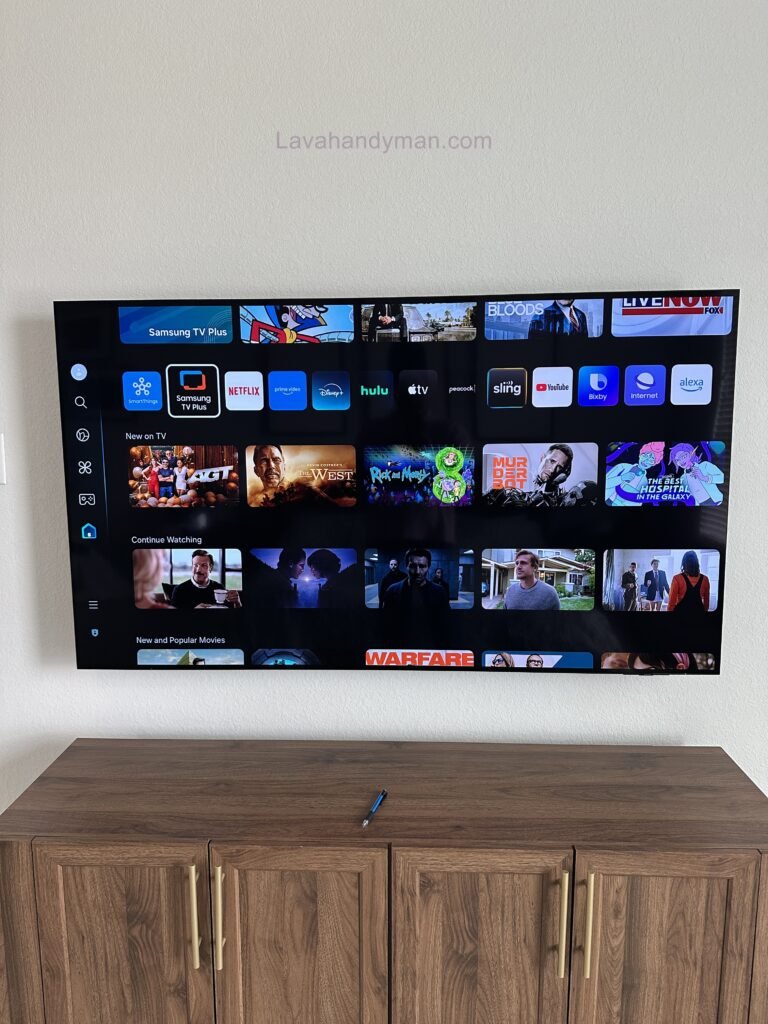
Step 2: Position and Mark the Wall Mount
Hold the wall mount bracket against the wall.
Align it with the wall studs and use a pencil to mark each mounting hole.
The Complete Guide to Installing a Samsung TV
Before drilling, verify every measurement one final time.
Professional installers follow one simple rule:
Measure twice. Drill once.
Step 3: Drill Pilot Holes
Pilot holes reduce pressure on the wall framing and make installation easier.
Select a drill bit slightly smaller than the supplied lag bolts to create clean, accurate holes.
This step also helps prevent wood studs from splitting during installation.
The Complete Guide to Installing a Samsung TV
Step 4: Secure the Wall Mount
Position the wall mount over the pilot holes and install the lag bolts.
Tighten each bolt evenly to distribute pressure across the bracket.
Avoid overtightening, as excessive force may damage drywall or weaken the mounting points.
Use a level to confirm the bracket is perfectly straight before proceeding.
The Complete Guide to Installing a Samsung TV
Step 5: Attach the Mounting Brackets to Your Samsung TV
Locate the VESA mounting holes on the back of your Samsung TV.
Install the mounting arms using the screws recommended by both Samsung and the wall mount manufacturer.
Using incorrect screw lengths can damage internal components or prevent the television from mounting securely.
Step 6: Mount the Samsung TV
For televisions larger than 55 inches, always have a second person assist with lifting.
The Complete Guide to Installing a Samsung TV
Carefully hook the TV onto the wall bracket and engage the safety locking mechanism.
Before letting go, confirm that the television is securely attached and sitting level against the wall.
How to Hide TV Cables for a Clean, Professional Installation
A beautifully mounted Samsung TV deserves equally clean cable management.
Loose HDMI, power, and network cables not only create visual clutter but can also become safety hazards.
Professional cable management improves both appearance and functionality.
Install a Cable Raceway
The Complete Guide to Installing a Samsung TV
A cable raceway is an affordable solution that conceals cables without opening the wall.
Most raceways can be painted to match your wall color, creating a clean, professional finish.
Benefits
- Easy DIY installation
- Affordable
- Minimal wall damage
- Organized cable routing
- Professional appearance
Use an In-Wall Cable Management Kit
For a true built-in look, many homeowners choose an in-wall cable management system.
This solution hides all visible wiring behind the wall, creating a sleek entertainment setup.
The Complete Guide to Installing a Samsung TV
Because electrical work must comply with local building codes, hiring a professional TV mounting service is recommended for in-wall cable installation.
Organize Cables with Sleeves and Clips
Cable sleeves, clips, and Velcro straps keep HDMI, Ethernet, and power cables neatly bundled together.
These inexpensive accessories improve airflow, reduce cable tangling, and make future upgrades much easier.
Common Samsung TV Wall Mount Installation Mistakes to Avoid
The Complete Guide to Installing a Samsung TV
Even with the right tools, many homeowners make simple mistakes during a Samsung TV wall mount installation that can lead to wall damage, poor TV alignment, or costly repairs. Understanding these common errors can help you protect both your television and your home while achieving a clean, professional installation.
Whether you’re installing a Samsung Crystal UHD, QLED, Neo QLED, OLED, or The Frame TV, following industry best practices ensures a secure and long-lasting result.
Failing to Locate Wall Studs
The most common installation mistake is mounting a Samsung TV directly to drywall without securing the bracket to wall studs.
Drywall alone is not designed to support the weight of a television. Over time, the added pressure can loosen the anchors, crack the wall, or even cause the TV to fall.
Professional Samsung TV mounting services always locate the wall studs before drilling to provide maximum support and minimize wall damage.
The Complete Guide to Installing a Samsung TV
Choosing the Wrong TV Wall Mount
Not all wall mounts are compatible with every Samsung TV.
Before purchasing a mount, verify:
- TV screen size compatibility
- Maximum weight capacity
- VESA mounting pattern
- Fixed, tilting, or full-motion functionality
- Compatibility with your Samsung TV model
Using the wrong mount may place unnecessary stress on both the wall and the television, reducing long-term stability.
The Complete Guide to Installing a Samsung TV
Installing the TV Too High
Many homeowners install their televisions much higher than recommended, especially above fireplaces.
While this may improve the room’s appearance, it often results in poor viewing angles, neck discomfort, and eye fatigue.
For the most comfortable viewing experience, the center of the TV should generally align with eye level when seated.
If a higher installation is unavoidable, consider using a tilting wall mount to improve viewing comfort and reduce glare.
Using Incorrect Mounting Hardware
Every Samsung TV and wall mount includes hardware designed for a specific weight and VESA configuration.
Using screws that are too long can damage internal TV components, while screws that are too short may fail to secure the mounting arms properly.
Always use the hardware supplied with your wall mount or follow Samsung’s recommended specifications.
The Complete Guide to Installing a Samsung TV
Ignoring Cable Management
A perfectly mounted TV can still look unfinished if cables are left hanging beneath the screen.
Planning your cable routing before installation improves both safety and appearance.
Professional installers often recommend:
- In-wall cable management systems
- Paintable cable raceways
- Cable sleeves
- Velcro cable straps
- Low-voltage cable kits
Proper cable management not only enhances aesthetics but also protects cables from accidental damage.
The Complete Guide to Installing a Samsung TV
Samsung TV Installation Safety Tips
Safety should always come first during any Samsung TV wall mount installation. Following these recommendations can help prevent injuries, equipment damage, and expensive repairs.
Never Mount a Large Samsung TV Alone
Televisions larger than 55 inches are significantly heavier than they appear.
Attempting to lift and mount a large TV without assistance increases the risk of dropping the television or damaging the wall.
Professional installers always use two technicians when mounting larger Samsung TVs.
The Complete Guide to Installing a Samsung TV
Confirm the Wall Can Support the Weight
Different wall types require different installation methods.
Before drilling, identify whether your wall is:
- Drywall with wood studs
- Drywall with metal studs
- Concrete
- Brick
- Stone
Choosing the correct mounting hardware for your wall type is essential for a safe installation.
The Complete Guide to Installing a Samsung TV
Inspect Every Mounting Bolt
Before hanging the television, double-check that every lag bolt and mounting screw is tightened correctly.
A properly secured wall bracket should remain completely stable with no movement.
Taking a few extra minutes to inspect the installation can prevent serious problems later.
The Complete Guide to Installing a Samsung TV
Test the Installation Before Use
Once the TV is mounted, gently apply pressure to confirm that the bracket is firmly attached to the wall.
The television should remain level and stable without shifting or wobbling.
If you notice any movement, inspect the mounting hardware immediately before using the TV.
When Should You Hire a Professional Samsung TV Mounting Service?
Although many homeowners successfully install their own televisions, certain projects are better left to experienced professionals.
Hiring a professional TV mounting service saves time, reduces installation risks, and helps prevent costly wall repairs.
The Complete Guide to Installing a Samsung TV
Professional installation is highly recommended if:
- Your Samsung TV is 65 inches or larger
- You’re mounting the TV above a fireplace
- Your home has metal stud walls
- You want in-wall cable concealment
- You’re installing on concrete, brick, or stone
- You’re using a full-motion wall mount
- You want a perfectly level installation
- You’re unfamiliar with power tools
Experienced installers have the equipment and expertise to complete the installation safely while protecting both your television and your walls.
Frequently Asked Questions
Can I mount a Samsung TV on drywall?
Yes, but the wall mount should always be secured to wall studs or installed using the correct hardware for your wall type. Mounting directly to drywall without structural support is not recommended.
The Complete Guide to Installing a Samsung TV
What is the ideal height for mounting a Samsung TV?
For most living rooms, the center of the screen should be positioned at approximately eye level when seated, typically between 42 and 48 inches from the floor.
Do all Samsung TVs use the same wall mount?
No. Samsung TVs vary in screen size, weight, and VESA mounting patterns. Always verify compatibility before purchasing a wall mount.
How much does Samsung TV wall mount installation cost?
The cost depends on several factors, including TV size, wall type, mount style, cable management requirements, and installation complexity.
The Complete Guide to Installing a Samsung TV
Is professional TV mounting worth it?
Yes. Professional installation reduces the risk of wall damage, ensures proper alignment, improves safety, and provides a cleaner, more polished finish.
Final Thoughts
A successful Samsung TV wall mount installation is about more than simply attaching a television to the wall. Proper planning, accurate measurements, secure mounting, and effective cable management all contribute to a safe, durable, and visually appealing installation.
By choosing the right wall mount, locating wall studs, using the correct hardware, and following proven installation techniques, you can enjoy your Samsung TV with confidence for years to come.
If your installation involves large televisions, complex wall materials, or hidden cable management, hiring a professional TV mounting service is often the best investment for protecting both your home and your television.
📞 Need Help?
Let us take care of the hard work while you sit back and relax.
📍 Serving: Austin, Round Rock, Cedar Park & more
📱 Call or Text: (737) 420-6992
🌐 Visit: https://lavahandyman.com