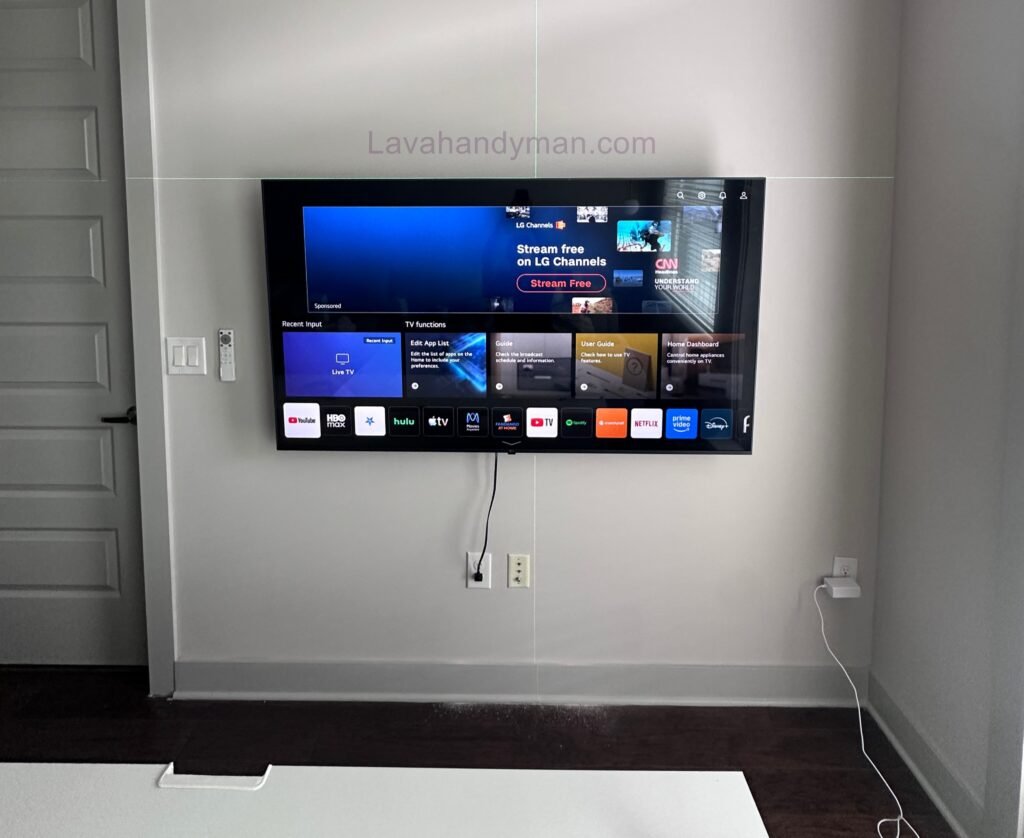
Standard TV Wall Mount Height | Complete Guide for the Best Viewing Experience
Introduction
Wall mounting a TV is one of the best ways to create a modern, organized, and functional living or working space. Besides saving valuable floor space, it enhances safety and gives your interior a clean, elegant appearance. However, installing the TV itself is only part of the process. The standard TV wall mount height is one of the most important factors affecting viewing comfort, neck health, and the overall viewing experience.
Many people focus only on the room layout or the location of the wall bracket while overlooking the correct mounting height. This common mistake can lead to neck pain, eye strain, reduced viewing comfort, and dissatisfaction with the installation. If your TV is mounted too high or too low, even the highest-quality display won’t deliver the best viewing experience.
In this comprehensive guide, you’ll learn the ideal TV wall mount height, the recommended viewing distance, the optimal viewing angle, the correct mounting height for different TV sizes, and essential installation tips to help you choose the perfect position for your television.
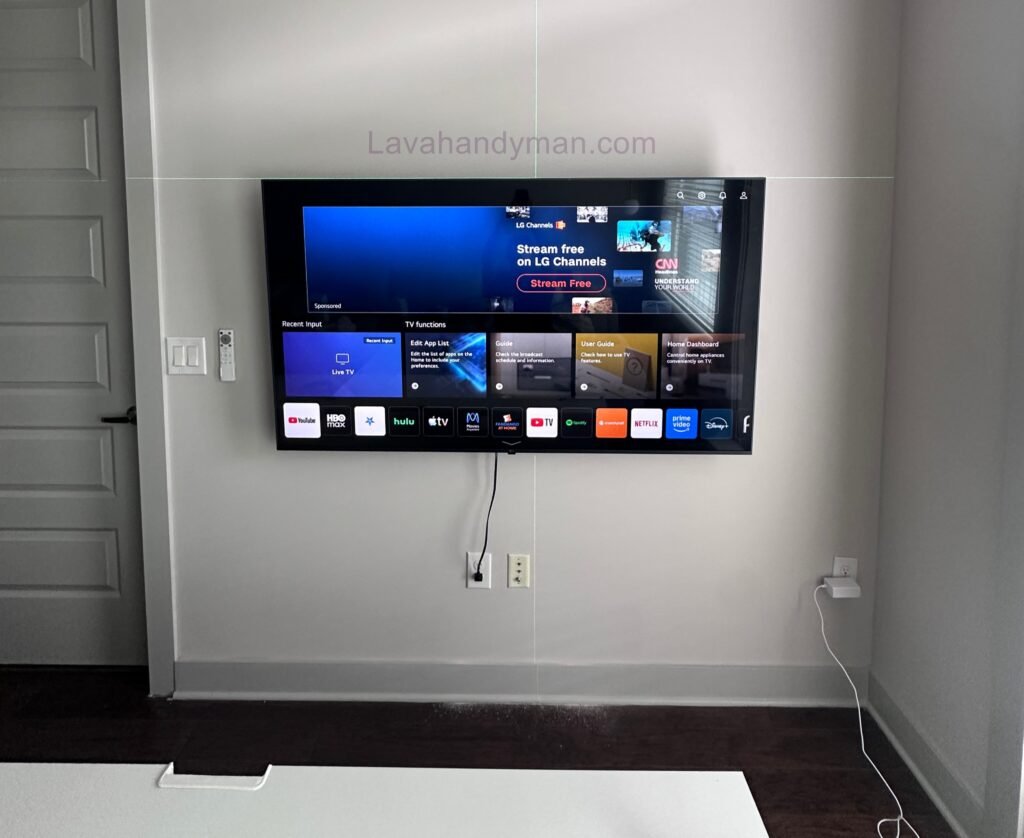
Standard TV Wall Mount Height
Why Is the Standard TV Wall Mount Height Important?
Choosing the right mounting height isn’t just about aesthetics—it directly impacts your comfort and long-term health. When the center of the TV screen is aligned with your eye level, it minimizes strain on your neck and spine, allowing you to watch movies, sports, or your favorite shows comfortably for extended periods.
Some of the key benefits of following the recommended TV mounting height include:
- Reduces strain on the neck, shoulders, and spine
- Helps prevent eye fatigue and discomfort
- Provides an optimal viewing angle for everyone in the room
- Minimizes glare and screen reflections
- Enhances the overall viewing experience for movies, gaming, and sports
- Improves the appearance of your interior design
- Increases safety, especially in homes with young children
For these reasons, professional TV installers carefully determine the ideal mounting position based on furniture height, viewing distance, and TV size before drilling into the wall.
Standard TV Wall Mount Height
What Determines the Standard TV Mounting Height?
There isn’t a single standard height that works for every TV. The ideal mounting height depends on several important factors, including your room layout, TV size, and how the television will be used.
1. TV Size
The larger the television, the higher its screen center will naturally be. That’s why the ideal mounting height for a 32-inch TV differs from that of an 85-inch TV.
2. Viewing Distance
Standard TV Wall Mount Height
The distance between your seating position and the TV significantly affects the ideal mounting height. If you’re sitting close to the screen, mounting the TV too high can cause neck strain. At greater viewing distances, the TV can be installed slightly higher while still maintaining a comfortable viewing angle.
3. Furniture or Bed Height
A TV mounted in a living room across from a sofa requires a different height than one installed in a bedroom opposite a bed. When seated on a sofa, the average eye level is typically between 95 and 110 cm (37 to 43 inches) from the floor, making this a useful reference point for installation.
4. Viewing Angle
The ideal setup places the center of the TV screen at approximately eye level. This allows you to watch comfortably without constantly tilting your head up or down.
5. Intended Use
If you primarily use your TV for watching movies, gaming, or live sports, following the recommended mounting height becomes even more important. Commercial spaces, waiting rooms, and conference rooms may require different mounting heights depending on the viewing environment.
Standard TV Wall Mount Height
What Is the Best Height to Mount a TV?
In general, professionals recommend positioning the center of the TV screen at the seated viewer’s eye level.
In most homes, eye level while sitting on a sofa is approximately 100–110 cm (39–43 inches) above the floor. Mounting the center of the TV within this range provides a natural viewing angle while reducing strain on both the neck and eyes.
Keep the following in mind:
- Mounting the TV too low forces you to tilt your head downward, leading to neck discomfort.
- Mounting it too high causes unnecessary neck strain and can become uncomfortable during long viewing sessions.
Keep in mind that these measurements may vary slightly depending on the TV size, seating height, and viewing distance.
Standard TV Wall Mount Height
Mounting a TV Above a Fireplace: Stylish but Not Always Practical
Installing a TV above a fireplace has become a popular interior design trend. While it creates a clean and elegant look, it often places the television much higher than the recommended viewing height.
Some of the disadvantages include:
- The TV may be mounted above the ideal eye level.
- Extended viewing can lead to neck discomfort.
- Increased glare and screen reflections.
- Heat from the fireplace may affect the TV’s performance and lifespan in certain situations.
Standard TV Wall Mount Height
Standard TV Wall Mount Height by TV Size
One of the most frequently asked questions when installing a television is: “What is the ideal height to mount a TV on the wall?” The answer depends on several factors, including the TV’s screen size, viewing distance, seating position, and room layout.
While there isn’t a universal mounting height that fits every situation, professional TV installers generally recommend positioning the center of the TV screen at the viewer’s eye level when seated. Following this guideline provides the most comfortable viewing experience, reduces neck strain, and improves overall picture quality.
The recommendations below are based on average sofa height and the optimal viewing angle for most living rooms.
Standard TV Wall Mount Height
Standard TV Wall Mount Height Chart
Choosing the correct TV mounting height ensures a comfortable viewing position and helps prevent neck and eye fatigue. The following table provides the recommended mounting height for the most common TV sizes.
| TV Size | Recommended Center Height from Floor | Approximate Bottom of TV from Floor |
|---|---|---|
| 32-inch | 100–105 cm (39–41 in) | 78–82 cm (31–32 in) |
| 43-inch | 100–105 cm (39–41 in) | 72–76 cm (28–30 in) |
| 50-inch | 100–110 cm (39–43 in) | 68–72 cm (27–28 in) |
| 55-inch | 105–110 cm (41–43 in) | 65–70 cm (26–28 in) |
| 65-inch | 105–115 cm (41–45 in) | 60–66 cm (24–26 in) |
| 75-inch | 110–120 cm (43–47 in) | 55–62 cm (22–24 in) |
| 85-inch | 110–120 cm (43–47 in) | 50–58 cm (20–23 in) |
| 98-inch | 115–125 cm (45–49 in) | 45–55 cm (18–22 in) |
Standard TV Wall Mount Height
Tip: These measurements are general recommendations. The ideal TV wall mount height may vary depending on your eye level, furniture height, and the overall room design.
Best TV Viewing Distance by Screen Size
Mounting your television at the correct height is only one part of creating the perfect viewing experience. Sitting at the proper distance from the screen is equally important for picture clarity, eye comfort, and immersion.
The table below shows the recommended viewing distance for different TV sizes.
| TV Size | Recommended Viewing Distance |
|---|---|
| 32-inch | 1.2–1.8 m (4–6 ft) |
| 43-inch | 1.5–2.2 m (5–7 ft) |
| 50-inch | 1.8–2.5 m (6–8 ft) |
| 55-inch | 2.1–2.8 m (7–9 ft) |
| 65-inch | 2.5–3.3 m (8–11 ft) |
| 75-inch | 2.8–3.8 m (9–12.5 ft) |
| 85-inch | 3.2–4.2 m (10.5–14 ft) |
| 98-inch | 3.7–4.8 m (12–16 ft) |
Standard TV Wall Mount Height
Maintaining the correct viewing distance helps reduce eye fatigue while allowing you to enjoy the full resolution of your TV, whether you’re watching movies, streaming content, gaming, or following live sports.
What Is the Best Viewing Angle for a Wall-Mounted TV?
The ideal viewing angle is achieved when the center of the TV screen aligns with your eye level while seated. Home theater experts recommend keeping the vertical viewing angle within 15 degrees above or below eye level for maximum comfort.
To achieve the best viewing experience:
- Position your seating directly in front of the TV whenever possible.
- Mount the center of the screen at seated eye level.
- Avoid installing the TV too close to the ceiling.
- Minimize glare from windows and lighting fixtures.
- Use a tilting or full-motion TV wall mount if the TV must be installed higher than recommended.
Following these best practices will improve viewing comfort and reduce neck strain during long movie nights, gaming sessions, or sports events.
Standard TV Wall Mount Height
Standard TV Mount Height for Different Rooms
The ideal TV mounting height varies depending on the room and the primary viewing position.
Living Room
In most living rooms, viewers watch television while sitting on a sofa. For the best viewing angle, the center of the TV should typically be mounted 100–110 cm (39–43 inches) above the floor.
Bedroom
Bedrooms require a slightly different approach because people usually watch TV while lying down or reclining. In these cases, mounting the TV 10–20 cm (4–8 inches) higher than the living room recommendation often provides a more comfortable viewing angle.
Standard TV Wall Mount Height
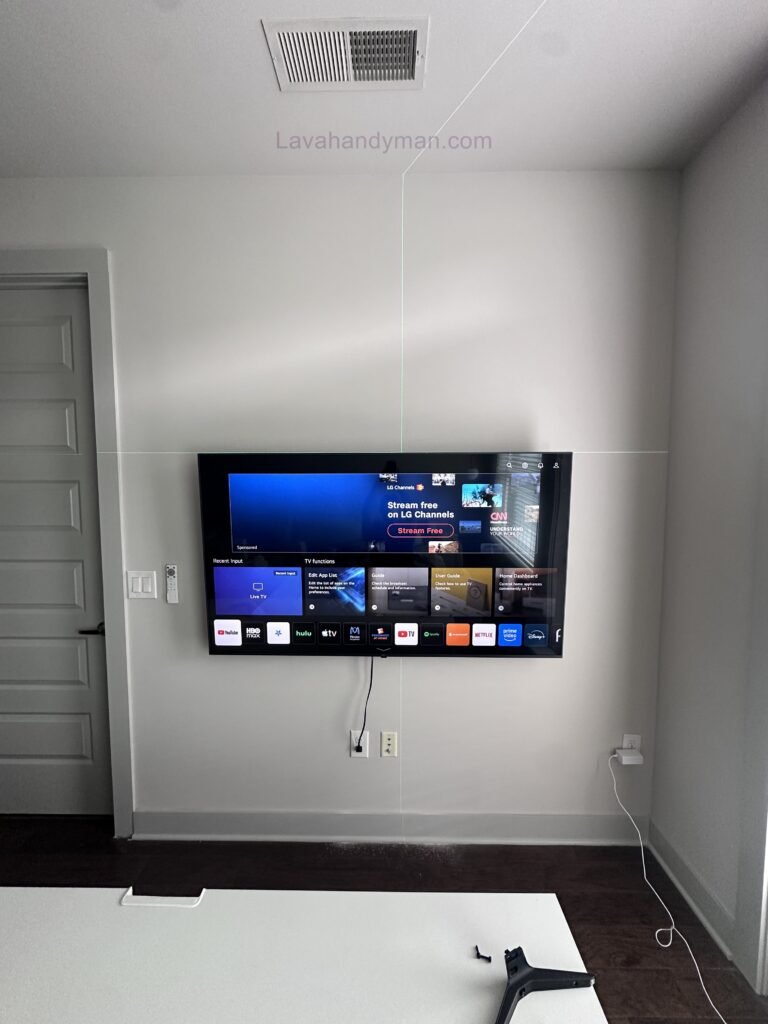
Office or Conference Room
Meeting rooms and office spaces may require the TV to be mounted slightly higher to improve visibility for multiple viewers. However, the screen should never be placed so high that it causes neck discomfort during presentations or extended viewing.
Factors That Affect the Ideal TV Wall Mount Height
Although standard recommendations provide an excellent starting point, several factors can influence the perfect installation height.
Standard TV Wall Mount Height
These include:
- TV screen size
- Sofa or chair height
- Average viewer eye level
- Viewing distance
- Fireplace installations
- Ceiling height
- Soundbar placement
- Cable management requirements
- Interior design and furniture layout
Professional TV installers evaluate each of these factors before selecting the final mounting position, ensuring the television is both comfortable to watch and visually balanced within the room.
Common TV Wall Mount Installation Mistakes to Avoid
Installing a TV on the wall can transform your living space, creating a clean, modern look while improving safety and saving valuable floor space. However, even a small installation mistake can lead to poor viewing comfort, equipment damage, or costly repairs.
Understanding the most common TV wall mount installation mistakes will help you achieve a safer installation and enjoy the best possible viewing experience.
Standard TV Wall Mount Height
1. Mounting the TV Too High or Too Low
One of the biggest mistakes people make is installing the TV at the wrong height. A television mounted too high forces you to tilt your head upward, while mounting it too low causes unnecessary neck strain during long viewing sessions.
For the most comfortable viewing experience, the center of the TV screen should be positioned at seated eye level.
Before drilling into the wall, always measure your seating height and viewing position to determine the ideal mounting location.
Standard TV Wall Mount Height
2. Choosing the Wrong TV Wall Mount
Not every TV wall mount is suitable for every television. Using the wrong bracket can affect stability and, in extreme cases, increase the risk of the TV falling.
Before purchasing a TV wall mount, check the following:
- TV screen size
- TV weight
- VESA compatibility
- Wall type (drywall, concrete, or brick)
- Tilt or full-motion capabilities
Choosing the correct bracket ensures both safety and long-term durability.
Standard TV Wall Mount Height
How to Choose the Best TV Wall Mount
Selecting the right wall mount is just as important as choosing the correct installation height. Different mounting brackets are designed for different viewing environments.
Fixed TV Wall Mount
A fixed wall mount keeps the television close to the wall, making it an excellent option for living rooms where viewers sit directly in front of the screen.
Benefits
- Affordable price
- Easy installation
- Slim profile
- Clean, modern appearance
Standard TV Wall Mount Height
Tilting TV Wall Mount
A tilting wall mount allows you to angle the television vertically, making it ideal for installations slightly above eye level.
Benefits
- Reduces glare
- Improves viewing angle
- Ideal for fireplace installations
- Better flexibility than fixed mounts
Standard TV Wall Mount Height
Full-Motion TV Wall Mount
A full-motion (articulating) wall mount offers maximum flexibility by allowing the TV to extend, swivel, and tilt in multiple directions.
It is the best choice for large living rooms, open floor plans, or spaces with multiple seating positions.
Benefits
- Maximum viewing flexibility
- Adjustable horizontal and vertical movement
- Easy cable access
- Perfect viewing angle from different locations
Standard TV Wall Mount Height
TV Cable Management Tips
Professional TV installations don’t end with mounting the screen. Proper TV cable management is essential for maintaining a clean appearance and improving safety.
Visible cables can make even an expensive installation look unfinished while increasing the risk of accidental damage.
Here are some effective cable management solutions:
- Install decorative cable raceways.
- Route cables inside the wall.
- Use cable covers that match your wall color.
- Hide cables behind a TV panel or media console.
- Organize wires with cable sleeves or clips.
Keeping cables organized improves both the aesthetics and functionality of your entertainment setup.
Standard TV Wall Mount Height
TV Wall Mount Installation Safety Tips
Following proper safety procedures protects both your television and your home.
Professional installers recommend these safety precautions:
- Use high-quality screws and wall anchors.
- Locate electrical wiring and plumbing before drilling.
- Ensure the wall mount is perfectly level.
- Verify the wall can safely support the TV’s weight.
- Tighten every bolt after installation.
- Have a second person assist when mounting large TVs.
Taking a few extra minutes during installation can prevent costly accidents later.
Standard TV Wall Mount Height
Frequently Asked Questions
What is the standard height for mounting a TV on the wall?
In most living rooms, the center of the TV should be approximately 100–110 cm (39–43 inches) from the floor, depending on seating height and TV size.
Can I mount a TV above a fireplace?
Yes, but it is generally not the ideal location because the TV is often positioned too high. If you choose this setup, a tilting or full-motion TV wall mount is highly recommended.
Standard TV Wall Mount Height
What is the best viewing distance for a TV?
The recommended viewing distance depends on your TV size and resolution. For example, a 65-inch TV is typically best viewed from 2.5 to 3.3 meters (8–11 feet) away.
Does wall mounting improve picture quality?
Wall mounting itself doesn’t change picture quality. However, installing the TV at the correct height and viewing angle creates a more comfortable and immersive viewing experience.
Standard TV Wall Mount Height
Does every TV require a specific wall mount?
Yes. Every TV wall mount should match the television’s screen size, weight, and VESA mounting pattern to ensure maximum safety and compatibility.
Professional Tips for the Perfect TV Wall Mount Installation
Even if you know the recommended TV wall mount height, following a few professional installation tips can significantly improve both your viewing experience and the overall appearance of your space.
Before drilling any holes, use painter’s tape to outline the dimensions of your TV on the wall. This simple technique allows you to visualize the final placement and helps prevent mounting the television too high or too low.
Always identify your wall type before installation. Drywall, concrete, brick, and wood stud walls each require different anchors and mounting hardware. Using the correct fasteners is essential for a safe and secure installation.
If you’re planning to install a soundbar below your television, leave enough clearance to avoid blocking the screen or interfering with the TV’s remote control sensor.
For the cleanest appearance, position power outlets and cable connections behind the TV whenever possible. Concealing cables creates a professional-looking installation while improving safety and reducing clutter.
Finally, before tightening every bolt, sit in your primary viewing position and confirm that the TV height and viewing angle feel comfortable. A small adjustment before finishing the installation can make a significant difference in long-term viewing comfort.
Standard TV Wall Mount Height
TV Wall Mount Installation Checklist
Before mounting your television, review the following checklist to ensure a smooth and professional installation.
✔ Measure your seated eye level.
✔ Confirm the recommended TV wall mount height.
✔ Choose a wall mount compatible with your TV’s size, weight, and VESA pattern.
✔ Locate wall studs or select the appropriate wall anchors.
✔ Check for electrical wiring and plumbing before drilling.
✔ Use a level to ensure the wall bracket is perfectly straight.
✔ Test all TV ports and cable connections.
✔ Organize and conceal cables before hanging the TV.
✔ Verify the viewing angle from your primary seating position.
✔ Tighten and inspect every mounting bolt after installation.
Following these steps minimizes installation mistakes and helps ensure a safe, durable, and professional-looking result.
Standard TV Wall Mount Height
Conclusion
Choosing the standard TV wall mount height is one of the most important steps in creating a comfortable and enjoyable viewing experience. Proper installation height, the right wall mount, correct viewing distance, and effective cable management all contribute to better ergonomics, improved room aesthetics, and enhanced safety.
Before mounting your television, carefully evaluate your TV size, seating position, wall type, and room layout. Investing a little extra time in planning the installation will ensure years of comfortable viewing while protecting both your television and your home
📞 Need Help?
Let us take care of the hard work while you sit back and relax.
📍 Serving: Austin, Round Rock, Cedar Park & more
📱 Call or Text: (737) 420-6992
🌐 Visit: https://lavahandyman.com