How to Mount a TV on the Wall Without Visible Cables: A Complete Guide to Creating a Clean and Modern Home Interior
Introduction
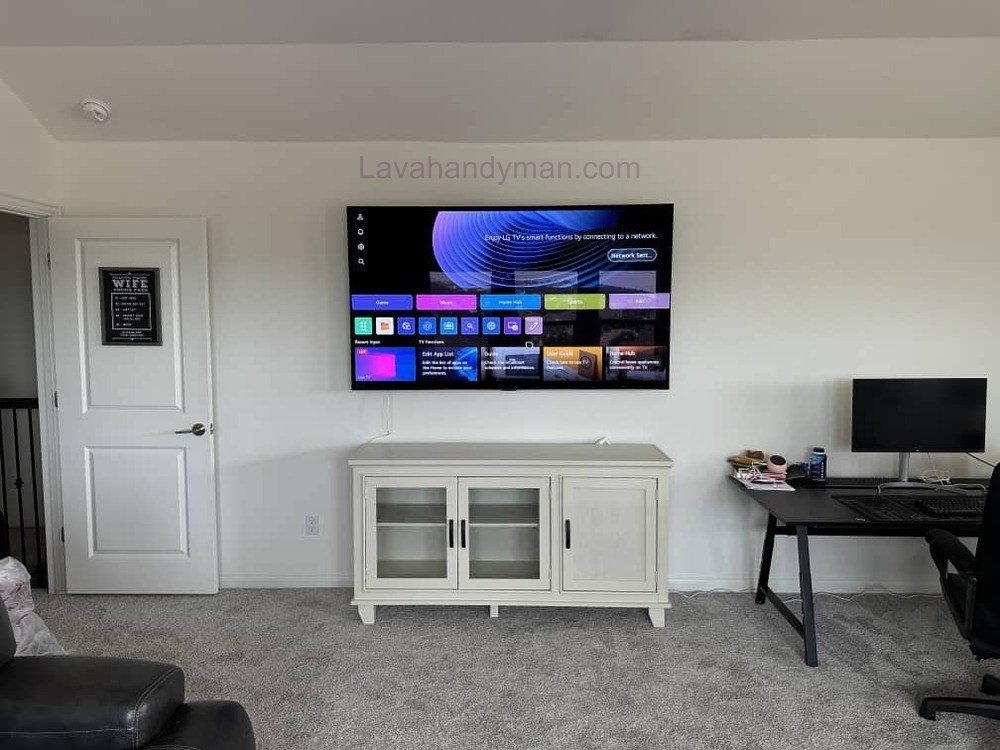
Learning how to mount a TV on the wall without visible cables is one of the best ways to create a clean, modern, and organized living space. A wall-mounted television instantly improves the appearance of a room, saves valuable floor space, and creates a stylish entertainment area. However, exposed power cords, HDMI cables, and tangled wires can ruin the overall look of even the most beautiful TV installation.
The good news is that you do not have to compromise between functionality and appearance. With the right TV wall mount, proper cable management, and professional installation techniques, you can enjoy a television setup with no visible wires or unnecessary clutter.
Whether you are upgrading your living room, designing a modern home theater, or installing a television in a bedroom, understanding the best ways to hide TV cables can make a significant difference.
In this complete guide, we will explain how to mount a TV on the wall, choose the right mounting bracket, conceal cables safely, and create a professional-looking entertainment space. You will also learn about different cable management solutions, common installation mistakes, and the benefits of hiring a professional TV mounting service.
Mount a TV on the Wall Without Visible Cables
Why Choose a Wall-Mounted TV Without Visible Cables?
A wall-mounted TV offers more than just a modern appearance. When combined with effective cable concealment, it creates a functional and visually appealing entertainment area.
1. Create a Clean and Modern Interior
Mount a TV on the Wall Without Visible Cables
One of the main reasons homeowners choose TV wall mounting is its minimalist appearance. Traditional TV stands and entertainment cabinets can make a room feel crowded, especially when multiple devices and cables are visible.
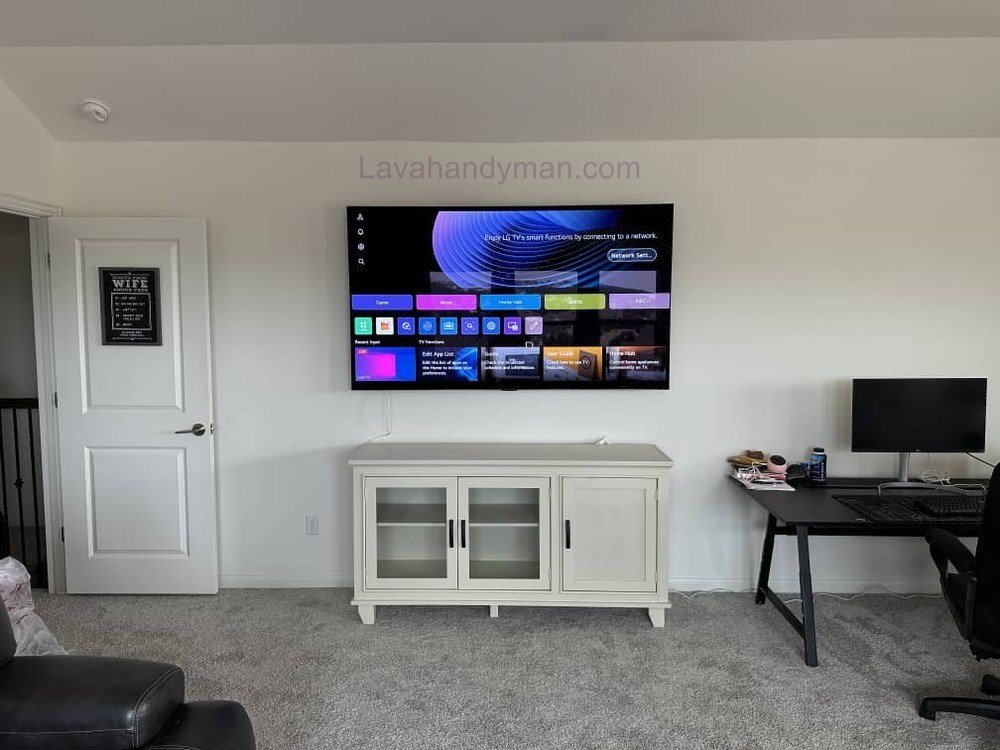
A television mounted directly on the wall creates a streamlined look. When all cables are properly hidden, the screen becomes the main focal point of the room without distracting wires underneath it.
2. Save Space in Your Living Room
Wall-mounted televisions are especially useful in smaller homes and apartments. Removing the need for a large TV stand frees up floor space and provides more flexibility when arranging furniture.
Mount a TV on the Wall Without Visible Cables
You can use the additional space for decorative shelves, storage units, or a floating TV cabinet.
3. Improve Cable Organization and Safety
Exposed TV cables can become tangled, collect dust, and create unnecessary clutter. They may also present tripping hazards, particularly in homes with children and pets.
Professional TV installation with proper cable management helps keep wires organized, protected, and out of sight.
4. Create a Premium Home Entertainment Setup
Mount a TV on the Wall Without Visible Cables
A professionally installed television with concealed cables can make your entertainment area look more sophisticated.
Combining a slim TV wall mount with decorative panels, floating furniture, and subtle LED lighting can transform an ordinary living room into a stylish entertainment space.
How to Choose the Right Wall for TV Installation
Before installing a wall-mounted TV, it is important to select a suitable location. The wall structure, viewing distance, available connections, and cable routing options should all be considered.
Check the Wall Material
Mount a TV on the Wall Without Visible Cables
Different wall materials require different mounting methods.
Drywall: For drywall installations, the mounting bracket should be secured to suitable structural framing, such as wall studs. Ordinary drywall alone should not be relied upon to support a heavy television.
Brick Walls: Brick walls can provide strong support when suitable masonry anchors and fasteners are used. The condition and type of brick should be checked before drilling.
Concrete Walls: Concrete is generally suitable for TV wall mounting when the correct drilling equipment and compatible anchors are selected.
Mount a TV on the Wall Without Visible Cables
Before drilling into any wall, check for concealed electrical wiring, plumbing, and other utilities.
Choose the Best Viewing Height
The height of your television directly affects viewing comfort. As a general rule, the center of the screen should be close to seated eye level.
The ideal position depends on your sofa height, screen size, viewing distance, and personal preference.
Avoid mounting the TV too high, as this can make viewing uncomfortable over long periods.
Mount a TV on the Wall Without Visible Cables
Consider Windows and Lighting
Natural light and artificial lighting can create reflections on the television screen.
Whenever possible, avoid positioning the TV directly opposite large windows. If this cannot be avoided, an adjustable TV wall mount may help you find a more comfortable viewing angle.
Choosing the Best TV Wall Mount
Selecting the correct TV mounting bracket is essential for a safe and professional installation. The best option depends on your television size, weight, wall type, and viewing requirements.
Mount a TV on the Wall Without Visible Cables
Fixed TV Wall Mount
A fixed TV wall mount keeps the television close to the wall. It is an excellent choice for homeowners who prefer a slim, minimalist appearance.
Its main advantages include:
- A clean and modern design.
- Minimal distance between the TV and wall.
- A simple mounting structure.
- An ideal solution for a neat entertainment area.
Mount a TV on the Wall Without Visible Cables
Fixed brackets work particularly well when the television is positioned directly in front of the main seating area.
Tilting TV Wall Mount
A tilting TV bracket allows you to adjust the vertical viewing angle.
It is useful when the television needs to be installed slightly above eye level or when you want to reduce glare from windows and lighting.
Full-Motion TV Wall Mount
Mount a TV on the Wall Without Visible Cables
A full-motion TV wall mount allows the television to extend away from the wall, swivel from side to side, and tilt vertically.
This type of bracket is ideal for larger rooms, open-plan living spaces, and entertainment areas where viewers watch from different positions.
When choosing a full-motion bracket, make sure there is enough room behind the TV for cable connections and movement.
Check TV Compatibility Before Installation
Before purchasing a TV wall mounting bracket, check the following:
Mount a TV on the Wall Without Visible Cables
- Television screen size.
- TV weight.
- VESA mounting pattern.
- Wall material.
- Maximum bracket load capacity.
- Required mounting clearance.
Using an incompatible bracket can affect installation safety and stability.
Best Ways to Hide TV Cables Behind a Wall-Mounted Television
Mount a TV on the Wall Without Visible Cables
One of the most important parts of installing a TV without visible cables is choosing the right cable concealment method.
Even a perfectly mounted television can look untidy when power cords and HDMI cables are hanging underneath it.
Here are some of the most effective TV cable management solutions.
1. In-Wall Cable Management Systems
In-wall cable management is one of the most discreet ways to hide TV wires.
Mount a TV on the Wall Without Visible Cables
This method involves routing suitable cables through an approved wall pathway so they are not visible from outside.
It is particularly popular in modern homes where homeowners want a completely clean entertainment setup.
However, electrical safety is extremely important. Ordinary extension cords and standard power cables must not simply be routed inside walls. Use a listed in-wall power kit or have a qualified electrician install a suitable electrical outlet.
Low-voltage cables, such as compatible HDMI and Ethernet cables, should also be routed using products approved for the intended installation.
2. Surface-Mounted Cable Raceways
Mount a TV on the Wall Without Visible Cables
Cable raceways are an affordable and practical way to conceal exposed television wires.
These protective covers attach to the wall and hide cables inside a narrow channel.
They are available in different sizes, colors, and materials. Some models can also be painted to match the wall.
Benefits include:
- Easy installation.
- Affordable cable concealment.
- No major wall modifications.
- Suitable for rental properties.
- Convenient access to cables.
Mount a TV on the Wall Without Visible Cables
For homeowners who want to hide TV cables without cutting into the wall, cable raceways are an excellent solution.
3. Decorative TV Wall Panels
Decorative TV wall panels combine cable concealment with modern interior design.
Popular materials include wooden slats, MDF panels, decorative stone, and textured wall finishes.
A properly designed panel can create a dedicated space for the television while concealing suitable cable routes and connection points.
Mount a TV on the Wall Without Visible Cables
This option is especially attractive for luxury living rooms and contemporary entertainment areas.
4. Recessed TV Connection Boxes
A recessed TV connection box helps organize cables and connections behind the television.
Depending on the product, it may accommodate HDMI cables, Ethernet connections, and other low-voltage connections.
It can reduce visible clutter and make it easier to connect external devices.
Mount a TV on the Wall Without Visible Cables
Always choose a product designed for the intended electrical or low-voltage application.
5. Wireless Devices and Smart Home Technology
Wireless technology can reduce the number of cables around your television.
Wi-Fi streaming devices, wireless speakers, and smart home entertainment systems can eliminate some connections that would otherwise require physical cables.
However, most televisions still need a power connection, and some devices perform better with wired network connections.
Mount a TV on the Wall Without Visible Cables
Wireless technology is therefore best used alongside proper cable management rather than as a complete replacement for cables.
Step-by-Step Guide: How to Mount a TV on the Wall Without Visible Cables
Mount a TV on the Wall Without Visible Cables
A professional TV wall installation requires careful preparation, accurate measurements, and appropriate mounting equipment.
Follow these steps to achieve a clean and organized result.
Step 1: Plan the TV Installation Location
Start by selecting the ideal position for your television.
Consider your seating arrangement, viewing distance, windows, electrical outlets, and connected entertainment devices.
Mount a TV on the Wall Without Visible Cables
Measure the available wall space and make sure the television will fit comfortably.
It is also important to plan the cable routes before drilling or modifying the wall.
Step 2: Prepare the Necessary Tools and Equipment
Depending on your wall type and TV mounting system, you may need:
- A compatible TV wall mounting bracket.
- A measuring tape.
- A spirit level.
- A suitable drill and drill bits.
- A stud finder for framed walls.
- Appropriate anchors and fasteners.
- Screwdrivers.
- An approved cable management kit.
- Safety equipment.
Mount a TV on the Wall Without Visible Cables
Always use tools and mounting hardware that are appropriate for your particular installation.
Step 3: Locate Wall Studs or Structural Support
For drywall installations, use a stud finder to identify suitable structural support.
Mark the stud locations and check that they align with the mounting bracket.
For brick or concrete walls, identify the correct drilling points and select anchors specifically designed for the wall material.
Mount a TV on the Wall Without Visible Cables
Never rely on unsupported drywall to hold a heavy television.
Step 4: Measure and Mark the Mounting Position
Position the mounting template against the wall and mark the required drilling points.
Use a spirit level to ensure that the bracket will be installed straight.
Double-check all measurements before drilling.
Mount a TV on the Wall Without Visible Cables
Also consider the position of the TV connections and whether there will be enough clearance behind the screen for the cables.
Step 5: Install the TV Wall Mounting Bracket
Secure the bracket to the wall using the appropriate fasteners.
Follow the manufacturer’s installation instructions carefully and check that the bracket is stable before attaching the television.
For heavy TVs or uncertain wall conditions, professional installation is strongly recommended.
Mount a TV on the Wall Without Visible Cables
Step 6: Install the Cable Management System
Before attaching the television, prepare the cable concealment system.
You can choose an approved in-wall cable management kit, a surface-mounted cable raceway, or a decorative wall panel.
Make sure that power and low-voltage connections are installed according to applicable regulations and manufacturer instructions.
Planning this step carefully helps prevent visible wires and unnecessary modifications later.
Mount a TV on the Wall Without Visible Cables
Step 7: Attach the Mounting Brackets to the TV
Place the television on a clean, soft surface to prevent scratches or screen damage.
Attach the mounting arms or brackets to the rear of the TV using the correct screws.
Mount a TV on the Wall Without Visible Cables
Check the VESA mounting pattern and make sure the screws are compatible with the television.
Avoid overtightening the screws.
Step 8: Mount the Television on the Wall
With assistance from another person, carefully lift the television and attach it to the wall bracket.
Follow the bracket manufacturer’s instructions and engage all required locking mechanisms.
Mount a TV on the Wall Without Visible Cables
Never attempt to lift a large or heavy television alone.
Step 9: Connect and Conceal the Cables
Connect the necessary power, HDMI, Ethernet, antenna, and audio cables.
Organize the cables neatly behind the television or inside the selected cable management system.
Avoid sharp bends, excessive tension, and tight cable ties that could damage the wires.
Mount a TV on the Wall Without Visible Cables
Step 10: Test the Installation
Once the installation is complete, check the television’s picture, sound, network connection, and external devices.
Make sure the screen is level, the bracket is secure, and no cables are trapped behind the television.
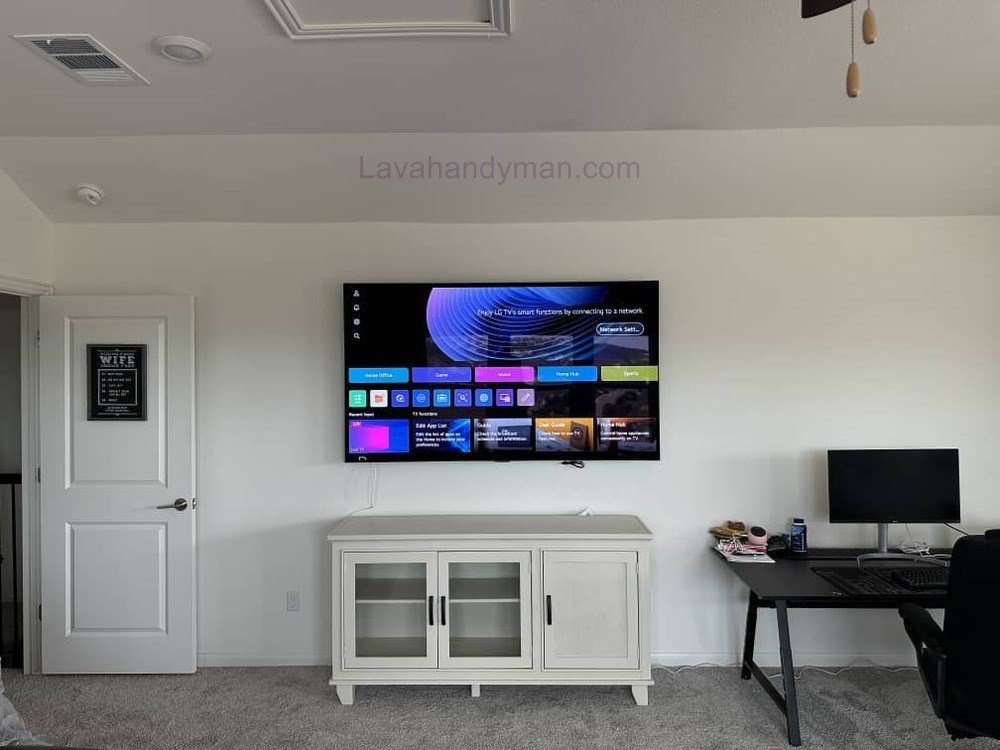
Finally, inspect the entire setup to confirm that the cable management system provides a clean and professional appearance.
Professional TV Wall Mounting Tips for the Best Results
Mount a TV on the Wall Without Visible Cables
Small details can make a significant difference in the final appearance of a wall-mounted television.
Keep the TV at a Comfortable Height
A common installation mistake is mounting the television too high.
Position the screen according to your seating arrangement and viewing comfort. The center of the screen should generally be close to seated eye level.
Mount a TV on the Wall Without Visible Cables
Plan Cable Routes in Advance
Before drilling, identify where electrical outlets and connection points are located.
Use appropriate detection equipment to check for hidden wiring and plumbing.
Planning the cable route in advance can save time and prevent unnecessary wall damage.
Use the Correct Cable Length
Mount a TV on the Wall Without Visible Cables
Cables that are too short may become stretched, while excessively long cables create additional clutter.
Measure the distance between the television and connected devices before purchasing HDMI, Ethernet, and other cables.
Allow for Future Entertainment Devices
You may eventually add a soundbar, gaming console, streaming device, or home theater system.
Planning additional connection capacity during the initial TV installation can make future upgrades much easier.
Choose a Design That Matches Your Interior
A well-designed TV wall should complement the rest of your home.
Wooden panels, floating cabinets, neutral colors, and subtle LED lighting can create a sophisticated entertainment area.
Common TV Wall Mounting Mistakes to Avoid
Even a straightforward TV installation can become problematic if important details are overlooked.
Mounting a TV Without Proper Wall Support: Always identify suitable structural support and use compatible fasteners.
Choosing the Wrong TV Bracket: Check the television’s weight, size, and VESA pattern before purchasing a mounting bracket.
Hiding Power Cords Incorrectly: Never conceal ordinary extension cords or standard power cables inside walls. Use an approved in-wall power solution or consult a qualified electrician.
Ignoring Ventilation: Do not block the television’s ventilation openings. Ensure connected devices have enough airflow.
Mounting the TV Too High: An uncomfortable viewing angle can reduce the enjoyment of your entertainment setup.
Using Poor-Quality Hardware: Always select mounting equipment that meets the manufacturer’s requirements.
Forgetting Future Connections: Plan for additional HDMI ports, audio equipment, and network connections to avoid unnecessary changes later.
How Much Does Professional TV Wall Mounting Cost?
The cost of professional TV wall mounting depends on the complexity of the installation and the equipment required.
Some of the main factors include:
- TV size and weight.
- Wall construction and material.
- Type of TV mounting bracket.
- Complexity of cable concealment.
- Installation of additional electrical outlets.
- Decorative wall panels.
- Additional HDMI and network connections.
- Extra entertainment equipment.
A basic TV wall mounting service may require less time and equipment than an advanced installation involving in-wall cable management, electrical modifications, or a custom feature wall.
When comparing TV installation services, check exactly what is included in the quoted price.
A professional service should clearly explain the mounting process, cable management options, and any additional work required.
DIY TV Installation vs. Professional TV Mounting Service
Many homeowners consider installing their televisions themselves. While DIY installation can work for straightforward projects, professional assistance may be a better choice for more complicated installations.
When Is DIY TV Mounting Suitable?
DIY TV wall mounting may be suitable if you:
- Have experience using basic tools.
- Understand your wall structure.
- Have a compatible TV mounting bracket.
- Can identify suitable structural support.
- Only need a simple cable management solution.
However, incorrect drilling, unsuitable anchors, and improper cable routing can create serious safety problems.
Benefits of Hiring a Professional TV Installer
A professional TV mounting specialist can assess the wall, select suitable mounting hardware, plan cable routes, and complete the installation with attention to detail.
Professional TV installation is particularly useful for:
- Large and heavy televisions.
- Brick and concrete walls.
- Full-motion TV mounting systems.
- In-wall cable concealment.
- Decorative TV feature walls.
- Complex home theater installations.
Hiring an experienced installer can save time and help ensure that your television is mounted securely with a neat and professional finish.
Modern TV Wall Design Ideas for a Clean and Stylish Home
A wall-mounted television can become the centerpiece of your living room when combined with the right interior design elements.
Minimalist TV Wall Design
A minimalist TV wall uses neutral colors, simple furniture, and hidden cables to create a clean appearance.
This design is particularly suitable for contemporary homes and smaller apartments.
Wooden TV Feature Wall
Wooden slat panels add warmth and texture to an entertainment area.
Combining a wall-mounted television with decorative wooden panels creates an elegant and premium look.
Floating TV Cabinet
A floating TV cabinet provides storage for streaming devices, gaming consoles, and other accessories without taking up unnecessary floor space.
It also helps create a visually balanced entertainment area.
LED Backlighting
LED backlighting behind a television can create a subtle ambient effect.
Choose lighting that complements your interior design and provides a comfortable viewing environment.
Recessed TV Wall Installation
A recessed TV installation places the television within a specially designed wall space.
This can create a streamlined appearance, but sufficient ventilation, structural support, and access to connections must be considered.
Frequently Asked Questions About TV Wall Mounting and Cable Management
How Do I Mount a TV on the Wall Without Visible Cables?
You can mount a TV without visible cables by using an approved in-wall cable management system, recessed connection boxes, surface-mounted cable covers, or decorative wall panels.
What Is the Best Way to Hide TV Cables?
In-wall cable management is often the most discreet solution when installed correctly. Cable raceways are a practical and affordable alternative for people who do not want to modify their walls.
Can I Hide TV Power Cables Inside a Wall?
Only approved in-wall power solutions should be used. Ordinary extension cords and standard power cables must not be routed inside walls. Consult a qualified electrician for electrical modifications.
Is It Safe to Mount a TV on Drywall?
Yes, provided the mounting bracket is securely attached to suitable structural support and installed according to the manufacturer’s instructions. Drywall alone should not support a heavy television.
How High Should a Wall-Mounted TV Be?
The ideal height depends on the television size and seating position. Generally, the center of the screen should be close to seated eye level.
Can I Mount a TV on a Brick or Concrete Wall?
Yes. Both brick and concrete walls can support wall-mounted televisions when suitable anchors, fasteners, and installation techniques are used.
Can HDMI Cables Be Hidden Behind a Wall-Mounted TV?
Mount a TV on the Wall Without Visible Cables
Yes. Compatible HDMI cables can be routed through an appropriate cable management system or approved in-wall pathway.
Is Professional TV Wall Mounting Worth It?
Professional TV wall mounting can be worthwhile when you need secure installation, hidden cables, complex wall mounting, or a clean and polished finish.
How Can I Make My TV Wall Look More Modern?
Combine a slim TV wall mount with concealed cables, decorative wall panels, floating furniture, and subtle LED lighting to create a modern entertainment area.
Mount a TV on the Wall Without Visible Cables
Conclusion: Create a Clean and Modern Entertainment Space
Learning how to mount a TV on the wall without visible cables can completely transform the appearance of your living room. With the right mounting bracket, careful planning, and effective TV cable management, you can enjoy a clean, organized, and modern entertainment area.
Whether you choose in-wall cable management, surface-mounted cable covers, recessed connection boxes, or decorative wall panels, the key is to select a solution that matches your home, installation requirements, and budget.
A professionally installed wall-mounted TV not only saves space but also improves the appearance of your interior and creates a more enjoyable viewing experience.
If you want a secure installation without the stress of measuring, drilling, mounting, and organizing cables yourself, consider choosing a professional TV wall mounting service.
Get the clean, modern look you want with expert TV installation, carefully concealed cables, and a beautifully organized entertainment space.
📞 Need Help?
Let us take care of the hard work while you sit back and relax.
📍 Serving: Austin, Round Rock, Cedar Park & more
📱 Call or Text: (737) 420-6992
🌐 Visit: https://lavahandyman.com