Complete Guide to Cable Management for Wall-Mounted TVs (Professional Tips + Safety Standards)
Cable management in wall-mounted TV installation is not just about hiding wires. It is a combination of electrical safety, technical standards, and interior design principles. A professional installation is complete only when no cables are visible, no ports are under stress, and everything is organized, safe, and visually aligned with the space.
This guide provides a structured, practical, and professional overview suitable for service websites, training materials, or technical documentation.
Why Cable Management Matters
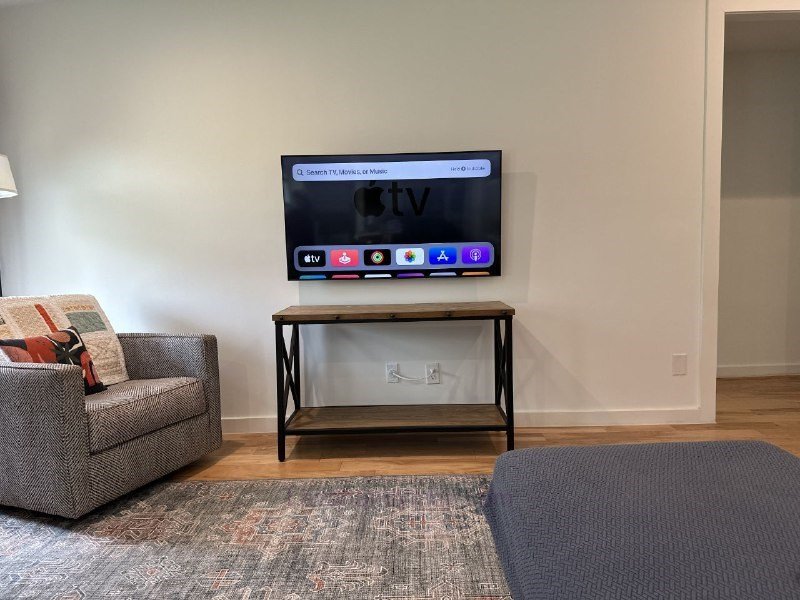
Cable Management for Wall-Mounted TVs
1️⃣ Visual Appeal
A wall-mounted TV is usually the focal point of a living room. Visible hanging cables:
- Ruin a minimalist design
- Create visual clutter
- Reduce the perceived quality of the installation
2️⃣ Safety
Loose cables can:
- Cause short circuits
- Create electric shock risks
- Be hazardous for children
3️⃣ Equipment Longevity
Excessive bending or tension on HDMI and power cables can lead to:
- Intermittent signal loss
- Audio noise
- Damage to TV ports
Cable Management for Wall-Mounted TVs
Understanding Common TV Installation Cables
Most installations involve the following cables:
- AC Power Cable (220V/110V depending on region) – Requires strict electrical safety compliance
- HDMI Cable – Sensitive to sharp bends
- RF Antenna Cable – Can experience interference near power lines
- LAN (Ethernet) Cable – Used for smart TVs
- Optical Audio Cable – Highly sensitive to bending
🔎 Professional Tip: Power cables and data cables should not share the same conduit unless proper insulation and separation standards are followed.
Professional Cable Management Methods
1️⃣ Surface-Mounted Cable Ducts (Trunking)
The simplest method for concealing cables.
Advantages:
- Quick installation
- No wall damage
- Cost-effective
Professional Execution Tips:
- Match duct color with wall paint
- Cut corners precisely at 45-degree angles
- Ensure tight, clean adhesion to the wall
✔ Ideal for budget-friendly projects
Cable Management for Wall-Mounted TVs
2️⃣ In-Wall (Concealed) Cable Routing
The cleanest and most professional solution.
Installation Steps:
- Plan the exact cable route
- Cut wall channels
- Install conduit (flexible or PVC)
- Pull cables through
- Patch and repaint
Advantages:
- Completely hidden finish
- High-end appearance
- Increases property value
⚠ Requires technical skill and professional tools
Cable Management for Wall-Mounted TVs
3️⃣ TV Back Panel Installation
In this method, an MDF, wood, or PVC panel is mounted behind the TV, concealing all cables.
Benefits:
- No wall demolition
- Allows hidden LED lighting
- Creates a modern, luxury look
Electrical Safety Principles
Safety is the most critical aspect of cable management.
✅ Install a Dedicated Outlet Behind the TV
Avoid using extension cords. Install a recessed, code-compliant outlet.
✅ Use Proper Wire Gauge
Ensure wiring meets load requirements.
❌ Do Not Place Power Strips Inside Walls
This is unsafe and violates electrical standards.
✅ Use Surge Protection
Voltage fluctuations can damage TVs and connected devices.
Cable Management for Wall-Mounted TVs
Cable Management for Full-Motion (Articulating) Mounts
With articulating wall mounts:
- Leave a flexible cable loop
- Prevent tension during extension
- Ensure cables do not pinch or snag
Improper cable routing in these setups often causes HDMI damage.
Professional Aesthetic Enhancements
✨ LED Backlighting
LED strips behind the TV:
- Reduce eye strain
- Enhance modern appearance
✨ Shorten Excess Cable Length
Excess cables should:
- Be neatly bundled
- Secured with Velcro straps
- Hidden in a cable box or compartment
✨ Color Coordination
Cable ducts, panels, and wall finishes should be visually cohesive.
Cable Management for Wall-Mounted TVs
Common Cable Management Mistakes
- Running power cables inside walls without conduit
- Over-compressing cables behind the TV
- Sharply bending HDMI cables
- Ignoring ventilation requirements
- Poor outlet placement
Ventilation Standards Behind the TV
TVs generate heat. To prevent overheating:
- Maintain at least 5 cm (2 inches) of clearance
- Avoid tightly packed cable bundles
- Ensure airflow is not blocked
Professional Installation Checklist
✔ No visible cables
✔ No cable tension
✔ Power and data lines separated
✔ Properly installed electrical outlet
✔ Audio and video fully tested
✔ Adequate ventilation space maintained
Cable Management for Wall-Mounted TVs
Step-by-Step Guide to Installing a TV on the Wall Without Visible Cables
If you want a clean wall-mounted TV installation with no hanging wires, you must properly plan the cable routing, outlet placement, and mount selection from the beginning. This optimized guide explains each step clearly and professionally to ensure a safe, neat, and high-quality result.
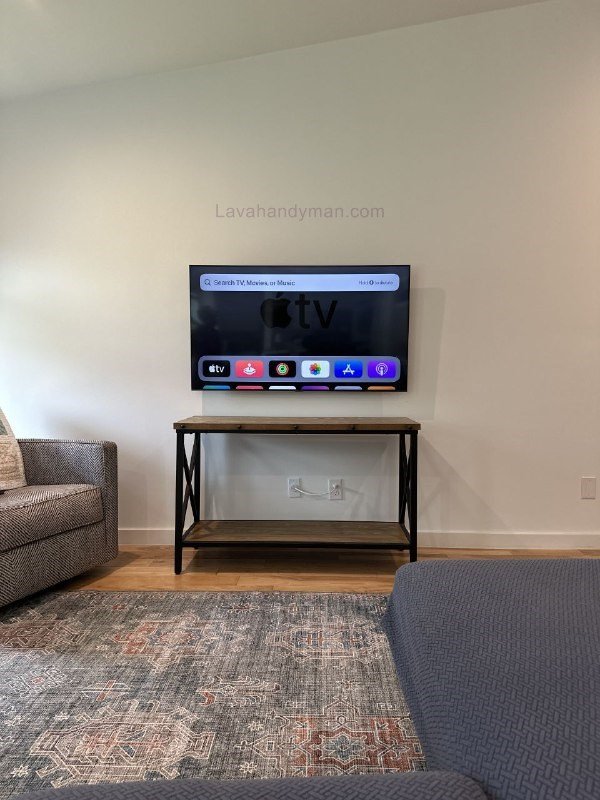
🔎 Step 1: Inspect the Installation Area and Plan the Cable Route
Before drilling any holes:
- Identify the wall type (concrete, brick, or drywall)
- Locate the nearest power source
- Determine the placement of external devices (receiver, gaming console, soundbar)
- Design the shortest and safest cable path
✅ Pro Tip: Decide early whether cables will be routed in-wall (concealed) or inside a surface-mounted cable duct.
Cable Management for Wall-Mounted TVs
🛠 Step 2: Choose the Right Wall Mount
For a clean installation without excess cables:
- Ensure compatibility with your TV’s VESA pattern
- Confirm the mount supports the TV’s weight
- Make sure it allows adequate space for cable routing
If using a full-motion (articulating) mount, leave enough room for cables to move freely without tension.
⚡ Step 3: Install a Recessed Power Outlet Behind the TV
One of the most important steps in eliminating visible cables is installing a recessed outlet.
- Install a standard electrical box behind the TV
- Use a grounded outlet
- Add antenna or Ethernet outlets if needed
❌ Avoid using extension cords or visible power strips — they reduce safety and ruin aesthetics.
Cable Management for Wall-Mounted TVs
🧱 Step 4: Execute Concealed Cable Routing
Option A: In-Wall Professional Method
- Mark a straight vertical route
- Cut a wall channel
- Install flexible conduit or PVC pipe
- Pull cables through the conduit
- Patch and repaint the wall
Advantage: Fully concealed, ideal for high-end projects
Option B: Surface-Mounted Cable Duct (No Demolition)
- Install a cable duct matching the wall color
- Cut corners precisely
- Ensure cables are fully hidden inside
Advantage: Fast, affordable, and no wall damage
Cable Management for Wall-Mounted TVs
🔌 Step 5: Separate Power and Signal Cables
To prevent interference and improve safety:
- Run power cables separately from HDMI and Ethernet
- Use dedicated conduit for electrical wiring
- Avoid direct contact between power and data cables
This is a key principle in professional TV installation.
📏 Step 6: Manage Cable Length Properly
To prevent cable clutter behind the TV:
- Use cables in the exact required length
- Bundle excess cable with Velcro straps
- Avoid sharp bends in HDMI cables
- Leave a flexible loop for articulating mounts
The goal is to eliminate tension and compression on cables.
Cable Management for Wall-Mounted TVs
🌡 Step 7: Ensure Proper Ventilation
TVs generate heat. To prevent overheating:
- Maintain at least 5 cm (2 inches) of clearance from the wall
- Avoid tightly packing cables behind the unit
- Keep airflow paths unobstructed
Proper ventilation increases the lifespan of the TV.
✔ Step 8: Final Testing and Inspection
After installation:
Confirm that no cables are visible
Check that the TV is level
Inspect cables for tension
Test picture and sound quality
Test movement if using a full-motion mount
Cable Management for Wall-Mounted TVs
Designing Cable Routes for Wall-Mounted TV Installation
Cable route planning is the foundation of a clean, wire-free TV installation. A properly designed path not only makes the installation look professional but also ensures safety and prolongs the lifespan of your equipment.
1️⃣ Initial Site Assessment
Before starting any work, check the following:
- Wall type: concrete, brick, or drywall
- Location of existing power outlets
- Distance from the TV to external devices (receiver, console, soundbar)
- Presence of internal wall utilities (water pipes, other electrical wiring)
🎯 Goal: Identify the shortest, safest, and most concealed route.
Cable Management for Wall-Mounted TVs
2️⃣ Determine Start and End Points
Every cable route has two main points:
- Start point: the power source or external device
- End point: behind the TV
✅ Pro Tip: Installing a recessed outlet directly behind the TV eliminates visible cables and creates a clean, minimalist look.
3️⃣ Choose Route Type: In-Wall or Surface-Mounted
In-Wall (Concealed) Route
- Ideal for professional and luxury installations
- Use a straight vertical path
- Run cables inside flexible conduit or PVC
- Keep power and data cables separate
Surface-Mounted (Duct) Route
- Suitable for projects without wall demolition
- Run the duct along a corner or wall edge
- Match duct color to the wall for a neat look
- Avoid sharp bends that stress cables
Cable Management for Wall-Mounted TVs
4️⃣ Follow Electrical Safety Standards
Ensure that:
- Power cables are separated from HDMI and network cables
- No direct electrical wiring without protective conduit
- Cable gauge matches device power requirements
- Avoid placing power strips inside walls
⚠ Following these rules prevents interference, overheating, and electrical hazards.
5️⃣ Account for Mount Movement (If Using an Articulating Bracket)
For full-motion wall mounts:
- Leave a flexible loop in the cable path
- Avoid tension on cables
- Ensure cables are not bent or pinched when extending or folding the mount
This is crucial for professional installation.
Cable Management for Wall-Mounted TVs
6️⃣ Maintain Proper Ventilation Behind the TV
Cable routing should not:
- Compress cables
- Block airflow
- Increase heat behind the TV
✅ Maintain at least 5 cm (2 inches) of clearance to prevent overheating.
7️⃣ Map and Mark the Route Before Installation
To avoid mistakes and rework:
- Mark the cable path on the wall
- Specify exact outlet and device positions
- Determine the standard TV mounting height
- Double-check the path before cutting or installing ducts
Cable Management for Wall-Mounted TVs
✅ Characteristics of a Standard Cable Route
Fully concealed or neatly organized inside ducts
Short and direct
Safe and separated from other cables
No sharp bends
No cable tension
Conclusion
Cable management is a specialized skill that distinguishes a basic installation from a professional one. When executed correctly, it ensures:
- Higher safety standards
- Superior aesthetics
- Longer equipment lifespan
- Greater customer satisfaction
A properly managed cable system transforms a simple wall-mounted TV into a clean, safe, and visually refined installation.
- 📞 Need Help?Let us take care of the hard work while you sit back and relax.
- 📍 Serving: Austin, Round Rock, Cedar Park & more
- 📱 Call or Text: (737) 420-6992
- 🌐 Visit: https://lavahandyman.com