Mounting Your Samsung 46-Inch TV on the Wall: Tips, Tools & Safety
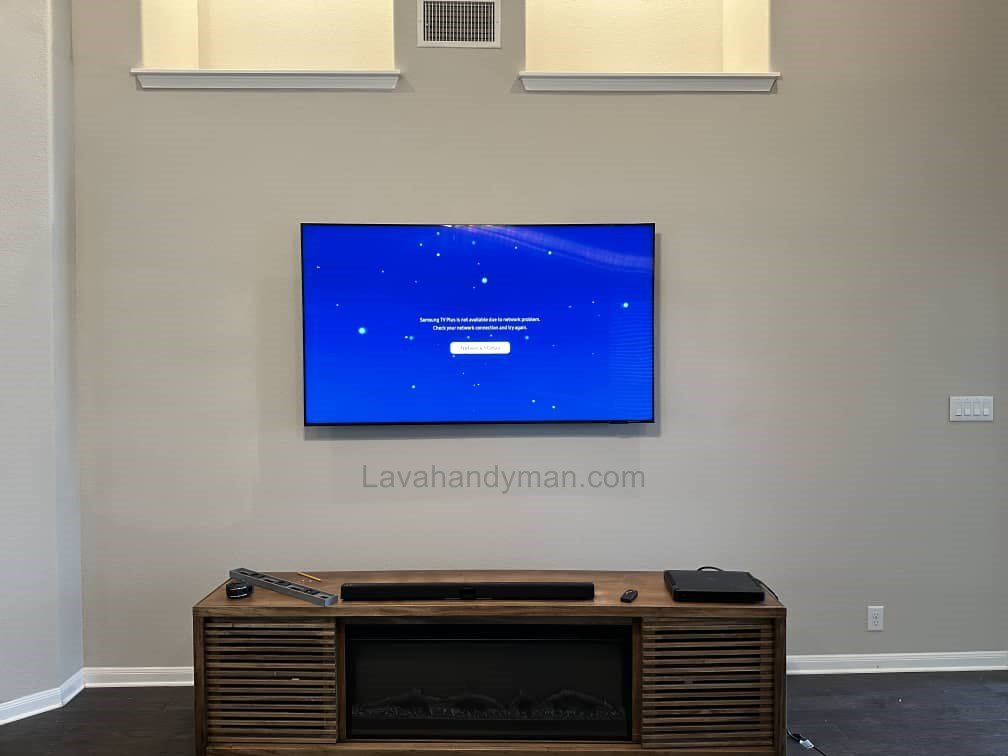
Samsung TVs with 46-inch screens and excellent picture quality have become a top choice for home entertainment. Mounting your TV on the wall not only enhances your room’s décor but also saves space and improves your viewing experience. In this comprehensive guide, we will explain how to mount a Samsung TV on the wall, step by step, including technical details, safety tips, and cable management, so even beginners can confidently mount their TV.
Why Mounting a Samsung TV on the Wall Matters
Mounting a 46-inch TV on the wall offers several benefits:
1. Space Saving
Large TVs require bulky stands or tables. Wall-mounting your TV:
- Frees up floor space
- Allows for additional décor or shelving
- Creates a clean and minimalist look
Samsung 46-Inch TV
2. Enhanced Safety
Flat-screen TVs are delicate, and falls can be dangerous. Mounting on the wall:
- Prevents the TV from tipping over
- Reduces the risk of injury for children or pets
- Provides increased safety for both your TV and home
3. Modern Aesthetic
A wall-mounted TV gives a sleek and modern look. With neatly managed cables and slim brackets:
- The appearance remains minimalist
- Focus remains on the content
4. Improved Viewing Experience
Proper viewing angle and reduced glare ensure:
- Clearer and more vivid images
- Less eye strain
- A cinematic viewing experience
Samsung 46-Inch TV
Equipment Needed to Mount a Samsung 46-Inch TV
Before starting the installation, gather the following tools and accessories:
1. Suitable Wall Mount Bracket
For mounting a Samsung 46-inch TV on the wall, choose a bracket that:
- Matches the TV’s VESA standard
- Supports the weight of the TV (typically 14–20 kg / 30–44 lbs)
- Offers tilt or swivel functions for angle adjustments
2. Required Tools
- Drill and appropriate drill bits for concrete or brick walls
- Standard screws and wall anchors
- Level to ensure proper alignment
- Screwdriver and wrench
- Pencil for marking bracket positions
3. Accessories
- Cable organizers and clips
- Extra screws if needed
- TV and bracket manuals
Choosing the Ideal Location for Your TV
Samsung 46-Inch TV
The location of your TV has a direct impact on your viewing experience.
Viewing Distance
For a 46-inch TV, the recommended viewing distance is 1.5–2.5 meters (5–8 feet):
- Sitting too close may strain your eyes
- Sitting too far reduces image details
Mounting Height
The center of the screen should be approximately 1.2–1.5 meters (4–5 feet) from the floor, aligning with the viewer’s eye level.
Lighting Conditions
Avoid placing the TV in direct sunlight:
- Direct light causes glare and reduces image quality
- Soft ambient lighting improves viewing comfort
Samsung 46-Inch TV
Cable Access
Ensure easy access to power outlets, HDMI ports, and network connections.
Preparing the Wall
Check Wall Structure
- Concrete or brick walls are ideal
- Drywall may need reinforcement (e.g., wooden backboard behind the bracket)
Check for Wires and Pipes
Before drilling, confirm there are no electrical wires or water pipes in the installation area to avoid hazards.
Installing the Wall Mount Bracket
Step 1: Mark the Installation Points
- Use a level to mark the correct height
- Precisely mark the screw positions for the bracket
Samsung 46-Inch TV
Step 2: Drill the Holes
- Drill holes aligned with your markings
- For drywall or weak walls, use wall anchors and suitable screws
Step 3: Secure the Bracket
- Place the bracket on the wall and tighten screws
- Use a level to ensure the bracket is horizontal
- Gently test the bracket’s stability before mounting the TV
Mounting the Samsung 46-Inch TV on the Bracket
Prepare the TV
- Connect HDMI, power, and other accessories before mounting
- Check that the TV’s mounting screws are secure
Place the TV on the Bracket
- With assistance, lift and place the TV onto the wall bracket
- Secure any locking mechanism or screws to hold the TV in place
Final Check
- Verify the TV is level
- Organize cables and ensure easy access
Samsung 46-Inch TV
Cable Management
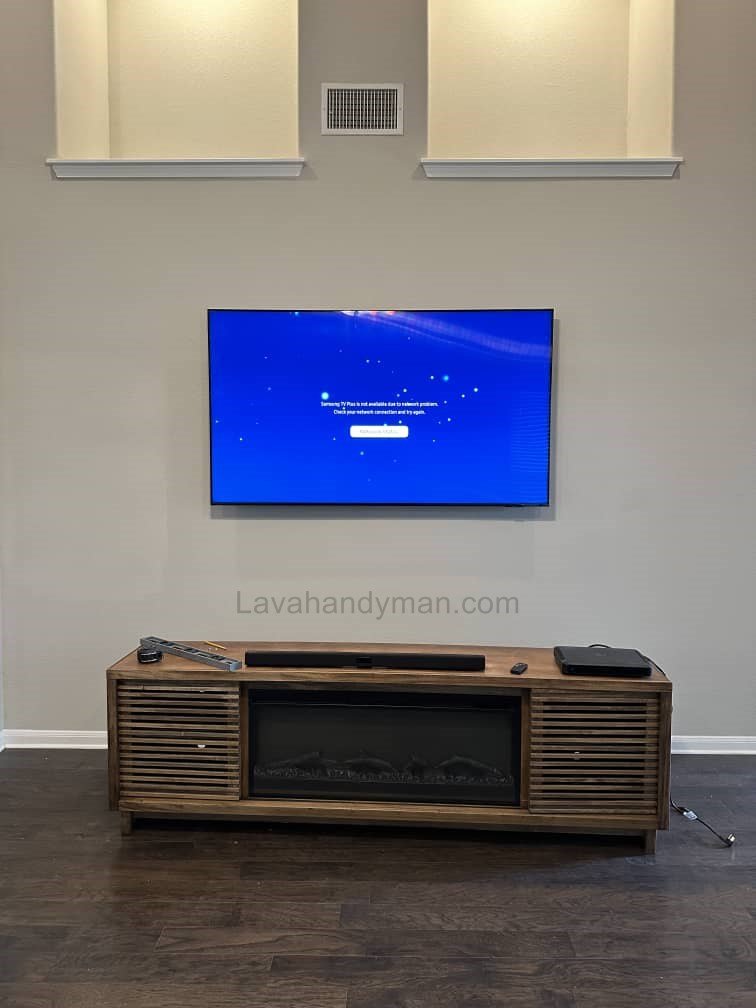
- Use cable channels or covers to hide cables behind the TV
- Route power, HDMI, and network cables neatly
- Proper cable management keeps the setup clean and organized
Safety Tips
- Handle the TV Carefully: Hold the TV by its edges to avoid damaging the screen
- Use a Standard Bracket: Non-standard brackets may fail and cause the TV to fall
- Consider TV Weight and Wall Strength: Reinforce weak walls if necessary
- Avoid Excessive Pressure: Pressing on the screen can cause permanent damage
Samsung 46-Inch TV
Optimizing Your Viewing Experience
Proper Viewing Angle
- Tilt or swivel brackets allow comfortable viewing from different angles
- The screen’s center should align with the viewer’s eye level
Ambient Lighting
- Avoid direct sunlight or strong lamps hitting the screen
- Soft ambient lighting is ideal
Audio Setup
- Adding a soundbar or external speakers enhances the cinematic experience
- Manage audio cables alongside video cables for a neat setup
Long-Term Care
- Clean the screen with a soft cloth and avoid harsh chemicals
- Periodically check the bracket and screws for tightness
Samsung 46-Inch TV
Frequently Asked Questions
1. Can a 46-inch TV be mounted on drywall?
Yes, with proper wall anchors and screws. For weak walls, additional reinforcement is recommended.
2. Is there a risk of the TV falling?
The risk is minimal if a standard bracket is used and screws are properly tightened.
3. Are adjustable brackets recommended?
Yes, especially if multiple viewers watch from different angles.
4. What is the ideal viewing distance for a 46-inch TV?
Between 1.5 and 2.5 meters (5–8 feet) for optimal image clarity and comfort.
5. How can I hide cables behind the TV?
Use cable channels, cable covers, or in-wall cable management for a clean look.
Samsung 46-Inch TV
Samsung 46-Inch TV Wall Mount: Step-by-Step Installation Guide
Mounting your Samsung 46-inch TV on the wall not only saves space but also enhances your viewing experience and room aesthetics. Follow this step-by-step guide to safely install your TV and manage cables like a pro.
Step 1: Choose the Perfect Location
- Determine the viewing distance: For a 46-inch TV, sit 1.5–2.5 meters away.
- Set the height: The center of the screen should align with your eye level (1.2–1.5 meters from the floor).
- Check lighting: Avoid direct sunlight on the screen to reduce glare.
- Ensure cable access: Make sure power outlets, HDMI ports, and network connections are easily reachable.
Step 2: Prepare the Wall
- Check the wall type: Concrete or brick walls are ideal. Drywalls may need reinforcement.
- Inspect for obstacles: Ensure no electrical wires or plumbing pipes are behind the installation area.
- Gather tools and materials: Wall mount bracket, drill, screws, anchors, level, and pencil.
Samsung 46-Inch TV
Step 3: Mark the Wall for the Bracket
- Use a level to ensure the bracket is perfectly horizontal.
- Mark the screw positions precisely with a pencil for accurate drilling.
Tip: Accurate marking prevents uneven installation and ensures TV stability.
Step 4: Drill Holes
- Drill holes at the marked points with the appropriate drill bit for your wall type.
- For drywall or weak walls, use wall anchors to secure the bracket firmly.
Step 5: Install the Wall Bracket
- Attach the bracket to the wall using screws and anchors.
- Use a level to ensure the bracket is perfectly straight.
- Test the bracket’s stability before mounting the TV.
Step 6: Prepare the Samsung TV
- Connect HDMI, power, and network cables before mounting.
- Check the TV’s mounting screw holes and brackets for any damage or misalignment.
Samsung 46-Inch TV
Step 7: Mount the TV on the Bracket
- With a helper, carefully lift the TV onto the wall bracket.
- Secure any locking mechanism or screws to hold the TV firmly in place.
- Verify that the TV is level and properly aligned.
Step 8: Manage Cables
- Use cable channels or covers to hide wires for a clean appearance.
- Route HDMI, power, and internet cables neatly behind the TV.
- Consider in-wall cable management for a professional finish.
Step 9: Optimize Your Viewing Experience
- Adjust the tilt or swivel of the bracket to achieve the best viewing angle.
- Minimize glare from sunlight or room lights.
- Enhance sound with a soundbar or external speakers and manage their cables properly.
Step 10: Safety and Long-Term Care
Ensure the TV is securely mounted, especially if children or pets are in the home.
Periodically check screws and bracket tightness.
Clean the screen with a soft cloth; avoid harsh chemicals.
Avoid pressing or applying pressure on the screen.
Optimal TV Mounting Height and Choosing the Right TV
Proper TV mounting height and selecting the right type of TV directly affect eye comfort, viewing experience, and installation safety. Here’s a guide for a Samsung 46-inch TV.
1. Optimal Mounting Height
- Center of the screen at eye level: For a 46-inch TV, the ideal center height is 1.2–1.5 meters (4–5 feet) from the floor to prevent neck and eye strain.
- Best viewing distance: Sit approximately 1.5–2.5 meters (5–8 feet) from a 46-inch TV. Sitting too close causes eye fatigue, while sitting too far reduces image clarity.
- Viewing angle: The ideal angle is slightly downward, about 15 degrees below eye level. Using a tilt wall mount helps achieve the perfect viewing angle.
- Additional tips:
- In large rooms, you can mount slightly higher, but the screen center should remain near eye level.
- In small rooms, a lower installation height provides a more comfortable viewing experience.
2. Choosing the Right TV Type
- TV technology:
- LED and QLED TVs are lightweight, thin, and easy to mount.
- OLED TVs are ultra-thin but slightly heavier, requiring a sturdier bracket.
- TV size:
- For a 46-inch TV, the recommended viewing distance is 1.5–2.5 meters.
- Larger TVs (55–65 inches) require greater distance (2–3.5 meters).
- TV weight:
- The wall mount should support at least 20–30% more than the TV’s weight for safety.
- Mount type:
- Heavy or large TVs: Full-motion mounts are recommended for angle adjustments.
- Lightweight TVs: Fixed mounts are sufficient and easier to install.
3. Key Takeaways
TV type: LED/QLED are lightweight, OLED slightly heavier; choose a sturdy bracket.
Screen center: Eye-level, 1.2–1.5 meters for 46-inch TVs.
Viewing distance: 1.5–2.5 meters.
Viewing angle: Slightly downward; tilt mount recommended.
Conclusion
Mounting a Samsung 46-inch TV on the wall saves space, improves room aesthetics, and enhances your viewing experience. By carefully following the installation steps, using appropriate tools and brackets, managing cables properly, and following safety precautions, you can mount your TV professionally and safely. This complete guide ensures you enjoy your Samsung TV with confidence and style.
📞 Need Help?
Let us take care of the hard work while you sit back and relax.
📍 Serving: Austin, Round Rock, Cedar Park & more
📱 Call or Text: (737) 420-6992
🌐 Visit: https://lavahandyman.com