Minimalist TV Installation: A Clean and Professional Living Space
Introduction
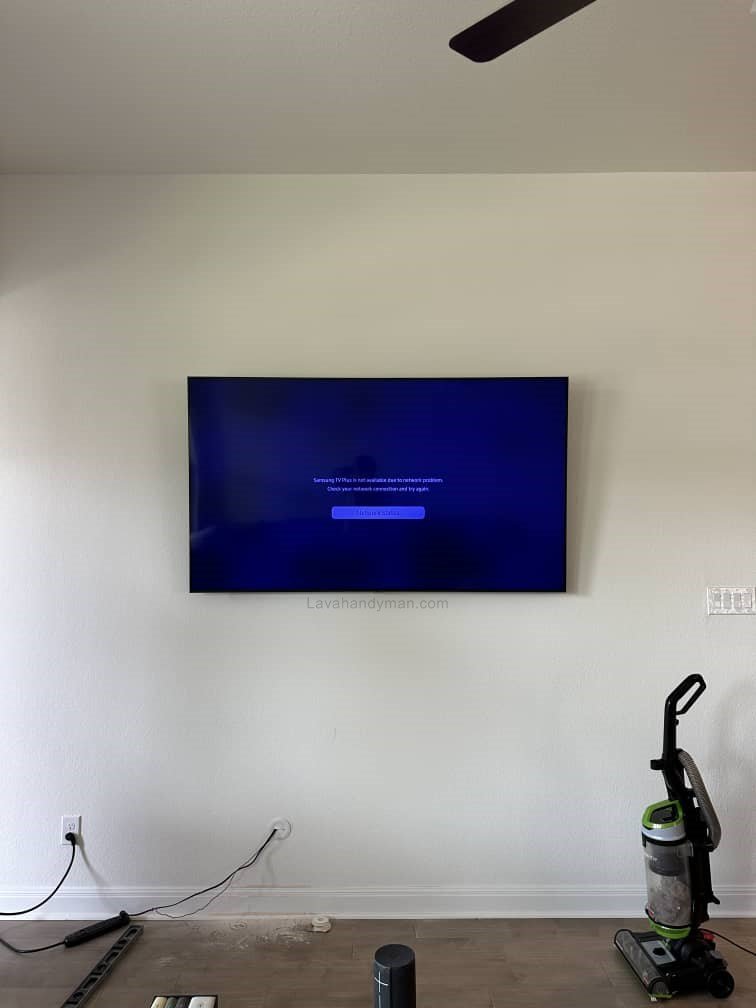
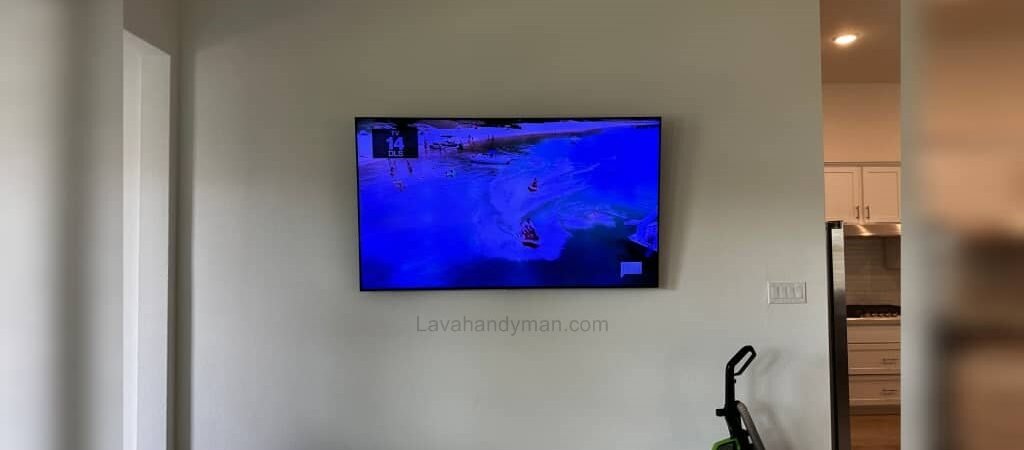
Wall-mounting a television without visible cables has become one of the most important trends in modern interior design. Today, users care not only about picture quality, but also about aesthetics, organization, and safety. Exposed power cords, HDMI cables, or antenna wires can make a space look cluttered and unprofessional. For this reason, installing a TV on the wall without visible cables has turned into a serious requirement.
In this article, you will learn about TV cable concealment methods, required tools, safety tips, common mistakes, and decorative ideas in a comprehensive and practical way.
Minimalist TV Installation
Why Is Installing a TV Without Visible Cables Important?
1. Enhanced Interior Aesthetics
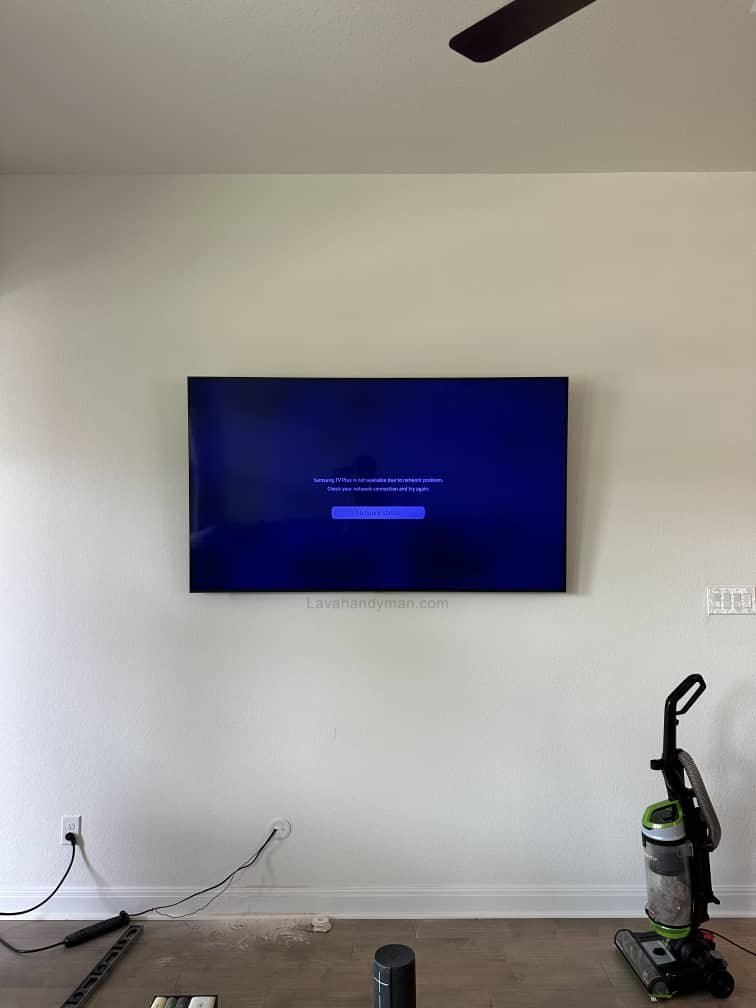
A wall-mounted TV with hidden cables creates a clean, minimalist, and modern look, allowing viewers to focus entirely on the screen.
2. Increased Safety for Children
Minimalist TV Installation
Loose cables can be pulled by children, potentially causing the TV to fall. Hiding cables significantly improves household safety.
3. Better Organization and Cleanliness
Fewer visible cables mean less dust accumulation and easier cleaning.
4. Increased Visual Value of the Home
A professional TV installation can positively impact the overall appearance and even the value of a property.
TV Cables You Need to Know
To install a TV without visible cables, you should first identify the types of cables involved:
- Power cable
- HDMI cable
- Antenna or satellite cable
- Network (LAN) cable
- Optical audio cable
Understanding these cables helps you choose the best concealment method.
Minimalist TV Installation
Best Methods for Wall-Mounting a TV Without Visible Cables
1. Running Cables Inside the Wall (Professional Method)
This is the cleanest and most standard installation method.
Advantages:
- No visible cables at all
- A fully professional appearance
Disadvantages:
- Requires wall cutting or drilling
- Higher cost and more time-consuming
In this method, cables are placed inside standard protective conduit pipes to ensure safety.
Minimalist TV Installation
2. Using Wall Cable Ducts
Cable ducts are a good option for rental homes.
Advantages:
- No wall damage
- Quick installation
Disadvantages:
- Not completely invisible
Choosing a duct that matches the wall color helps minimize visibility.
Minimalist TV Installation
3. Installing Power Outlets Behind the TV
One of the most professional solutions is placing the power outlet and HDMI ports directly behind the TV. This method is commonly used in newly built or renovated homes.
4. Using a Shelf or TV Console
In this method, cables are guided downward and hidden inside a shelf or TV stand, creating a tidy appearance.
Choosing the Right TV Wall Mount
Minimalist TV Installation
The wall mount plays a crucial role in the final result:
- Fixed mount (best option for hidden cables)
- Tilt mount
- Full-motion mount
Low-profile mounts keep the TV close to the wall, making cable concealment easier.
Tools Required for Proper Installation
- Drill and appropriate drill bits
- Level
- Screws and wall anchors
- Standard TV wall mount
- Cable duct or conduit pipe
- Voltage tester
Minimalist TV Installation
Important Safety Tips
- Always place power cables inside protective conduit
- Check the wall’s internal wiring before drilling
- Ensure the wall mount supports the TV’s weight
- Use grounded (earthed) power outlets
Common Mistakes in TV Installation
- Installing the TV at an improper height
- Using low-quality wall mounts
- Ignoring ventilation behind the TV
- Putting excessive pressure on cables
Minimalist TV Installation
Standard TV Installation Height
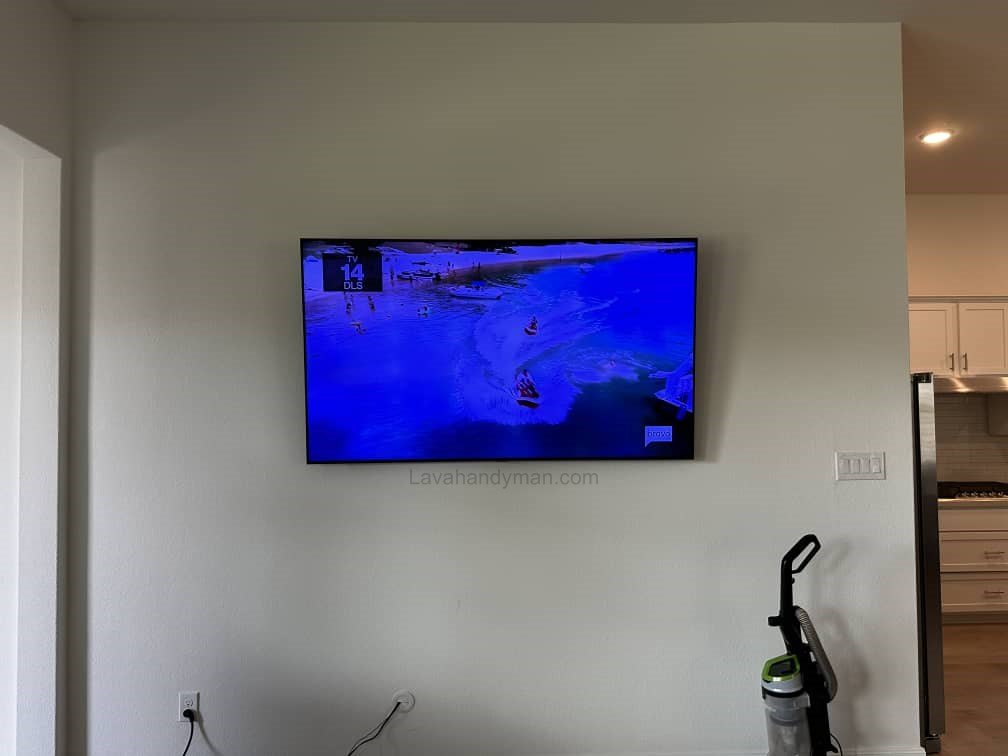
The center of the TV screen should be at eye level when seated. This height is usually between 90 and 110 centimeters (35–43 inches) from the floor.
Proper Lighting and Viewing Angle
The TV should not be installed opposite direct sunlight. Proper viewing angles reduce eye strain and improve image quality.
Minimalist TV Installation
Cost of Installing a TV Without Visible Cables
Costs vary depending on the chosen method:
- Simple cable duct: low cost
- Running cables inside the wall: higher cost
- Installing dedicated outlets: medium cost
Minimalist TV Installation
Decorative Ideas for Wall-Mounted TVs
- LED backlighting behind the TV
- Accent wall designs
- Combining the TV with wall-mounted shelves
Step-by-Step Guide to Wall-Mounting a TV with Hidden Cables
Wall-mounting a TV with concealed cables is one of the best ways to create a modern, clean, and safe living space. To achieve a professional result, the installation must be carried out carefully and step by step. Below is a complete and optimized guide to this process.
Minimalist TV Installation
Step 1: Choose the Right Location for the TV
The first and most important step is selecting the correct installation spot.
- The wall must be solid and free of moisture or cracks
- The TV should not face direct sunlight
- Viewing distance must match the TV size
- The center of the screen should be at eye level when seated
📌 The standard height for the center of the TV is usually 90 to 110 cm (35–43 inches) from the floor.
Minimalist TV Installation
Step 2: Select the Appropriate Wall Mount
The wall mount plays a key role in cable concealment and the final appearance.
- Fixed or low-profile tilt mounts are the best options
- The mount’s weight capacity must exceed the TV’s weight
- The mount must be compatible with the TV size
A proper mount keeps the TV close to the wall, preventing cables from being visible.
Step 3: Choose a Cable Concealment Method
Minimalist TV Installation
Before installing the mount, decide how the cables will be hidden:
- Running cables inside the wall (professional method)
- Using wall cable ducts or covers
- Installing power outlets and ports behind the TV
- Routing cables into a TV shelf or console
Choosing the right method simplifies the installation and improves the final result.
Step 4: Mark the Mounting Points Accurately
Precision is crucial at this stage:
- Hold the wall mount against the wall
- Mark the screw holes with a pencil
- Use a level to ensure perfect alignment
❗ Any mistake here can result in a crooked TV installation.
Minimalist TV Installation
Step 5: Prepare the Cable Path
If running cables inside the wall:
- Define the path from behind the TV to the lower outlet area
- Cut openings or channels in the wall
- Insert fire-resistant conduit pipes
If using cable ducts:
- Install the duct from the TV down to the power outlet
- Choose a duct color that matches the wall
Step 6: Run the Cables
Cables should be routed carefully and without strain:
- Power cable
- HDMI cable
- Antenna or network cable
📌 Avoid sharp bends or excessive tension on the cables.
Minimalist TV Installation
Step 7: Install the Wall Mount
- Drill the holes
- Insert wall anchors and tighten the screws securely
- Ensure the mount is completely stable and wobble-free
This step is critical for safety.
Step 8: Attach the Brackets to the TV
- Secure the brackets to the back of the TV using the correct screws
- Do not overtighten
- Make sure the brackets are level and aligned
Minimalist TV Installation
Step 9: Connect the Cables to the TV
Before hanging the TV:
- Connect all cables
- Test image and sound functionality
This prevents the need to remove the TV later.
Step 10: Mount the TV on the Wall
- Lift the TV with assistance and place it onto the mount
- Secure the safety locks or screws
- Confirm the TV is firmly mounted
Minimalist TV Installation
Step 11: Final Cable Management and Testing
- Fully conceal the cables inside the wall or ducts
- Turn on the TV
- Test all inputs, picture, and sound
At this stage, no cables should be visible.
Important Safety Tips
If unsure, hire a professional installer
Always run power cables inside protective conduit
Check for hidden electrical wiring before drilling
Maintain proper ventilation behind the TV
Best TV Wall Mount Brackets for Installation
Wall-mounting a TV is one of the most important elements of modern interior design. Choosing the right wall mount bracket ensures that your TV is installed safely, neatly, and with the required functionality—especially if you plan to hide the cables.
Below, we review the most common types of TV wall mount brackets and provide a practical guide to choosing the right one.
Types of TV Wall Mount Brackets
🧱 1. Fixed Wall Mount
📌 Features:
- The simplest and most affordable option
- Keeps the TV very close to the wall
- No swivel or tilt movement
✔ Best for:
Rooms with a fixed, straight viewing angle where no adjustment is needed.
🔽 2. Tilt Wall Mount
📌 Features:
- Allows vertical angle adjustment (up and down)
- Helps reduce screen glare
✔ Best for:
TVs installed higher than eye level.
🔄 3. Full-Motion / Articulating Wall Mount
📌 Features:
- Swivels left and right
- Tilts and extends forward and backward
- Offers maximum flexibility
✔ Best for:
Large rooms, corner installations, or spaces with multiple viewing angles.
Key Factors to Consider Before Choosing a Wall Mount
📏 1. TV Size Compatibility
Each wall mount is designed for a specific TV size range, such as:
- 32–55 inches
- 55–75 inches
- 75 inches and above
The mount must support both the size and weight of your TV.
📐 2. VESA Standard
TVs use a standardized mounting hole pattern on the back called VESA.
Common examples include:
- 200 × 200
- 400 × 400
- 600 × 400
Make sure the wall mount matches your TV’s VESA pattern.
⚖️ 3. Weight Capacity
Wall mounts list a maximum supported weight on their packaging.
Always choose a mount that supports more than your TV’s actual weight.
📏 4. Distance from the Wall
The type of mount determines how far the TV sits from the wall:
- 📌 Fixed mount → minimal distance
- 📌 Tilt mount → slight distance for angle adjustment
- 📌 Full-motion mount → maximum distance and flexibility
Quick Wall Mount Selection Guide
| Mount Type | Movement | Best Use Case |
|---|---|---|
| Fixed | ❌ None | Simple, straight viewing |
| Tilt | 🔽 Up/Down | Higher installations, glare control |
| Full-Motion | 🔄 Left/Right/Out/In | Maximum viewing flexibility |
Conclusion
Installing a TV on the wall without visible cables is a smart solution for improving aesthetics, organization, and safety. By choosing the right method, following safety guidelines, and using standard equipment, you can achieve a professional and long-lasting result. This type of installation significantly enhances the TV viewing experience and gives your living space a modern look.
📞 Need Help?
Let us take care of the hard work while you sit back and relax.
📍 Serving: Austin, Round Rock, Cedar Park & more
📱 Call or Text: (737) 420-6992
🌐 Visit: https://lavahandyman.com