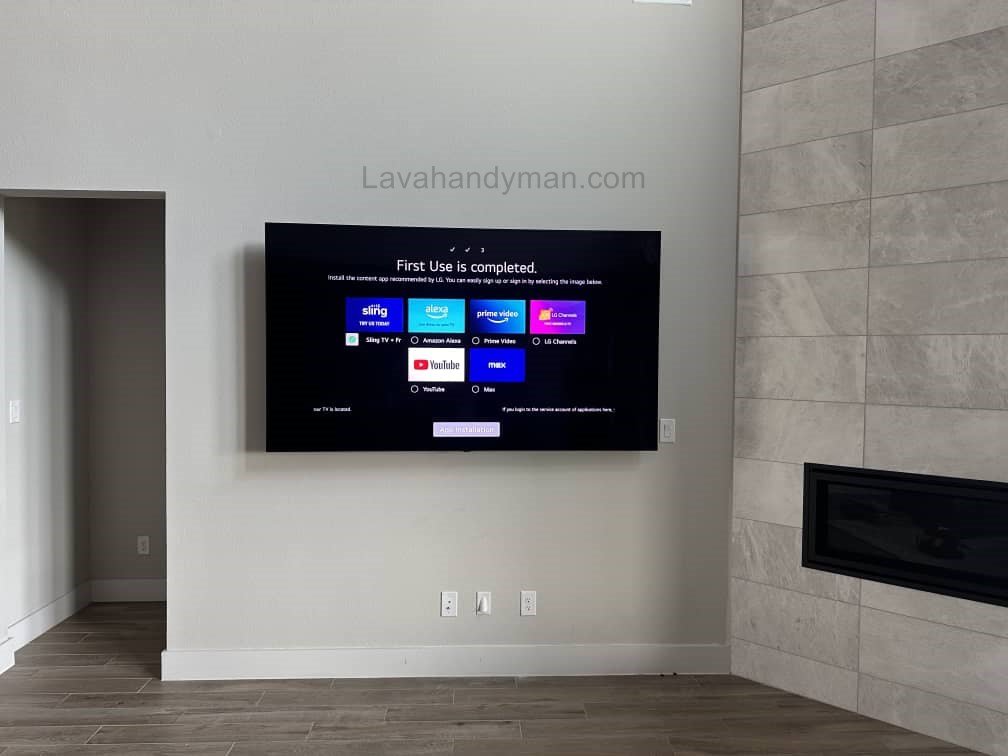
Best Way to Mount Your LG 50-Inch TV on the Wall Without Damaging the Wall or TV
If you’ve recently purchased a 50-inch LG TV, you’re probably wondering how to mount it on the wall safely and neatly.
Wall mounting not only saves floor space but also gives your living room a modern, minimalist look.
In this guide, you’ll learn everything you need — from choosing the right wall mount and tools to the exact steps for installation and the most common mistakes to avoid.
Why Mount Your TV on the Wall?
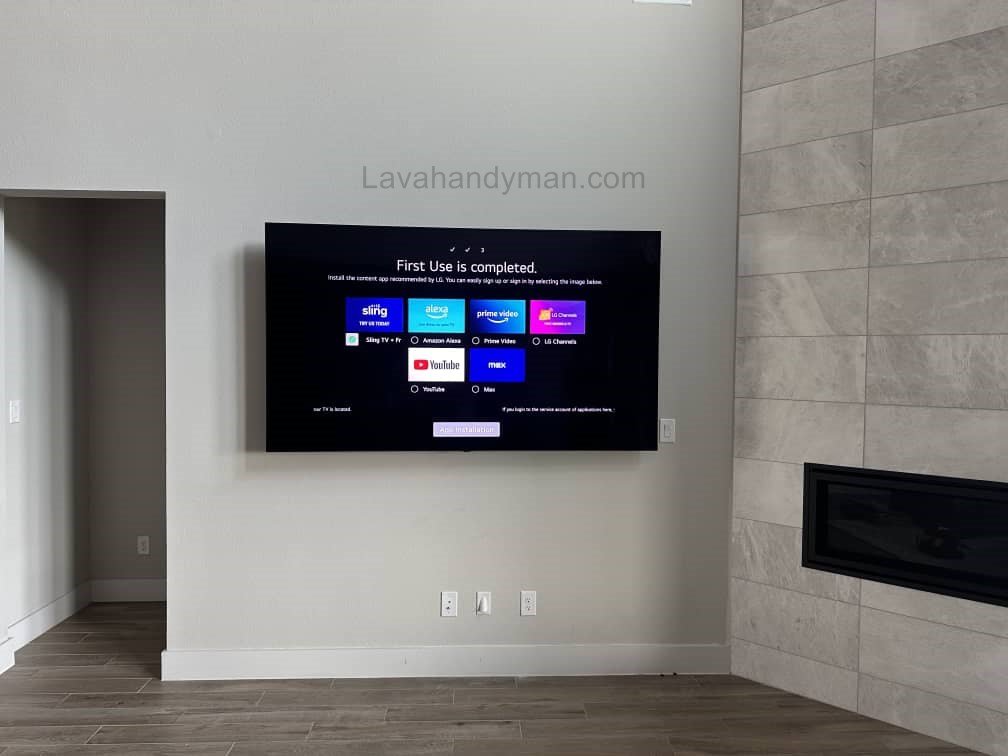
Wall mounting isn’t just about style — it’s also about practicality and safety.
Mount Your LG 50-Inch TV
✅ Advantages of Wall Mounting
- Space Saving: No need for bulky TV stands or tables.
- Modern Look: Creates a clean, professional aesthetic.
- Better Viewing Angle: Mount the TV at eye level for a more comfortable viewing experience.
- Safety: Keeps the TV out of reach of kids and pets.
- Cable Organization: Hides messy wires for a neat appearance.
⚠️ Possible Drawbacks
- Weak walls (especially drywall) may not hold the weight.
- Improper installation can damage the TV or wall.
- Changing cables later may be harder if the back is inaccessible.
Step 1: Choose the Right Location
Before drilling any holes, decide exactly where your TV should go.
Key Factors to Consider
- Height: The center of the screen should be roughly 110–120 cm (about 43–47 in) from the floor — eye level when seated.
- Lighting: Avoid direct sunlight or bright reflections.
- Power Outlet Access: Keep the TV near a plug to avoid extension cords.
- Port Access: Leave enough space behind the TV for HDMI, USB, and antenna cables.
- Wall Strength: Concrete, brick, or stud-reinforced walls are best.
💡 Pro Tip: Never mount a TV on drywall alone — always secure it into studs or solid backing.
Mount Your LG 50-Inch TV
Step 2: Pick the Right Wall Mount (Bracket)
The wall mount is the foundation of a safe installation. Choosing the wrong one can be dangerous.
Types of Wall Mounts
- Fixed Mount: Holds the TV close to the wall; best for eye-level setups.
- Tilt Mount: Allows vertical angle adjustment to reduce glare.
- Full-Motion (Swivel/Articulating) Mount: Lets you pull, tilt, and rotate the TV for flexible viewing.
How to Choose the Right Mount
- VESA Pattern: Check the screw hole spacing on the back of your TV (e.g., 200×200 mm or 400×400 mm).
- Weight Capacity: The mount should support at least 20% more than your TV’s weight.
- Material: Heavy-duty steel with anti-rust coating is ideal.
- Ventilation Gap: Choose a mount that leaves 3–5 cm of space for air circulation.
Mount Your LG 50-Inch TV
Step 3: Gather the Required Tools
You’ll need the following tools for a smooth, safe installation:
- Electric drill with masonry or wood bit
- Heavy-duty wall anchors and screws
- Spirit level (for perfect alignment)
- Measuring tape and pencil
- Socket wrench or screwdriver
- Safety gloves and goggles
- A helper (two people are always better than one!)
Mount Your LG 50-Inch TV
Step 4: Prepare the Wall
Follow These Steps Carefully
- Mark Drill Points: Use your tape and level to mark the exact hole positions.
- Find Wall Studs: Use a stud finder if your wall is drywall.
- Drill Holes: Drill holes to the recommended depth for your mount.
- Insert Anchors and Mount the Bracket: Insert wall plugs (anchors), place the bracket, and tighten screws firmly.
- Check Leveling: After tightening, double-check that the bracket is perfectly straight.
Mount Your LG 50-Inch TV
Step 5: Attach the Mounting Plate to the Back of the TV
- Lay the TV face-down on a soft, clean surface like a blanket.
- Use the screws and spacers provided with your mount or TV.
- Do not overtighten — this can damage the TV’s back panel.
Step 6: Hang the TV on the Wall Mount
- With your helper, lift the TV carefully and hook it onto the wall bracket.
- Make sure the locking tabs or safety clips snap securely into place.
- Gently pull the TV forward and release to confirm it’s firmly attached.
- Tighten the locking screws if your mount includes them.
Mount Your LG 50-Inch TV
Step 7: Organize and Hide the Cables
A professional installation always includes tidy cable management.
Cable Management Tips
- Use plastic wall channels or concealment covers to hide cables.
- If remodeling, run the cables inside the wall for a clean finish.
- Secure cords with clips or ties to prevent pulling or tangling.
Mount Your LG 50-Inch TV
Step 8: Final Adjustments and Testing
- Turn on the TV and check viewing height and angle.
- Adjust tilt or swivel if your mount allows.
- Ensure proper airflow and ventilation behind the TV.
- Re-tighten all screws one last time for safety.
Ongoing Maintenance and Safety Checks
To keep your TV secure and performing well for years:
- Check all bolts and fasteners every few months.
- Dust the back panel and ventilation areas regularly.
- Never lean or hang objects on the mounted TV.
Common Mistakes When Mounting an LG TV
- Mounting only on drywall (no studs)
- Buying a cheap, non-certified wall mount
- Skipping the leveling step before drilling
- Overtightening screws or leaving them loose
- Blocking ventilation holes behind the TV
- Forgetting to check cable reach before mounting
Mount Your LG 50-Inch TV
Step-by-Step Guide to Wall Mounting Your TV – Complete Tutorial
Wall mounting your TV not only creates a modern and minimalist look but also frees up space in your home and improves safety for children and pets. In this guide, you will learn step-by-step how to install a TV on the wall, along with safety tips and common mistakes to avoid.
Step 0 – Preparation Before Installation
Before starting, gather the following tools and equipment:
- Compatible TV wall mount: Ensure the mount supports the weight and VESA pattern of your TV.
- Tools: Drill, suitable drill bits, screws and anchors, level, measuring tape, screwdriver, wrench, gloves, and safety glasses.
- Wall check: Make sure the wall is strong enough (wood/metal studs or concrete).
- Helper: Installing a large TV alone is dangerous.
- Soft surface: Blanket or foam to place the TV face down, preventing scratches.
Step 1 – Determine the Correct Location and Height
- The center of the screen should be roughly at eye level when seated (usually 110–120 cm from the floor).
- Avoid placing the TV in direct sunlight or where reflections may occur.
- Consider the distance to power outlets and access to ports.
- Use a level and measuring tape to mark the drill points accurately.
Mount Your LG 50-Inch TV
Step 2 – Check the Wall and Studs
- If mounting on drywall, use a stud finder to locate wooden or metal studs.
- For concrete or brick walls, drill with the proper bit and use sturdy anchors.
- Never mount a TV solely on drywall without a supporting stud.
Step 3 – Install the Wall Bracket
- Mark the drill points: Hold the bracket against the wall and ensure it is level.
- Drill holes: Use the correct drill bit for your wall type.
- Insert anchors or screws: Place anchors or lag bolts and secure the bracket.
- Check level: After tightening each screw, verify the bracket is still level.
Mount Your LG 50-Inch TV
Step 4 – Attach the Mounting Plate to the TV
- Place the TV face down on a soft surface.
- Attach the mounting plate to the back of the TV using the provided screws and spacers.
- Tighten screws carefully—do not overtighten to avoid damaging the TV frame or internal components.
Step 5 – Hang the TV on the Wall Bracket
- With the help of a second person, lift the TV and place it onto the wall bracket.
- Ensure all hooks and safety locks are fully engaged.
- Tighten any locking screws and gently test by slightly moving the TV to confirm stability.
Step 6 – Cable Management
- First, connect and test all cables (power, HDMI, antenna, USB).
- Use cable channels, clips, or covers to organize and hide wires.
- If routing cables inside the wall, follow local electrical codes or hire a professional.
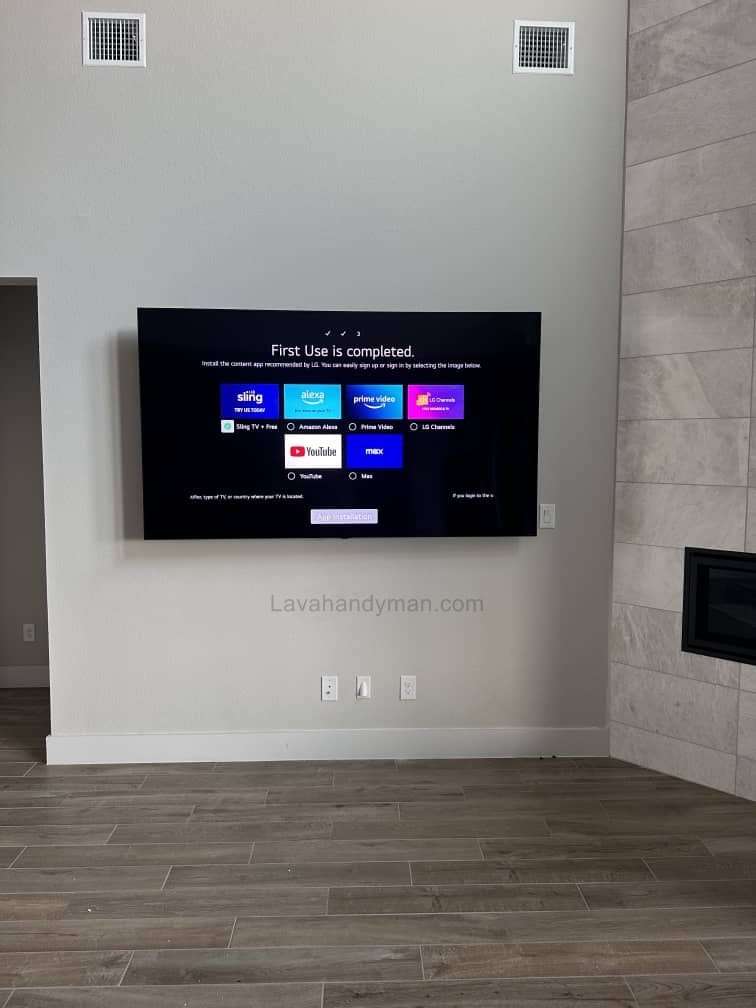
Mount Your LG 50-Inch TV
Step 7 – Final Adjustment and Testing
- Check the viewing angle and reflection on the screen.
- Adjust tilt or swivel if your bracket allows it.
- Double-check all screws and mounting points.
- Turn on the TV and test all inputs and picture quality.
Step 8 – Maintenance and Periodic Checks
- Inspect screws and brackets every 3–6 months.
- Dust the back of the TV to prevent blocked ventilation.
- Avoid leaning or hanging objects on the mounted TV.
Important Safety Tips
- Always have help: Never lift large TVs alone.
- Secure wall: Never mount a TV on drywall alone; always attach to studs or proper backing.
- Screw tension: Screws should be neither over-tightened nor loose.
- Cables and ventilation: Avoid stretching cables or blocking airflow behind the TV.
Mount Your LG 50-Inch TV
Quick Troubleshooting
Overheating: Ensure proper ventilation and clearance behind the TV.
TV wobbles: Check screws and anchors for looseness.
Excess glare: Adjust the tilt or use curtains/blinds.
Hard-to-reach ports: Use a mount with extra clearance from the wall or an adjustable bracket.
Mount Your LG 50-Inch TV
Types of TV Wall Mounts
1. Fixed / Flat Wall Mount
- Features: Keeps the TV close to the wall; no movement or angle adjustment.
- Advantages:
- Simple and quick installation
- Minimalist and compact look
- Suitable for small to medium TVs
- Disadvantages:
- Cannot adjust viewing angle
- Glare or direct sunlight cannot be managed
Best for rooms with a fixed viewing angle or when you want the TV flush against the wall.
2. Tilt Wall Mount
- Features: Allows the TV to tilt forward or backward.
- Advantages:
- Reduces glare on the screen
- Provides better viewing angle if TV is mounted higher than eye level
- Disadvantages:
- No horizontal swivel
- Slightly more complex installation than fixed mounts
Ideal for higher-mounted TVs or rooms with bright lighting.
Mount Your LG 50-Inch TV
3. Full Motion / Articulating Wall Mount
- Features: TV can swivel left and right, extend forward or backward, and tilt.
- Advantages:
- Full flexibility for adjusting the viewing angle
- Easy access to the back for cables
- Great for large TVs and spacious living rooms
- Disadvantages:
- More complex installation
- Higher cost
- Requires more space for movement
Perfect for users who want complete flexibility in viewing angles and have large living spaces.
Mount Your LG 50-Inch TV
4. Swivel Wall Mount
- Features: Allows horizontal rotation of the TV; limited or no forward/backward movement.
- Advantages:
- Horizontal viewing angle adjustment
- Easier installation than full-motion mounts
- Disadvantages:
- Limited vertical tilt
- Cost is higher than fixed mounts
Suitable for rooms where horizontal angle adjustment is needed, but full motion is unnecessary.
5. Ceiling Mount
- Features: Mounts the TV to the ceiling instead of the wall.
- Advantages:
- Ideal for spaces without suitable walls or for ceiling-centered setups
- Can swivel and tilt
- Disadvantages:
- Complex installation
- Higher cost
- Less common for typical home setups
Mount Your LG 50-Inch TV
Key Tips for Choosing the Right TV Mount
Distance from Wall: Some mounts keep the TV very close to the wall, which may limit ventilation; others allow more space.
TV Weight: The mount should support at least 20% more than the TV’s weight.
TV Size: Ensure the mount is compatible with your TV size (e.g., 40–55 inches).
Wall Type: Drywall, brick, concrete, or wood/metal studs determine the type of screws and anchors.
Viewing Angle & Flexibility: Decide if the TV should be fixed, tiltable, or fully adjustable.
The Importance of Wall-Mounting Your TV – Why You Should Mount Your TV
Mount Your LG 50-Inch TV
1. Space Saving
- Mounting your TV on the wall frees up floor space, eliminating the need for large TV stands or cabinets.
- Ideal for small rooms or compact living areas where you want a minimalist and tidy setup.
2. Modern and Minimalist Look
- A wall-mounted TV creates a sleek and organized interior.
- Can be combined with backlighting, shelves, or decorative frames for a more stylish decor.
3. Improved Viewing Angle and Comfort
- Wall-mounting allows you to set the optimal eye-level height, reducing neck and eye strain.
- Tilt or full-motion brackets provide flexibility to adjust the viewing angle as needed.
Mount Your LG 50-Inch TV
4. Increased Safety
- TVs on stands can be dangerous; accidental bumps or children playing nearby may cause them to fall.
- Wall-mounted TVs are out of reach of children and pets.
- Reduces the risk of damage to the TV and surrounding objects.
5. Cable Management and Organized Space
- Wall-mounted TVs allow for cable channels or hiding wires inside the wall, creating a clean and organized environment.
- Prevents tangled cables or accidental disconnections.
Mount Your LG 50-Inch TV
6. Flexible Room Layout
Tilt or swivel brackets enable adjusting the TV angle relative to room lighting or seating positions.
Wall-mounted TVs allow you to arrange furniture freely without being restricted by the TV’s location.
Mount Your LG 50-Inch TV
Conclusion
Mounting your LG 50-inch TV on the wall isn’t difficult — it just requires the right tools, preparation, and patience.
By following these steps, you’ll have a secure, stylish setup that maximizes space and improves your viewing experience.
A well-mounted TV not only looks beautiful but also stays safe for years to come.
📞 Need Help?
Let us take care of the hard work while you sit back and relax.
📍 Serving: Austin, Round Rock, Cedar Park & more
📱 Call or Text: (737) 420-6992
🌐 Visit: https://lavahandyman.com