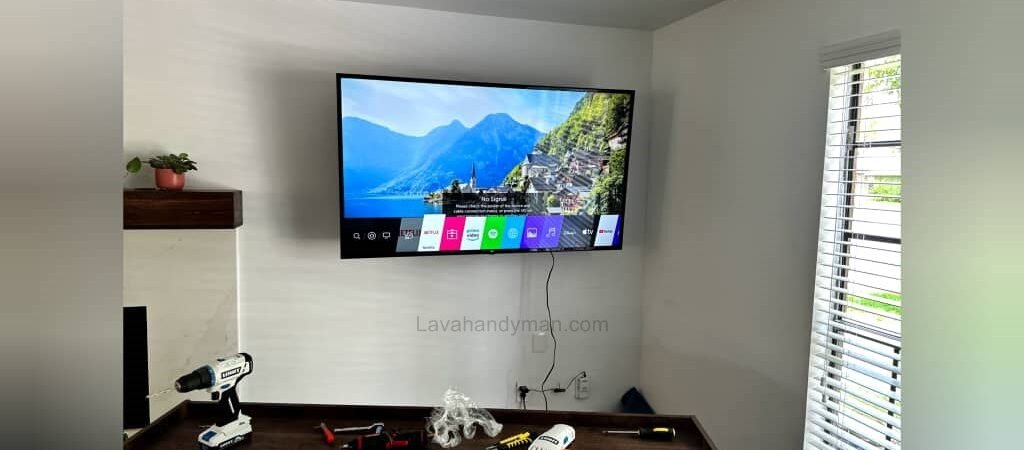
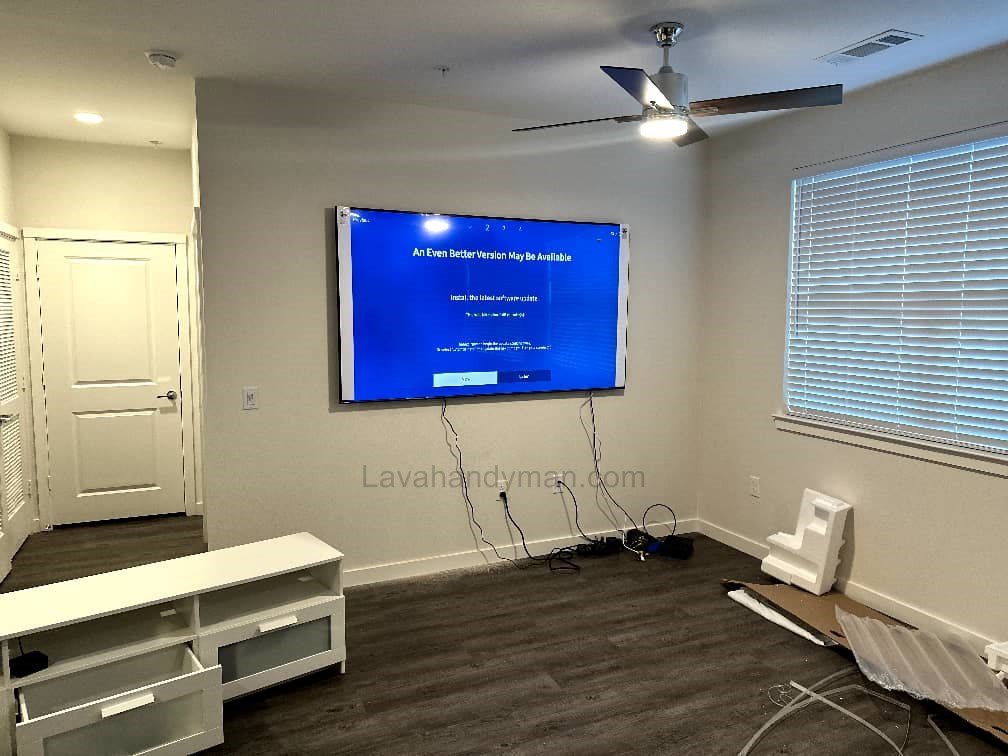
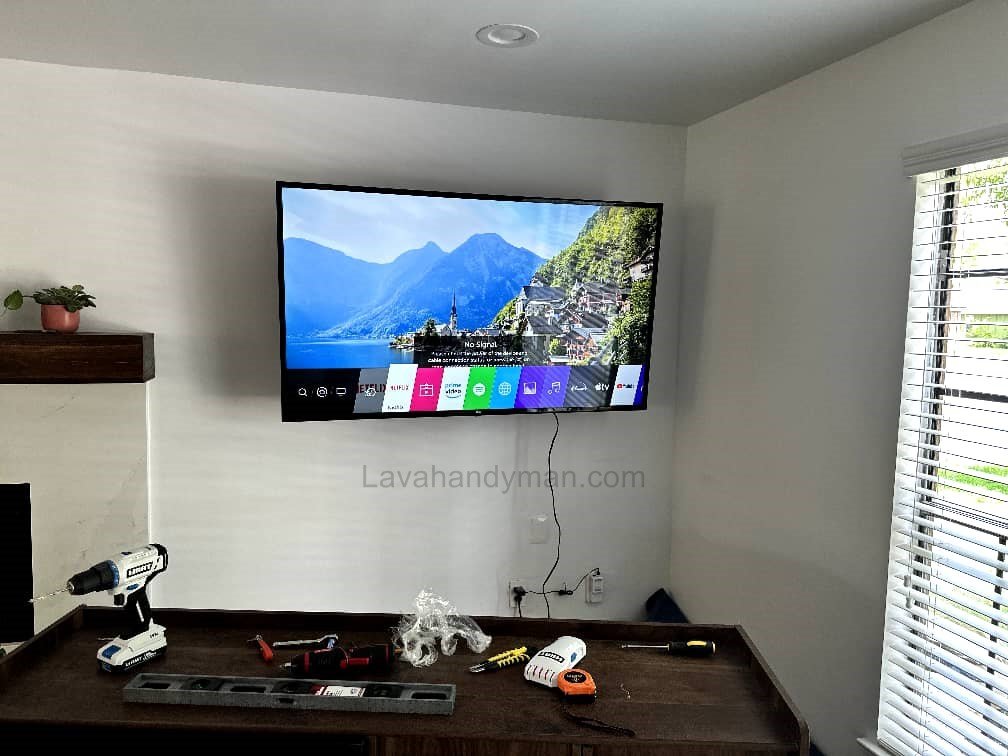
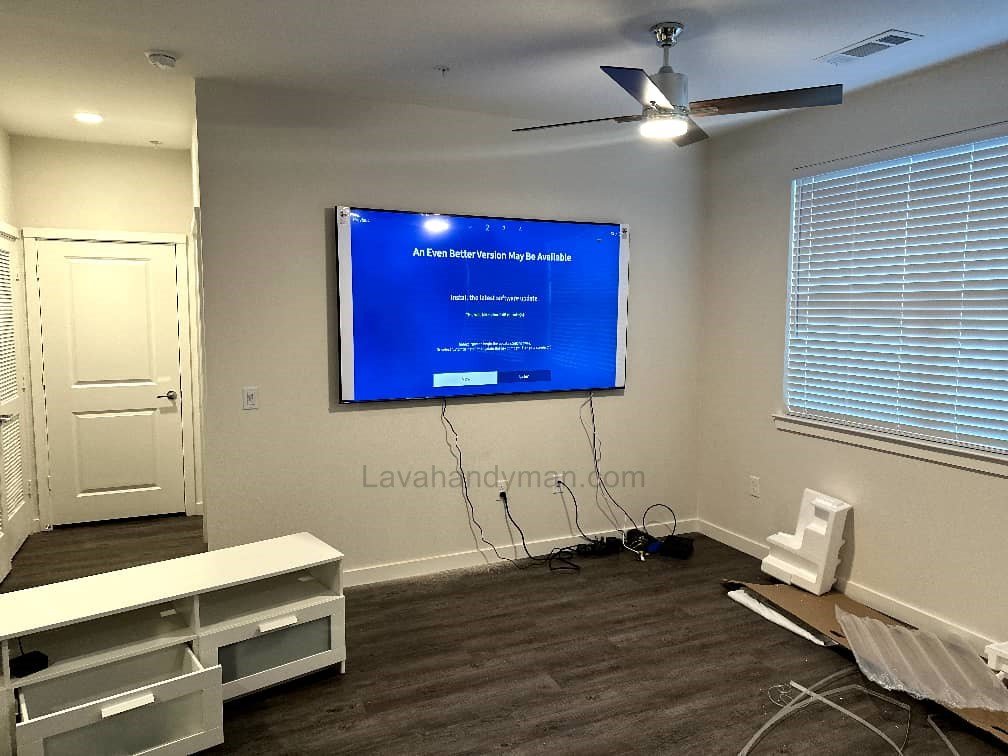
Mounting your LG TV on the wall is one of the best ways to save space and enhance your home’s interior design. Installing an LG 46-inch TV on the wall not only gives your living space a clean, modern look but also improves viewing comfort and prevents accidents caused by unstable stands.
Benefits of Wall Mounting an LG TV
Safety: Reduces the risk of your TV falling or getting damaged.
Space Saving: Frees up floor or furniture space.
Better Viewing Angle: Adjust the TV height and tilt for optimal comfort.
Modern Look: Creates a sleek, contemporary style.
Cable Management: Keeps cables hidden and organized.
LG 46-Inch TV Wall Mount Installation
About the LG 46-Inch TV
The LG 46-inch TV models, part of the company’s LED and Smart TV series, are among the most popular mid-sized options. These TVs usually support the VESA 400×400 mm mounting standard, which indicates the distance between the screw holes on the back of the TV. Most LG 46-inch TVs weigh between 10 to 18 kilograms (22–40 lbs), making them compatible with most universal wall brackets.
Tools and Equipment Required for Wall Mounting
Before you start installing your TV, make sure you have all the necessary tools and hardware:
Tool
Description
Wall bracket / Mount
Supports the TV on the wall
Drill & Drill Bits
For making holes in the wall
Screws, Anchors, and Washers
To secure the bracket firmly
Spirit Level or Laser Level
Ensures the bracket is perfectly horizontal
Measuring Tape & Pencil
For marking the correct height and position
Screwdriver & Wrench
For tightening screws and bolts
💡 Tip: If your wall is made of drywall or plasterboard, use special anchors designed for light walls or a dual-arm bracket for extra safety.
LG 46-Inch TV Wall Mount Installation
Choosing the Right Wall Bracket for an LG 46-Inch TV
There are three main types of TV wall mounts:
Fixed Mount: Simple and inexpensive, ideal for mounting at a fixed height.
Tilting Mount: Allows a 10–15° vertical tilt for better viewing angles.
Full-Motion (Articulating) Mount: Offers horizontal and vertical movement, perfect for corner setups.
For the LG 46-inch TV, the tilting wall mount (VESA 400×400) is generally the best option — safe, adjustable, and budget-friendly.
Step-by-Step Installation Guide
LG 46-Inch TV Wall Mount Installation
Step 1: Choose the Right Location
The center of the TV should be at eye level when seated (about 42–50 inches from the floor).
Avoid direct sunlight or glare from windows.
Ensure there’s an electrical outlet and cable connection nearby.
Step 2: Mark the Mounting Points
Using a measuring tape and level, mark the exact points for drilling. A small misalignment can make the TV appear crooked, so precision is essential.
Step 3: Drill the Holes
Using the correct drill bit for your wall type (masonry, concrete, or drywall), make holes at the marked points. For concrete walls, use an 8–10 mm masonry bit.
Step 4: Attach the Wall Bracket
Insert wall anchors (plastic or metal) into the drilled holes, place the bracket, and screw it tightly into place. Use a spirit level to ensure the bracket is perfectly straight.
Step 5: Attach the Mounting Plate to the TV
Connect the TV mounting arms or plate to the back of the LG 46-inch TV using the provided screws. Do not overtighten, as this may damage the TV casing.
LG 46-Inch TV Wall Mount Installation
Step 6: Hang the TV on the Wall
Lift the TV carefully (preferably with another person’s help) and secure it onto the wall bracket. Lock the safety clips or latches to prevent accidental detachment.
Step 7: Adjust the Angle and Tighten Everything
Once the TV is mounted, adjust the tilt and viewing angle to your preference. Tighten all screws and bolts once the desired position is achieved.
Essential Safety Tips
Never attempt to lift or mount the TV alone.
Always use a high-quality, certified wall mount.
For drywall or partition walls, use heavy-duty anchors or professional installation.
Check for hidden cables or water pipes before drilling.
Use a power surge protector to safeguard your TV from voltage fluctuations.
LG 46-Inch TV Wall Mount Installation
Cable Management: How to Hide Your Wires
To achieve a clean and professional look, you can organize or hide your TV cables in several ways:
Plastic Cable Ducts: Affordable and easy to install.
In-Wall Cable Routing: The most elegant option but requires wall cutting.
Adhesive Cable Covers: Come in different colors to match your wall paint.
Common Mistakes During TV Installation
Choosing an incompatible or low-quality mount.
Mounting the TV too high or too low.
Ignoring the TV’s weight limit.
Drilling holes in unstable or cracked walls.
Forgetting to use a level during installation.
LG 46-Inch TV Wall Mount Installation
LG 46-Inch TV Wall Mount Installation Cost
If you hire a professional installer, the cost typically ranges from $25 to $50 USD, depending on wall type, mount style, and cable setup. DIY installation will only require the cost of the wall mount (around $20–$40) and basic tools if you don’t already have them.
Maintenance Tips After Installation
Check and tighten the bracket screws every 6 months.
Use a microfiber cloth and screen-safe cleaner for regular cleaning.
Unplug the TV before removing or repositioning it.
Avoid placing heavy decorative items on or near the TV.
LG 46-Inch TV Wall Mount Installation
How to Wall Mount a TV: Step-by-Step Complete Guide
Why Wall Mounting Your TV Matters
Wall mounting a TV not only adds a modern look to your home but also provides practical benefits:
Space-saving: Frees up furniture and floor space.
Increased safety: Prevents the TV from tipping over.
Better viewing angle: Adjust height and tilt for comfortable viewing.
Clean, minimalist design: Gives your room a modern and organized appearance.
Cable management: Allows cables to be hidden or organized.
Tools and Equipment Needed
Before starting, gather the following:
Tool
Purpose
Wall mount bracket
Safely holds the TV
Drill & appropriate drill bits
For creating holes in the wall
Screws & anchors
Secure the bracket to the wall
Level (spirit or laser)
Ensure bracket is perfectly horizontal
Measuring tape & pencil
Mark precise mounting points
Screwdriver or wrench
Tighten screws and bolts
Surge protector
Protects TV from voltage fluctuations
Gloves & safety glasses
Optional, for safe drilling
LG 46-Inch TV Wall Mount Installation
Step 1: Choose the Mounting Location
Mount the TV so the center is at eye level while seated (usually 42–50 inches from the floor).
Avoid direct sunlight or glare on the screen.
Ensure power outlets and cable connections are nearby.
Step 2: Select the Right Bracket
Common wall mount types:
Fixed: Simple and affordable, for a permanent position.
Tilt: Allows vertical angle adjustment.
Full Motion: Can rotate and adjust horizontally and vertically.
For 46-inch TVs or similar, a Tilt or Full Motion bracket is recommended.
LG 46-Inch TV Wall Mount Installation
Step 3: Mark the Drilling Points
Hold the bracket plate on the wall.
Use a level to make sure it is perfectly straight.
Mark the holes with a pencil.
Accuracy is crucial — even a millimeter off can result in a crooked TV.
Step 4: Drill Holes and Insert Anchors
Use the proper drill bit for your wall type (concrete, brick, or drywall).
Drill holes to the required depth.
Insert anchors or wall plugs and secure them tightly.
LG 46-Inch TV Wall Mount Installation
Step 5: Attach the Bracket to the Wall
Position the bracket on the anchors.
Tighten the screws securely.
Check with a level to ensure the bracket is straight.
Step 6: Attach the Bracket Plate to the TV
Fix the bracket arms or plate to the back of the TV using the supplied screws.
Use washers if needed to distribute pressure.
Do not overtighten screws to avoid damaging the TV casing.
LG 46-Inch TV Wall Mount Installation
Step 7: Mount the TV on the Wall
Lift the TV with at least one other person.
Hang the bracket arms or plate onto the wall mount.
Lock the safety clips to secure the TV in place.
Step 8: Adjust the Angle and Final Checks
Set the tilt and viewing angle for optimal comfort.
Double-check that all screws and locks are tight.
Connect all cables and plug in the surge protector.
LG 46-Inch TV Wall Mount Installation
Step 9: Cable Management
Hide cables using cable ducts, covers, or in-wall routing if possible.
Secure cables with ties or clips to prevent movement.
Maintain a clean and professional look.
Safety Tips
Never lift the TV alone.
For drywall or weak walls, hire a professional installer.
Ensure there are no wires or pipes behind the wall before drilling.
Use high-quality, certified brackets and screws.
Check screws every few months and tighten if needed.
LG 46-Inch TV Wall Mount Installation
Common Installation Problems and Solutions
Cable hiding issues: Use plastic ducts or cable covers for a clean look.
Crooked TV: Loosen bracket, level it, and tighten again.
Loose bracket: Use stronger anchors or metal wall plugs.
Screen wobble: Screws may be loose or TV weight exceeds bracket capacity.
Types of TV Wall Mounts and How to Choose the Best One
LG 46-Inch TV Wall Mount Installation
Why Choosing the Right TV Mount Matters
Selecting the right TV wall mount ensures:
Safe and secure installation of your TV
Optimal viewing angles
A clean and modern room appearance
Prevention of damage to the TV or wall
LG 46-Inch TV Wall Mount Installation
1. Fixed Wall Mount
The simplest and most affordable type of mount
Keeps the TV in a fixed position
Suitable for lightweight TVs and fixed viewing angles
Advantages:
Easy and quick to install
Low cost
Minimal wall space required
Disadvantages:
Cannot adjust the viewing angle
LG 46-Inch TV Wall Mount Installation
2. Tilt Wall Mount
Allows vertical adjustment (tilt up or down)
Reduces glare from windows or lights
Advantages:
Better viewing angle
Reduces reflection and glare
Relatively easy to install
Disadvantages:
Cannot rotate horizontally
Slightly more expensive than fixed mounts
LG 46-Inch TV Wall Mount Installation
3. Full Motion / Articulating Wall Mount
Can swivel left and right, tilt up and down
Ideal for large rooms or corner TV installations
Advantages:
Maximum flexibility
Full viewing angle
Adjustable TV position
Disadvantages:
More expensive
Takes up more wall space
Installation requires more skill
LG 46-Inch TV Wall Mount Installation
4. Ceiling Mount
Mounts the TV from the ceiling
Suitable for areas without sufficient wall space
Common in stores, conference rooms, and commercial spaces
5. Swing Arm / Extension Arm Mount
A type of full-motion mount with long arms
Can pull the TV forward for easy access to the back and cables
Advantages:
Easy access to TV back for cables and connections
Suitable for large and heavy TVs
Disadvantages:
Requires more space
Installation is more complex
LG 46-Inch TV Wall Mount Installation
Key Tips for Choosing a TV Wall Mount
Cable Management: Some mounts allow hidden or organized cable routing for a cleaner look.
TV Weight: Ensure the mount can support the TV’s weight.
VESA Standard: The distance between the mounting holes on the TV must match the mount (e.g., 200×200, 400×400 mm).
Wall Type: For drywall or plasterboard walls, heavy mounts may not be safe and professional installation may be required.
Room Layout and Viewing Angle: For corner installations or adjustable viewing, full-motion or swing-arm mounts are best.
Final Thoughts
Wall mounting your LG 46-inch TV is a practical and stylish solution for modern living spaces. By choosing the right mount, using the correct tools, and following safety precautions, you can install your TV securely and enjoy the best possible viewing experience.
However, if you are unsure about drilling, wall type, or alignment, it’s always better to hire a professional TV installation service. This ensures safety, accuracy, and a long-lasting setup.
📞 Need Help?
Let us take care of the hard work while you sit back and relax. 📍 Serving: Austin, Round Rock, Cedar Park & more 📱 Call or Text: (737) 420-6992 🌐 Visit:https://lavahandyman.com