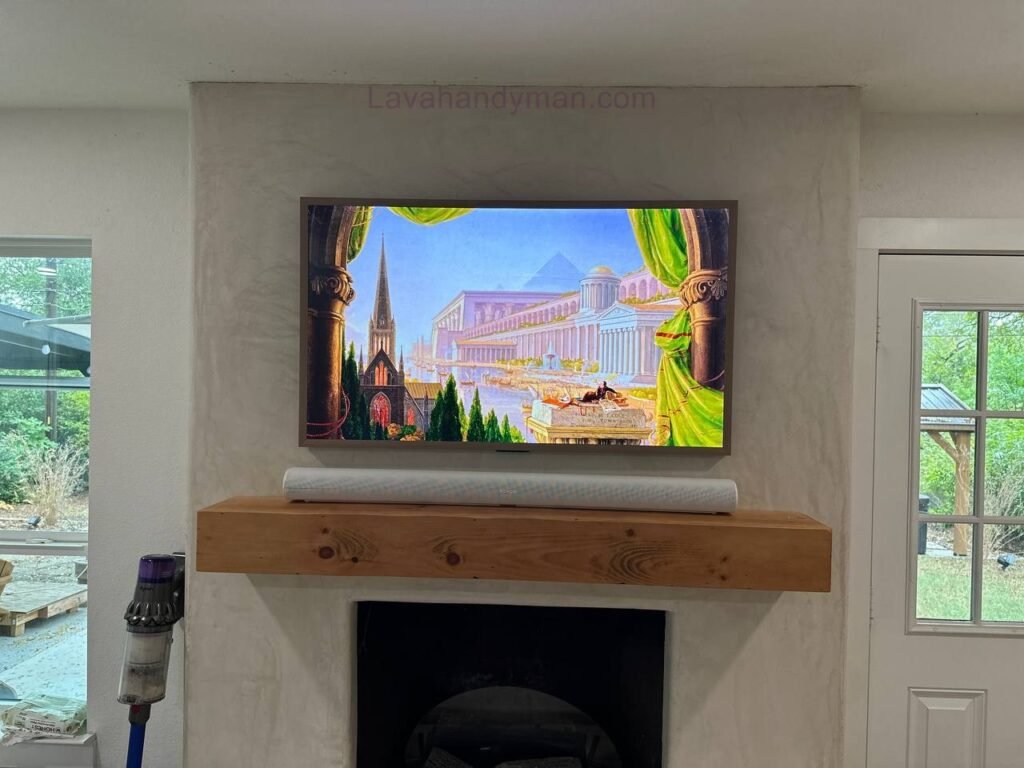
Professional Wall-Mounted TV Setup with Neat Wiring and Concealed Cables
Introduction
A professional wall-mounted TV setup with neat wiring and concealed cables can transform any living room, bedroom, office, or home theater into a clean, modern, and organized space. By mounting your television securely and hiding visible wires, you can improve the appearance of your room, save valuable floor space, and create a more enjoyable viewing experience.
However, achieving a professional TV wall mounting installation requires more than attaching a bracket to the wall. Proper planning, the right mounting hardware, accurate screen positioning, and effective cable management all play an important role in the final result.
Professional Wall-Mounted TV Setup
Whether you want to hide TV cables behind the wall, install a slim cable raceway, or create a complete home entertainment system, understanding the available options can help you choose the best solution for your space.
In this guide, you will learn how to mount a TV on the wall, conceal cables safely, choose the right TV wall mount, avoid common installation mistakes, and achieve a neat, professional finish.
What Is a Professional Wall-Mounted TV Setup?
Professional Wall-Mounted TV Setup
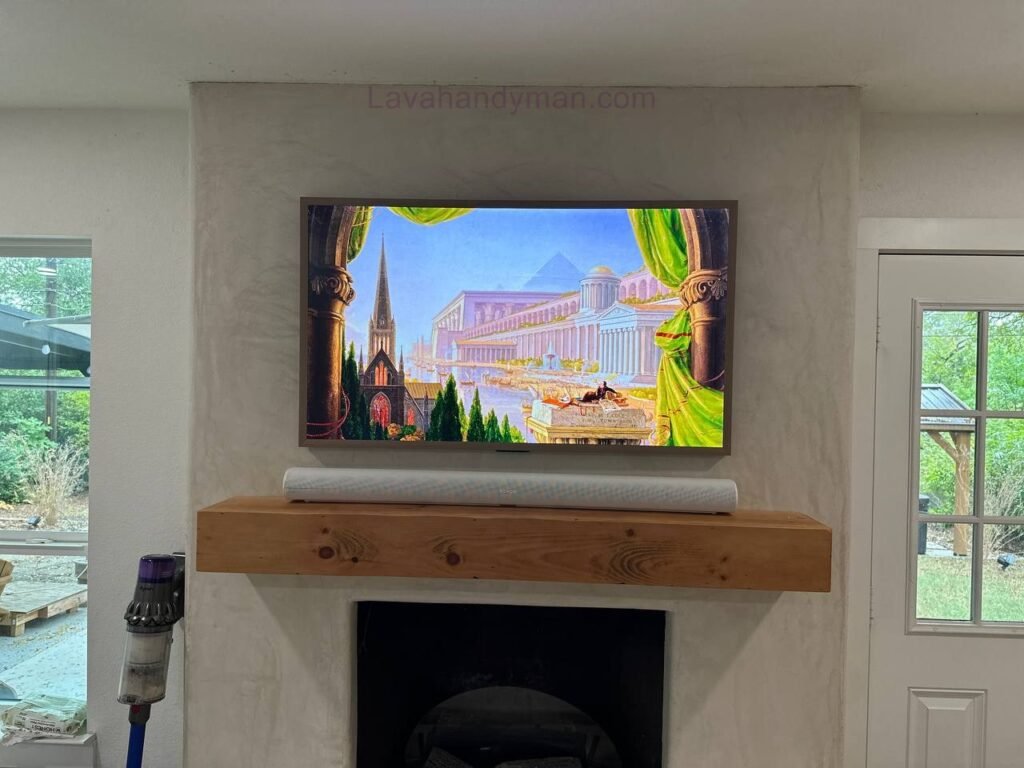
A professional wall-mounted TV setup involves securely mounting a television at a suitable viewing height while organizing its power and signal connections for a clean, clutter-free appearance.
Unlike a basic TV installation, a professional setup considers the wall structure, mounting bracket compatibility, screen alignment, cable routing, electrical safety, ventilation, and accessibility for future maintenance.
A well-planned installation may also include a wall-mounted soundbar, streaming device, gaming console, network connection, or home theater system.
The goal is to create an entertainment area where the television looks integrated into the room while all cables remain properly managed and accessible when needed.
For homeowners who value modern interior design, a wall-mounted TV with concealed wiring offers an effective combination of style, functionality, and convenience.
Professional Wall-Mounted TV Setup
Benefits of Wall-Mounted TV Installation
1. Create a Clean and Modern Interior
One of the main benefits of wall-mounted TV installation is its streamlined appearance. Removing a bulky television stand and concealing visible cables helps create a more spacious and organized room.
A professionally mounted television can become the focal point of a living room without making the surrounding space feel crowded. This design works particularly well in minimalist homes, contemporary apartments, bedrooms, and dedicated home theaters.
When combined with hidden wiring and a suitable mounting bracket, the television creates a polished appearance that complements modern interior design.
Professional Wall-Mounted TV Setup
2. Save Space and Improve Room Layout
Wall mounting frees up floor space that would otherwise be occupied by a television stand. This is especially useful in smaller apartments, bedrooms, and compact living rooms.
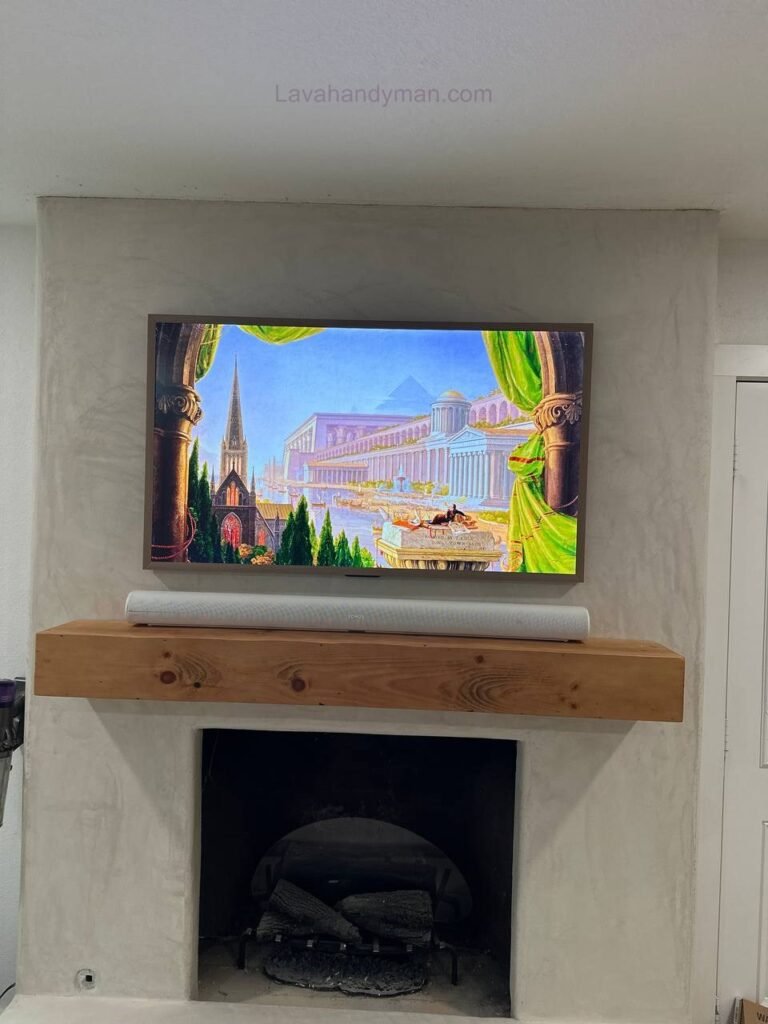
The space beneath the screen can accommodate a floating shelf, a slim media console, decorative accessories, or a soundbar.
A wall-mounted TV can also improve furniture placement by giving homeowners more flexibility when arranging seating and entertainment equipment.
3. Improve Viewing Comfort
The correct TV mounting height can make watching television more comfortable during extended viewing sessions.
Professional Wall-Mounted TV Setup
For many living rooms, positioning the center of the screen near seated eye level provides a useful starting point. However, the ideal height depends on the screen size, seating arrangement, viewing distance, and room layout.
A tilting or full-motion TV wall mount can help adjust the viewing angle when the television cannot be installed directly opposite the main seating area.
4. Hide TV Cables and Reduce Clutter
Visible wires can make even an expensive television installation look unfinished. Loose cables can also collect dust, become tangled, and interfere with cleaning or furniture placement.
Professional Wall-Mounted TV Setup
Professional TV cable management keeps HDMI cables, Ethernet connections, audio wiring, and other signal cables organized and discreetly routed.
Depending on the wall construction, you can conceal TV cables inside a suitable wall cavity, cover them with a paintable cable raceway, or organize them behind a media cabinet.
5. Organize Connected Entertainment Devices
A professional TV setup can accommodate streaming devices, gaming consoles, soundbars, and other accessories without creating unnecessary cable clutter.
Professional Wall-Mounted TV Setup
Planning these connections before mounting the screen helps ensure that every device has the correct connection, sufficient cable length, and adequate ventilation.
This also makes future upgrades easier and reduces the need to remove the television for routine maintenance.
Choosing the Best TV Wall Mount
Selecting the right TV wall mount is essential for a safe and attractive installation. The bracket must be compatible with the television’s weight, mounting pattern, dimensions, and intended position.
Fixed TV Wall Mount
A fixed TV mount keeps the television close to the wall without allowing movement after installation.
Professional Wall-Mounted TV Setup
It is an excellent choice when the screen faces the main seating area and does not require frequent adjustment.
Fixed brackets are popular for minimalist TV installations because they provide a slim profile and help create a clean, integrated appearance.
Before choosing a fixed mount, check that the television’s connections have enough clearance behind the screen.
Tilting TV Wall Mount
A tilting TV mount allows the screen to angle vertically, helping improve the viewing angle when the television is mounted above normal seated eye level.
Professional Wall-Mounted TV Setup
This type of bracket can be useful in bedrooms, multipurpose rooms, and some living room layouts.
It may also provide easier access to certain connections, depending on the mounting system.
Full-Motion TV Wall Mount
A full-motion TV mount allows the television to extend from the wall and swivel horizontally, with many models also providing tilt adjustment.
This option is ideal for rooms where viewers sit in different positions or where the television needs to face multiple areas.
However, full-motion mounts require additional cable-management planning. All cables must be long enough to accommodate the intended movement without becoming stretched, trapped, or sharply bent.
Professional Wall-Mounted TV Setup
How to Hide TV Cables for a Clean Installation
Choosing the right method to hide TV cables is one of the most important steps in creating a professional wall-mounted TV setup.
The best cable-concealment solution depends on the wall material, the number of connections, your budget, and whether permanent wall modifications are permitted.
1. Conceal TV Cables Inside the Wall
In-wall cable management is one of the most effective ways to achieve a clean, nearly cable-free appearance.
In suitable framed walls, compatible signal cables can run between an opening behind the television and another opening near the media console or connected equipment.
Professional Wall-Mounted TV Setup
Common signal cables include HDMI, Ethernet, coaxial, optical audio, and suitable speaker cables.
Before creating openings, check the wall cavity for studs, plumbing, electrical wiring, insulation, and fire blocking. Use cables and pass-through components approved for the intended in-wall application.
Important safety note: Never simply push an ordinary TV power cord or extension cord inside a wall. Concealed mains power requires an approved installation method that complies with local electrical regulations. A listed in-wall power relocation kit or a properly installed receptacle may be suitable, depending on the circumstances.
For complicated cable routes or new electrical connections, consult a qualified professional.
Professional Wall-Mounted TV Setup
2. Use a Paintable Cable Raceway
A cable raceway is a practical way to hide TV cables without cutting into the wall.
These protective channels cover cables running between the television and a power or connection point. Many models can be painted to match the wall, making them less noticeable.
Cable raceways work particularly well on brick and concrete walls, in rental properties, and in rooms where permanent modifications are not desirable.
Choose a raceway with enough capacity for your cables and ensure that it is approved for the intended use. A low-voltage raceway should not automatically be used to conceal mains power cords.
Professional Wall-Mounted TV Setup
3. Install Recessed TV Wall Plates
Recessed wall plates help reduce the space required for connectors behind a wall-mounted television.
Depending on the product, they may support HDMI, Ethernet, coaxial, or other signal connections. Suitable recessed power outlets can also help the television sit closer to the wall when installed using an approved electrical method.
The position of each wall plate should be coordinated with the mounting bracket and the television’s connection panel.
This is particularly important when using an ultra-slim TV mount.
4. Hide Cables Behind a Media Console
Professional Wall-Mounted TV Setup
If in-wall installation is not practical, a media console can help keep cables out of sight.
Position the television above the console and organize connected devices inside or behind the furniture. Cable clips, sleeves, and appropriately sized openings can keep wiring neat and accessible.
This method is especially useful when the existing power outlet is already conveniently positioned.
Ensure that electronic devices have adequate ventilation and that cables are not crushed behind furniture.
5. Combine Cable Management Methods
Professional Wall-Mounted TV Setup
Some installations benefit from combining in-wall signal routing, approved power solutions, and concealed connections inside a media cabinet.
For example, a framed wall may accommodate hidden HDMI and Ethernet cables, while a nearby cabinet keeps streaming devices and other equipment organized.
On a solid masonry wall, a paintable raceway may provide the best balance between appearance, accessibility, and installation cost.
The objective is to achieve a neat TV cable-management system without compromising electrical safety or future access.
Professional Wall-Mounted TV Setup
Step-by-Step Guide to Professional TV Wall Mounting
Following a structured installation process helps ensure that your television is securely mounted, correctly aligned, and connected properly.
Step 1: Choose the Right TV Position
Determine where the television should be mounted based on the main seating area, viewing distance, natural light, room layout, and available connections.
Use painter’s tape to mark the approximate screen dimensions on the wall. This makes it easier to evaluate the position before drilling.
Check that the television will not interfere with doors, shelves, windows, or other equipment.
Professional Wall-Mounted TV Setup
Step 2: Inspect the Wall Structure
Identify the wall material and locate suitable structural supports.
Use appropriate detection equipment to check for studs and possible concealed services before drilling or cutting.
For drywall installations, select a mounting system that can be securely attached to the appropriate framing or approved reinforcement. For brick and concrete, use fasteners specifically suited to the wall material.
If the wall structure is uncertain, seek professional advice before proceeding.
Professional Wall-Mounted TV Setup
Step 3: Install the TV Mount
Confirm that the bracket supports the television’s weight and mounting pattern.
Mark the mounting points carefully and use a level to check alignment before drilling.
Install the wall plate with the specified fasteners and follow the manufacturer’s instructions regarding tightening and load limits.
Incorrect mounting hardware can compromise the entire installation, so avoid substituting unsuitable screws or anchors.
Professional Wall-Mounted TV Setup
Step 4: Plan the Cable Route
Identify the television’s required connections and determine where the connected devices will be located.
Measure the cable route and allow enough length for installation, connectors, and any movement permitted by the bracket.
Plan the route to avoid sharp bends, pinch points, and interference with the mounting hardware.
Decide how power will be supplied before creating any wall openings.
Professional Wall-Mounted TV Setup
Step 5: Install the Cable-Management System
Install the selected in-wall cable system, surface raceway, or furniture-based cable-management solution.
Use suitable cables and components for the installation environment and follow local electrical requirements.
Keep signal cables organized and ensure that all connectors can pass through the planned openings without being forced.
For concealed mains wiring, use an approved method and obtain qualified electrical assistance when required.
Professional Wall-Mounted TV Setup
Step 6: Connect the TV and Accessories
Connect the necessary HDMI, Ethernet, audio, and other signal cables before hanging the television if the ports will be difficult to reach afterward.
Confirm that each cable is connected to the correct port.
If you are installing a soundbar, gaming console, or streaming device, make sure its connections are included in the original cable plan.
Leave sufficient slack without creating excessive loops.
Professional Wall-Mounted TV Setup
Step 7: Mount and Align the Television
With suitable assistance, attach the television to the bracket according to the manufacturer’s instructions.
Engage all required locking mechanisms and check that the screen is level.
Verify that no cable is trapped between the television and the wall or pulled tightly against a connector.
For full-motion mounts, check that the cables remain clear throughout the permitted movement range.
Professional Wall-Mounted TV Setup
Step 8: Test Every Connection
Power on the television and test the picture, sound, network connection, and connected devices.
Check that the soundbar or audio receiver works correctly and that the television recognizes the connected HDMI equipment.
Resolve any connection issues before closing raceways or completing the final finishing work.
Step 9: Complete the Final Details
Secure loose cables, close cable-management covers, install wall plates, and clean the surrounding area.
Inspect the screen alignment and confirm that the mounting hardware is secure.
The finished installation should look organized from the main viewing position, with no unnecessary visible wires or poorly positioned accessories.
Professional Wall-Mounted TV Setup
Wall-Mounted TV Setup Ideas for Different Rooms
Living Room TV Installation
In a living room, a wall-mounted television above a floating media console creates a modern focal point.
Concealed signal cables and neatly organized accessories help keep the entertainment area uncluttered.
Choose a mounting height that suits the main seating arrangement and account for the position of windows and lighting.
Professional Wall-Mounted TV Setup
Bedroom TV Wall Mounting
Bedroom installations require careful consideration of viewing height and distance from the bed.
A fixed or tilting mount may work well, depending on the layout.
Keep power connections accessible and route cables discreetly so they do not interfere with bedside furniture or walking areas.
Home Theater Cable Management
Home theaters often include multiple connected devices, such as receivers, soundbars, gaming consoles, streaming players, and speakers.
Professional Wall-Mounted TV Setup
Plan the cable routes before installation and use a suitable equipment cabinet to keep devices organized.
For long HDMI runs, select a cable or signal-extension system that supports the required resolution, refresh rate, and distance.
Office and Conference Room TV Mounting
Office and conference room installations require reliable connections and easy access for maintenance.
Consider how users will connect laptops, presentation systems, and conferencing equipment.
Organized cable routes and suitable connection points help maintain a professional appearance and reduce everyday clutter.
Professional Wall-Mounted TV Setup
Common TV Mounting Mistakes to Avoid
Mounting the Television Too High
A television mounted too high can make viewing uncomfortable. Choose the screen position based on the primary seating arrangement rather than placing it near the ceiling by default.
Using Incompatible Mounting Hardware
The wall mount and fasteners must be suitable for the television and wall structure. Incorrect anchors or unsupported mounting methods can compromise stability.
Professional Wall-Mounted TV Setup
Hiding an Ordinary Power Cord in the Wall
A standard power cord or extension cord should not simply be concealed inside a wall. Use an approved in-wall power solution that complies with applicable electrical requirements.
Choosing Cables That Are Too Short
Short cables may become stretched when the television is connected or moved. Measure the route in advance and allow appropriate slack.
Blocking Ventilation Openings
Professional Wall-Mounted TV Setup
Televisions and connected equipment require sufficient airflow. Follow the manufacturer’s clearance instructions and avoid trapping heat behind the screen or inside an enclosed cabinet.
Ignoring Future Equipment Needs
Consider whether you may add a soundbar, gaming console, Ethernet connection, or additional HDMI device later. Accessible cable routes can make future upgrades much easier.
Skipping the Final Connection Test
Always test the television and connected devices before completing the installation. This helps prevent unnecessary rework after the cables are concealed.
Professional Wall-Mounted TV Setup
Is Professional TV Wall Mounting Worth It?
Professional TV wall mounting can be especially valuable when the installation involves a large screen, a difficult wall structure, concealed wiring, or several connected devices.
An experienced installer can assess the wall, select compatible hardware, position the television accurately, and organize the cables for a clean finish.
Professional assistance is particularly useful when mounting a television on masonry, working with metal stud walls, planning a complex home theater, or installing a new recessed power connection.
A professional installation can also reduce the risk of damage caused by incorrect drilling, unsuitable fasteners, or poorly planned cable routes.
When comparing installation services, ask whether the quote includes the mounting bracket, cable concealment, electrical work, accessory installation, and any required wall repairs.
How Much Does Wall-Mounted TV Installation Cost?
The cost of TV wall mounting depends on the television’s size, wall material, bracket type, cable-management method, and installation complexity.
A straightforward installation may require less labor than a project involving concealed wiring, masonry drilling, multiple accessories, or electrical modifications.
Surface cable raceways can provide a practical alternative when extensive wall work is unnecessary. In-wall installations may require additional materials, access work, and finishing.
For an accurate quote, provide the installer with the television model, wall type, approximate installation location, number of connected devices, and preferred cable-concealment method.
Comparing quotes with the same scope of work makes it easier to understand the actual cost and value of each service.
Maintaining Your Wall-Mounted TV Setup
A well-installed television should remain secure, organized, and easy to use.
Periodically inspect accessible cables for visible damage, excessive bending, or tension. Keep ventilation openings clear and make sure the television remains level.
When adding a new device, route its cables through the existing cable-management system rather than allowing wires to hang below the screen.
If the television uses a full-motion mount, check that the cables move freely within the permitted range.
For any suspected electrical issue or loose structural mounting, stop using the affected installation as appropriate and contact a qualified professional.
Frequently Asked Questions About Wall-Mounted TV Installation
How do I hide cables behind a wall-mounted TV?
You can conceal compatible signal cables inside a suitable wall cavity, use a paintable surface raceway, or organize cables behind a media console. The right option depends on your wall type, installation requirements, and local regulations.
Can I hide a TV power cord inside the wall?
Do not simply run an ordinary TV power cord or extension cord inside a wall. Use an approved in-wall power relocation system or a properly installed receptacle that meets applicable electrical requirements.
What is the best TV wall mount for a clean setup?
A fixed TV wall mount is often suitable for a slim, minimalist appearance. A tilting mount can improve the viewing angle, while a full-motion mount provides more positioning flexibility.
How high should a wall-mounted TV be?
For many living rooms, positioning the center of the screen near seated eye level is a useful starting point. The ideal height depends on seating, screen size, viewing distance, and the room layout.
Can a TV be mounted on a brick or concrete wall?
Yes, provided the mounting hardware and installation method are appropriate for the wall material and condition. A surface cable raceway may be a practical cable-concealment option for solid masonry.
How can I hide HDMI cables without cutting into the wall?
A paintable cable raceway can conceal HDMI cables without requiring an opening in the wall. Cable sleeves and furniture-based cable management can also help organize connections.
Should I hire a professional TV installer?
Professional installation is worth considering for large televisions, difficult wall types, complex cable routes, and installations involving electrical modifications or multiple accessories.
Can I mount a soundbar below a wall-mounted TV?
Yes. Use a compatible soundbar bracket or suitable shelf, and plan the power and audio connections before completing the television installation.
How do I make a TV wall look modern?
Combine accurate screen alignment, an appropriate mounting height, concealed or neatly organized cables, carefully positioned accessories, and a suitable media console or soundbar.
What should I prepare before mounting a TV?
Check the television’s weight and mounting pattern, wall construction, bracket compatibility, cable requirements, power access, viewing position, and any local installation requirements before beginning.
Conclusion
A professional wall-mounted TV setup with neat wiring and concealed cables creates a clean, modern entertainment area while improving space utilization and cable organization.
The best results come from selecting the right TV wall mount, assessing the wall structure, planning the cable route, and choosing a suitable method for concealing signal connections and supplying power safely.
Whether you are upgrading a living room, installing a bedroom television, or creating a complete home theater, careful planning can help prevent common installation problems and produce a more polished result.
For complex wall structures, concealed electrical work, or large television installations, professional assistance can help ensure that the mounting system and cable-management solution are suitable for the project.
A well-executed TV installation is more than a screen attached to a wall. It is a carefully planned combination of secure mounting, comfortable viewing, reliable connections, and a clean, clutter-free finish.
📞 Need Help?
Let us take care of the hard work while you sit back and relax.
📍 Serving: Austin, Round Rock, Cedar Park & more
📱 Call or Text: (737) 420-6992
🌐 Visit: https://lavahandyman.com