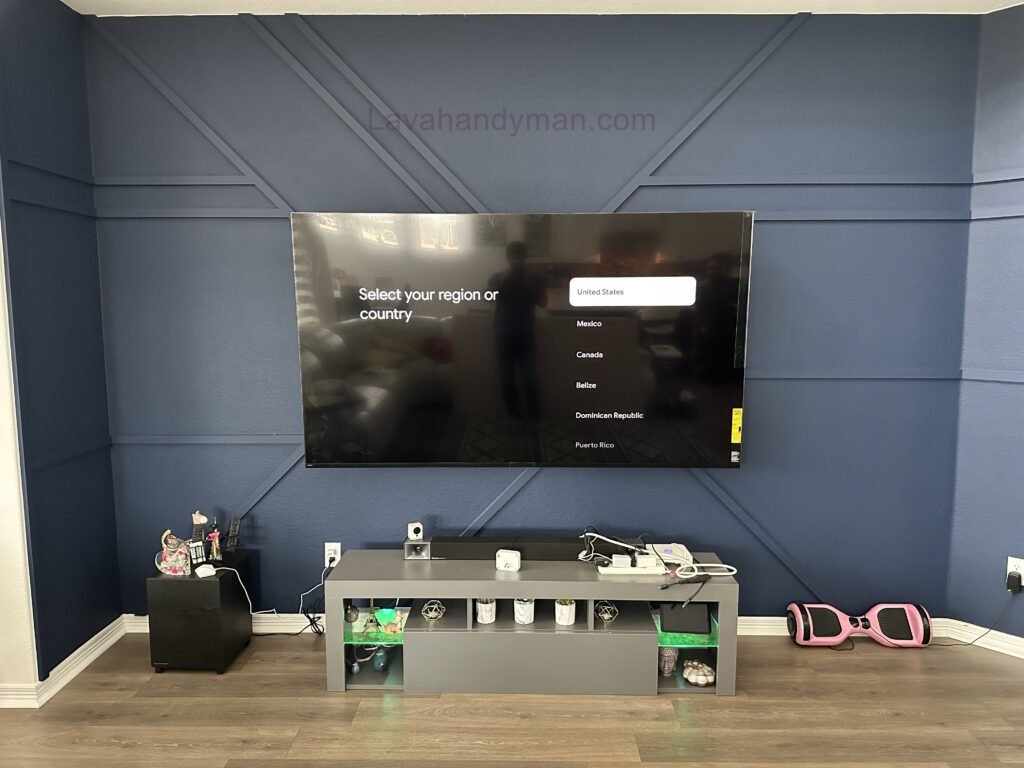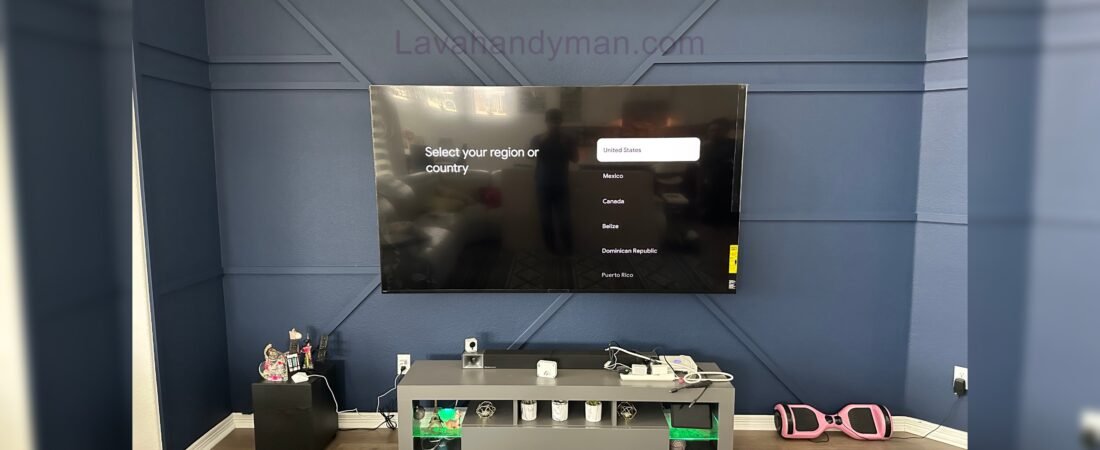
Professional Wall-Mounted TV Installation with Cable Management for a Clean, Organized
A professionally installed wall-mounted TV can completely transform the look of your living room, bedroom, home theater, or entertainment space. However, achieving a clean and modern TV wall requires more than simply attaching the television to the wall.
Professional TV wall mount installation, proper cable management, the right mounting bracket, and careful placement of your entertainment equipment can create a clean, organized, and visually appealing setup.
Professional Wall-Mounted TV Installation
Visible HDMI cables, power cords, Ethernet cables, and soundbar wires can quickly make a beautiful entertainment area look cluttered. With professional TV installation and cable management, these wires can be organized and, where appropriate, concealed to create a cleaner appearance.
Whether you are installing a new flat-screen TV, upgrading your living room, creating a home theater, or mounting a large television above a fireplace, proper planning can make a significant difference.
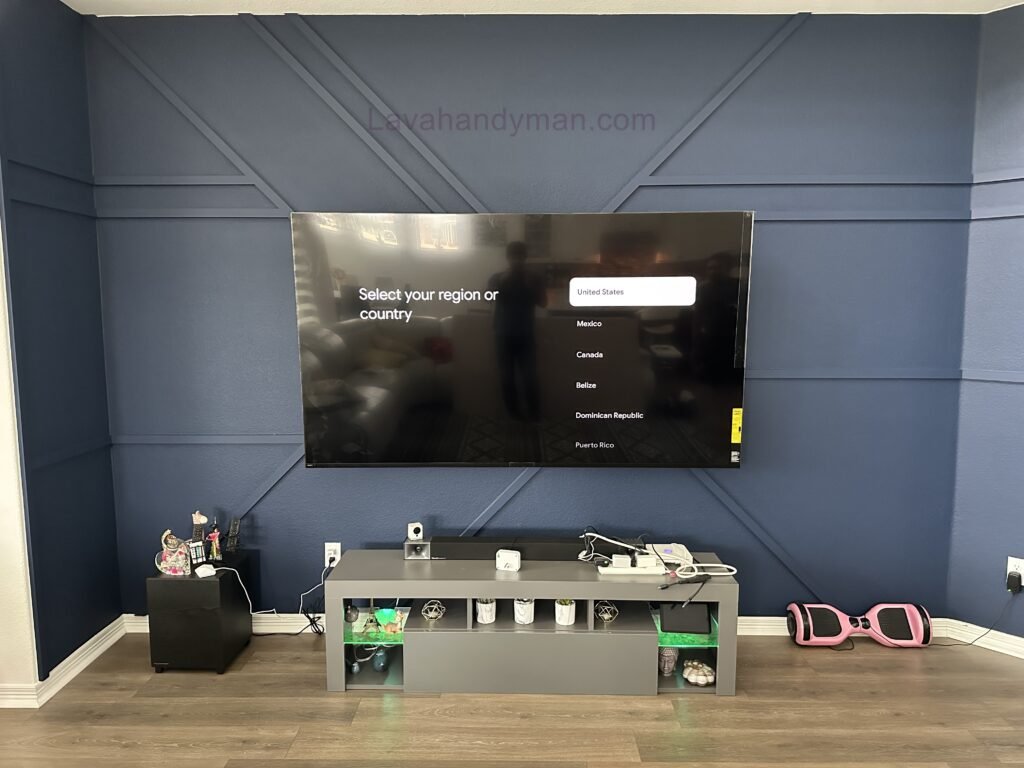
Professional Wall-Mounted TV Installation
What Is TV Wall Mount Installation?
TV wall mount installation is the process of securely mounting a television to a wall using a compatible TV mounting bracket.
A professional installation typically involves:
- Choosing the right TV wall mount
- Checking the wall structure
- Confirming the TV’s weight and VESA pattern
- Selecting the proper mounting hardware
- Determining the ideal viewing height
- Leveling the television
- Planning cable routes
- Connecting entertainment devices
- Organizing and concealing cables
- Testing the TV and connected equipment
Professional Wall-Mounted TV Installation
A properly installed TV should not only be secure but should also look like an intentional part of the room’s interior design.
Why Choose Professional TV Mounting?
Mounting a television may appear to be a simple DIY project, but several factors need to be considered before installation.
The type of wall, television size, TV weight, mounting pattern, viewing angle, cable locations, electrical outlets, and entertainment equipment can all affect the installation.
Professional TV mounting services can help ensure that these details are considered before the TV is placed on the wall.
A professional-looking installation should provide:
- A secure TV mount
- Proper TV positioning
- A level screen
- Clean cable management
- Easy access to connections
- Proper placement of accessories
- A finished appearance that complements the room
This is especially important when installing large or expensive televisions.
Professional Wall-Mounted TV Installation
Choosing the Right TV Wall Mount
The right TV wall mount depends on your television, wall type, room layout, and viewing preferences.
There are three common types of TV wall mounts.
Fixed TV Wall Mount
A fixed TV mount keeps the television close to the wall.
This is a popular choice for modern and minimalist interiors because it creates a sleek, low-profile appearance.
Fixed mounts work particularly well when the main seating area is directly in front of the television.
Tilting TV Wall Mount
A tilting TV mount allows the screen to angle vertically.
This can be useful when a television needs to be mounted higher than normal or when you want additional flexibility for reducing glare.
A tilting mount can also be helpful for TVs mounted above certain furniture configurations.
Professional Wall-Mounted TV Installation
Full-Motion TV Wall Mount
A full-motion TV mount provides the greatest flexibility.
Depending on the model, the television can be pulled away from the wall and adjusted from side to side.
This type of mount can be especially useful in larger rooms or spaces where people watch television from multiple seating positions.
Because the TV moves, cable management needs to be carefully planned so that cables do not become stretched or damaged.
TV Cable Management and Wire Concealment
One of the most important parts of a professional TV installation is TV cable management.
Modern entertainment systems can require multiple cables, including:
- HDMI cables
- Power cables
- Ethernet cables
- Optical audio cables
- Antenna cables
- Soundbar cables
- Gaming console cables
- Streaming device cables
Professional Wall-Mounted TV Installation
Leaving these cables hanging below the TV can make the installation look unfinished.
Professional cable management helps create a cleaner appearance while making it easier to identify, replace, and maintain cables in the future.
How to Hide TV Wires
There are several ways to hide or organize TV cables.
In-Wall Cable Concealment
For suitable walls and installations, certain low-voltage cables can be routed through the wall.
This can provide one of the cleanest possible TV wall installations because cables are largely hidden from view.
However, electrical wiring and low-voltage wiring must be treated differently. Standard TV power cords should not simply be placed inside a wall.
In-wall electrical work should use appropriate components and follow applicable local electrical requirements.
Professional Wall-Mounted TV Installation
Cable Raceway
A cable raceway is another effective option for hiding TV wires.
Raceways cover cables and keep them organized in a clean pathway along the wall.
This can be particularly useful when cutting into the wall is not possible or desirable.
A raceway can also be a practical solution for rental properties and finished walls.
Professional Wall-Mounted TV Installation
Cable Sleeves
Cable sleeves can group multiple wires together and help prevent cables from becoming tangled.
They are particularly useful behind entertainment centers, TV consoles, and desks.
The goal is to keep the cable system organized while maintaining access for future upgrades.
Professional Wall-Mounted TV Installation
How High Should a TV Be Mounted?
TV mounting height is one of the most common questions homeowners have.
There is no single height that works for every room.
The ideal TV height depends on:
- Seating height
- TV size
- Viewing distance
- Room layout
- Furniture placement
- Personal viewing preferences
The television should be positioned so that it provides a comfortable viewing experience while also fitting naturally into the room.
Before drilling into the wall, it is a good idea to consider the TV’s final position from the primary seating area.
Professional Wall-Mounted TV Installation
Professional TV Installation and Cable Management
A professional TV installation should consider the entire entertainment system rather than just the television.
Before mounting the TV, it is important to determine where the following equipment will be located:
- Soundbar
- Gaming console
- Streaming device
- Cable or satellite box
- Blu-ray player
- AV receiver
- Network equipment
- Speakers
Planning these components in advance makes cable management much easier.
Instead of installing the TV first and figuring out the wiring afterward, the entire system can be designed as one coordinated setup.
Professional Wall-Mounted TV Installation
Soundbar Installation With a Wall-Mounted TV
Soundbars are a popular addition to modern TV installations.
A soundbar mounted below the television can create a clean and balanced appearance.
However, the soundbar cable should also be included in the cable-management plan.
A visible wire running from the TV to the soundbar can take away from the clean appearance of the installation.
Depending on the wall and equipment configuration, the cable can be routed through an appropriate cable-management solution.
Professional Wall-Mounted TV Installation
Gaming Console and Entertainment Equipment
Gaming consoles and other entertainment devices can create significant cable clutter.
A gaming setup may include HDMI, power, Ethernet, and additional accessory cables.
Keeping these cables organized can make the entire entertainment area look cleaner.
Devices should also have sufficient ventilation and should remain accessible for maintenance.
A professional TV mounting setup should consider these requirements before the installation is completed.
Professional Wall-Mounted TV Installation
Creating a Modern TV Wall
A wall-mounted TV can become the centerpiece of your interior design.
Modern TV walls can include:
- Floating TV consoles
- Wood accent panels
- Stone walls
- Decorative wall panels
- LED backlighting
- Floating shelves
- Built-in cabinets
- Soundbars
- Home theater equipment
Professional Wall-Mounted TV Installation
The design possibilities are extensive.
However, the cable-management system should be planned before decorative elements are installed.
A beautifully designed TV wall can lose its appeal if several cables are visible underneath the television.
TV Wall Mounting for Living Rooms
The living room is one of the most common locations for a wall-mounted TV.
Because the television is often the focal point of the room, professional installation can make a noticeable difference.
A clean living room TV setup may include a wall-mounted television, soundbar, floating console, hidden cables, and carefully positioned entertainment devices.
The result is a modern entertainment area that feels organized rather than cluttered.
TV Installation for Bedrooms
Professional Wall-Mounted TV Installation
Wall-mounted TVs are also popular in bedrooms.
Bedroom installations often focus on simplicity and minimalism.
A television can be mounted directly to the wall with cables routed through an appropriate management system.
Keeping wires hidden or organized can help maintain a clean and uncluttered bedroom environment.
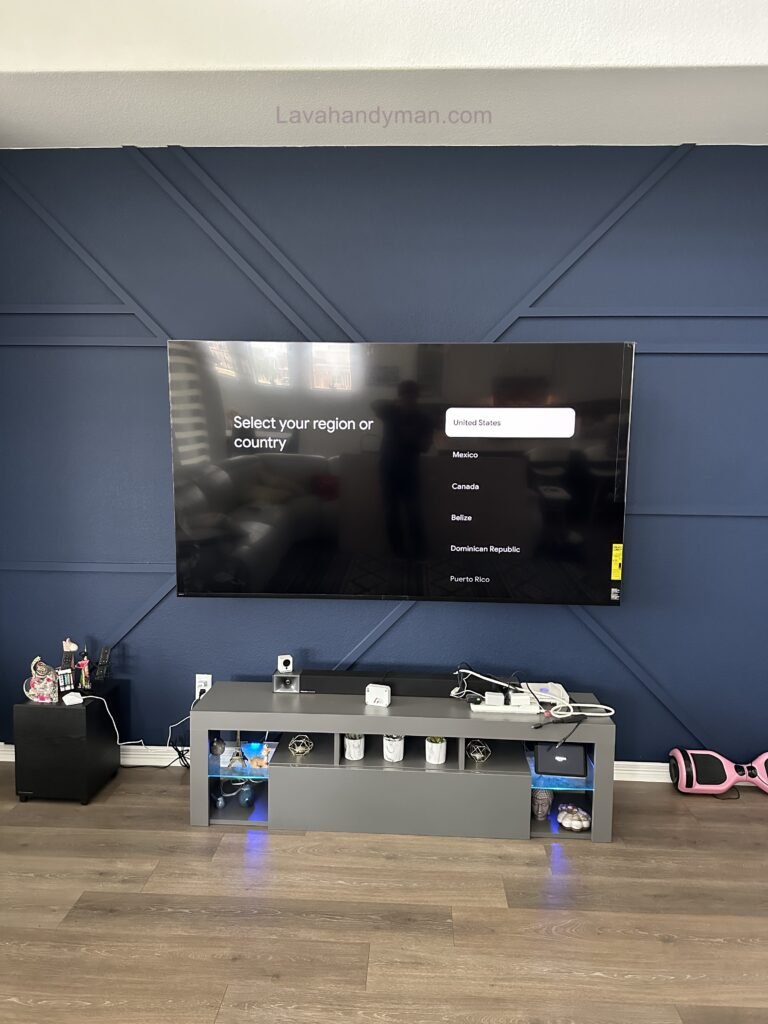
Home Theater TV Installation
Professional Wall-Mounted TV Installation
Home theaters typically require more planning than a standard TV installation.
A home theater may include:
- Large-screen TV
- Soundbar
- AV receiver
- Surround sound speakers
- Gaming consoles
- Streaming devices
- Network equipment
- Multiple HDMI connections
Because there may be many cables and devices, cable management should be considered before installation begins.
A properly planned home theater installation can provide a cleaner appearance and make future equipment upgrades easier.
Professional Wall-Mounted TV Installation
Common TV Mounting Mistakes
Even a simple TV installation can go wrong when important details are overlooked.
Choosing the Wrong Mount
The TV mount must support the television’s size and weight and match its VESA mounting pattern.
Ignoring the Wall Structure
Different walls require different mounting hardware.
Drywall, wood-stud walls, brick, and concrete may require different installation methods.
Professional Wall-Mounted TV Installation
Mounting the TV Too High
Installing the TV too high can create an uncomfortable viewing angle and may make the room feel visually unbalanced.
Forgetting Cable Management
Visible cables are one of the most common problems with DIY TV installations.
Cable management should be planned before mounting the television.
Professional Wall-Mounted TV Installation
Blocking Access to Ports
The installation should allow enough access to HDMI, Ethernet, USB, and other necessary connections.
Using Excessively Long Cables
Long cables can create unnecessary loops and clutter.
Choosing appropriate cable lengths can make cable management much easier.
Benefits of Professional TV Installation
Professional TV installation can provide several benefits.
Cleaner Appearance
A professionally mounted TV can create a polished and modern appearance.
Better Cable Management
Cables can be organized and routed more effectively.
Proper Positioning
The television can be positioned according to the room layout and viewing area.
Secure Installation
Professional Wall-Mounted TV Installation
The appropriate mounting hardware can be selected based on the TV and wall.
Better Organization
Entertainment devices can be positioned more efficiently.
Easier Future Upgrades
A well-designed cable system can make future equipment changes easier.
Professional Wall-Mounted TV Installation
TV Wall Installation With Future Upgrades in Mind
Technology changes quickly.
You may only have a television and soundbar today, but you may add a gaming console, streaming device, speakers, or other equipment later.
A good TV installation should therefore consider future upgrades.
Planning accessible cable pathways and leaving room for additional connections can prevent unnecessary work later.
Future-proofing your TV wall can save time and make it easier to upgrade your entertainment system.
Professional Wall-Mounted TV Installation
Safety Considerations for TV Wall Mounting
Safety should always be the highest priority when installing a television.
The mounting bracket should be appropriate for the TV and securely attached to a suitable wall structure.
Electrical wiring also requires special attention.
Power cables should not be treated the same way as HDMI or Ethernet cables when planning in-wall installations.
If electrical modifications are required, they should be completed using appropriate materials and according to local electrical requirements.
Large televisions can also be difficult to lift and position safely. Having additional assistance during installation can help prevent accidental damage or injury.
Professional Wall-Mounted TV Installation
How Much Does TV Wall Mount Installation Cost?
The cost of TV wall mounting can vary depending on several factors.
These may include:
- TV size
- TV weight
- Wall type
- Type of mounting bracket
- Cable management requirements
- In-wall cable concealment
- Soundbar installation
- Number of connected devices
- Home theater equipment
- Installation location
- Additional electrical work
A simple TV mounting project may be very different from a complete home theater installation with hidden cables and multiple devices.
For this reason, professional installers typically evaluate the installation environment before providing a final price.
Professional Wall-Mounted TV Installation
Why Cable Management Should Be Part of Your TV Installation
Cable management should not be treated as an afterthought.
When the TV, wall mount, power outlets, cables, soundbar, gaming console, and other equipment are planned together, the final result can look significantly more professional.
A clean cable-management system can also make your entertainment system easier to maintain and upgrade.
The best installations are designed to look simple from the outside, even though careful planning has gone into the wiring and equipment placement behind the scenes.
Why Professional TV Wall Mount Installation Matters
Professional Wall-Mounted TV Installation
Mounting a television may look like a simple project, but several factors need to be considered before the TV is attached to the wall.
The wall construction must be evaluated, the correct mounting hardware needs to be selected, and the TV’s weight and VESA pattern should be confirmed.
The viewing height and location also matter. A television that is too high, too low, or positioned at an awkward angle can make viewing less comfortable.
Cable management is another major part of the installation. Modern entertainment systems often require HDMI, Ethernet, power, audio, and other cables. Without a proper plan, these cables can quickly create visible clutter.
A professional TV mounting service can approach the installation as a complete system rather than treating the television as an isolated device.
Professional Wall-Mounted TV Installation
A well-designed installation should provide:
- Secure TV mounting
- Proper viewing height
- Accurate leveling
- Appropriate mounting hardware
- Organized cable routing
- Easy access to important connections
- Proper placement of entertainment equipment
- A clean and finished appearance
Choosing the Right TV Wall Mount
Selecting the correct TV wall mount is one of the first steps in a successful installation.
TV mounts are available in several designs, and the best option depends on the TV, wall, room layout, and viewing requirements.
Fixed TV Wall Mount
A fixed TV wall mount keeps the television close to the wall.
This style is popular for minimalist interiors because it creates a low-profile appearance.
A fixed mount is often suitable when the main seating area is directly in front of the television and there is little need to adjust the viewing angle.
Professional Wall-Mounted TV Installation
Tilting TV Wall Mount
A tilting mount allows the screen to angle vertically.
This can be useful when the TV needs to be installed higher than the ideal eye level or when glare needs to be reduced.
A tilting mount can provide additional flexibility while still maintaining a relatively clean appearance.
Full-Motion TV Wall Mount
A full-motion TV mount provides greater flexibility.
The television can typically move away from the wall and adjust from side to side.
This is useful when people watch the TV from different areas of the room.
Because the television moves, TV cable management becomes especially important. Cables need enough flexibility to accommodate movement without being pulled or damaged.
Professional Wall-Mounted TV Installation
Understanding VESA Before TV Installation
VESA compatibility is an important consideration when choosing a TV wall mount.
VESA refers to the mounting-hole pattern on the back of a television. Different TVs use different mounting patterns, so the wall bracket must be compatible with the specific TV.
For example, a TV may use a VESA pattern such as 200 × 200 mm, 400 × 200 mm, or 400 × 400 mm.
The TV’s weight rating is also important.
A compatible TV mount should support both the size and weight of the television. Choosing a bracket simply because it looks suitable is not enough.
Before beginning a wall mounted TV installation, the TV specifications and mounting bracket specifications should be checked together.
Professional Wall-Mounted TV Installation
How to Choose the Best Location for a Wall-Mounted TV
The best TV location depends on more than the size of the wall.
The primary seating position should be considered first. The television should be positioned so viewers can comfortably see the screen without constantly turning their heads.
Natural lighting is another important factor.
Windows and strong lights can create reflections on the screen. Whenever possible, the TV should be positioned to minimize direct glare.
Furniture should also be considered.
A wall-mounted TV should visually align with the sofa, chairs, console, and other major elements in the room. Even a perfectly centered television can look unbalanced if the furniture arrangement is not considered.
It is also smart to plan for future upgrades.
If you may purchase a larger TV later, choose a wall location with enough space for a larger screen.
Professional Wall-Mounted TV Installation
How High Should a TV Be Mounted?
TV mounting height is one of the most common questions homeowners have.
There is no universal height that works for every room.
The ideal position depends on:
- TV size
- Seating height
- Viewing distance
- Room layout
- Furniture placement
- Personal viewing preferences
The primary goal is comfortable viewing.
Installing a TV too high may create an uncomfortable viewing angle, while mounting it too low can interfere with furniture or other design elements.
Before installing the bracket, it is helpful to evaluate the proposed TV position from the primary seating area.
Professional Wall-Mounted TV Installation
TV Mounting on Different Wall Types
The installation process can vary significantly depending on the wall construction.
TV Mounting on Drywall
Drywall is commonly installed over wood or metal framing.
For a secure installation, the wall structure behind the drywall should be considered when selecting mounting points and hardware.
The installation should not rely solely on the drywall surface when mounting a heavy television.
TV Mounting on Concrete
Professional Wall-Mounted TV Installation
Concrete provides a strong surface, but appropriate masonry hardware and installation techniques are required.
The installer should consider the TV’s weight, the mounting bracket, anchor type, and location of mounting points.
Cable concealment can also require additional planning on concrete walls.
TV Mounting on Brick
Brick walls can provide a solid mounting surface, but the installation requires appropriate anchors and careful drilling.
The condition of the brick and the location of mortar joints should be considered before installation.
For decorative brick walls, a surface-based cable-management solution may sometimes be preferable.
Professional Wall-Mounted TV Installation
TV Cable Management and Wire Concealment
A major part of a professional TV installation is TV cable management.
A modern TV setup can include:
- HDMI cables
- Power cables
- Ethernet cables
- Optical audio cables
- Soundbar cables
- Gaming console cables
- Streaming device cables
- Antenna cables
If these wires are left hanging below the TV, they can make the entire entertainment area look unfinished.
Proper cable management organizes these connections and creates a cleaner appearance.
The goal is not simply to hide every cable. A good system should also make important connections accessible for future maintenance and upgrades.
Professional Wall-Mounted TV Installation
Final Thoughts on Professional TV Wall Mount Installation
A professional TV wall mount installation with cable management can completely transform an entertainment area.
The goal is not simply to put a television on the wall. The goal is to create a safe, functional, organized, and visually appealing entertainment space.
From selecting the right TV wall mount to determining the ideal viewing height, managing HDMI and power cables, installing a soundbar, organizing gaming consoles, and planning for future upgrades, every detail contributes to the final result.
Whether you are upgrading a living room, installing a TV in a bedroom, or creating a complete home theater, professional TV mounting and cable management can help create a cleaner and more modern environment.
A properly designed TV wall should be secure, organized, accessible, and visually clean.
With the right installation approach, your television can become more than just an electronic device. It can become a stylish focal point that integrates naturally into your home’s interior design while providing a comfortable and enjoyable entertainment experience.
Professional Wall-Mounted TV Installation
Frequently Asked Questions About TV Wall Mounting
Can any TV be mounted on the wall?
Most modern flat-screen televisions can be wall mounted if they are compatible with a suitable mounting bracket. The TV’s VESA pattern, size, and weight should be checked before choosing a mount.
How can I hide the cables behind my wall-mounted TV?
Depending on the wall and installation requirements, cables can be managed using in-wall cable-management systems, raceways, cable covers, or sleeves. Electrical wiring requires appropriate components and should comply with local requirements.
Is a fixed or full-motion TV mount better?
It depends on your room and viewing needs. A fixed mount provides a clean, low-profile appearance, while a full-motion mount provides greater flexibility for adjusting the viewing angle.
How high should my TV be mounted?
The ideal height depends on the TV size, seating position, viewing distance, and room layout. The goal is to create a comfortable viewing position while maintaining good visual balance in the room.
Professional Wall-Mounted TV Installation
Can a soundbar be installed with a wall-mounted TV?
Yes. A soundbar can be positioned below a wall-mounted TV, and its cables can be incorporated into the overall cable-management plan.
Should I hire a professional to mount my TV?
For large TVs, difficult wall surfaces, complex cable routing, or installations involving electrical modifications, professional installation can provide a safer and cleaner result.
What is the best way to manage TV cables?
The best solution depends on the wall and the number of devices. Options include in-wall cable management for appropriate wiring, raceways, cable sleeves, and organized cable routing behind the entertainment console.
📞 Need Help?
Let us take care of the hard work while you sit back and relax.
📍 Serving: Austin, Round Rock, Cedar Park & more
📱 Call or Text: (737) 420-6992
🌐 Visit: https://lavahandyman.com