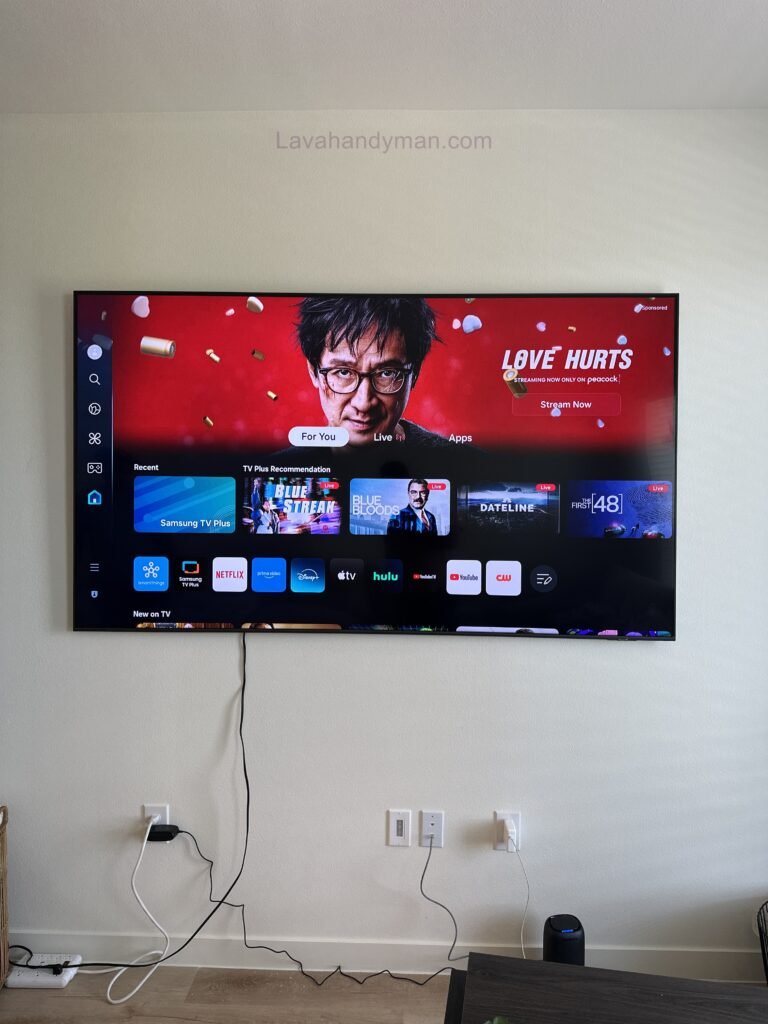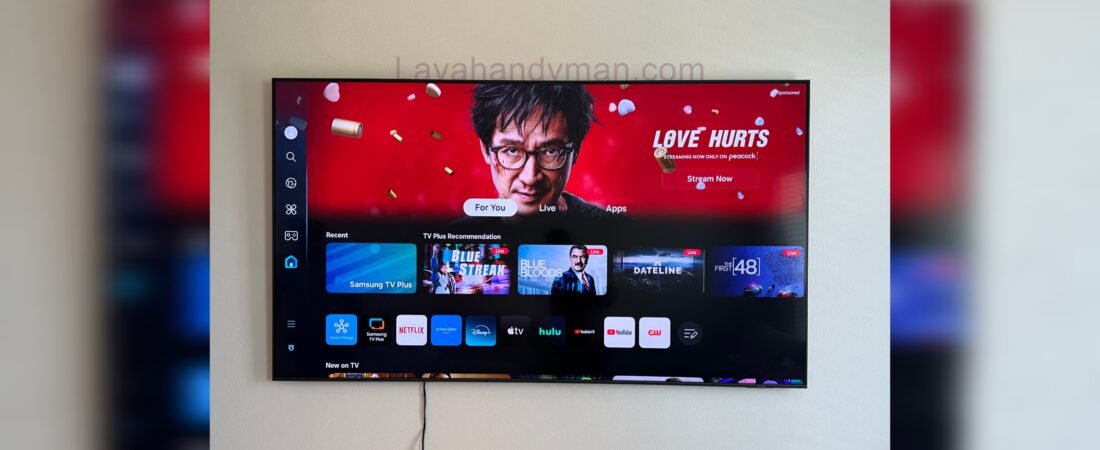
Samsung 55-Inch TV Wall Mount Installation | Complete Guide & Important Tips
Samsung 55-Inch TV Wall Mount Installation
Mounting a Samsung 55-inch TV on the wall is one of the best ways to improve your home décor, save space, and achieve a comfortable viewing angle. Most modern Samsung TVs, including the Crystal UHD, QLED, Neo QLED, and OLED series, are designed for wall mounting and can be installed safely and professionally using the right wall mount bracket.
Although wall mounting a TV may seem straightforward, selecting the correct wall mount, following the recommended mounting height, understanding your wall type, and using the proper tools are all essential for ensuring safety and maximizing the lifespan of your television.
In this guide, we’ll walk you through every step of Samsung 55-inch TV wall mount installation, along with practical tips and important considerations before you begin.
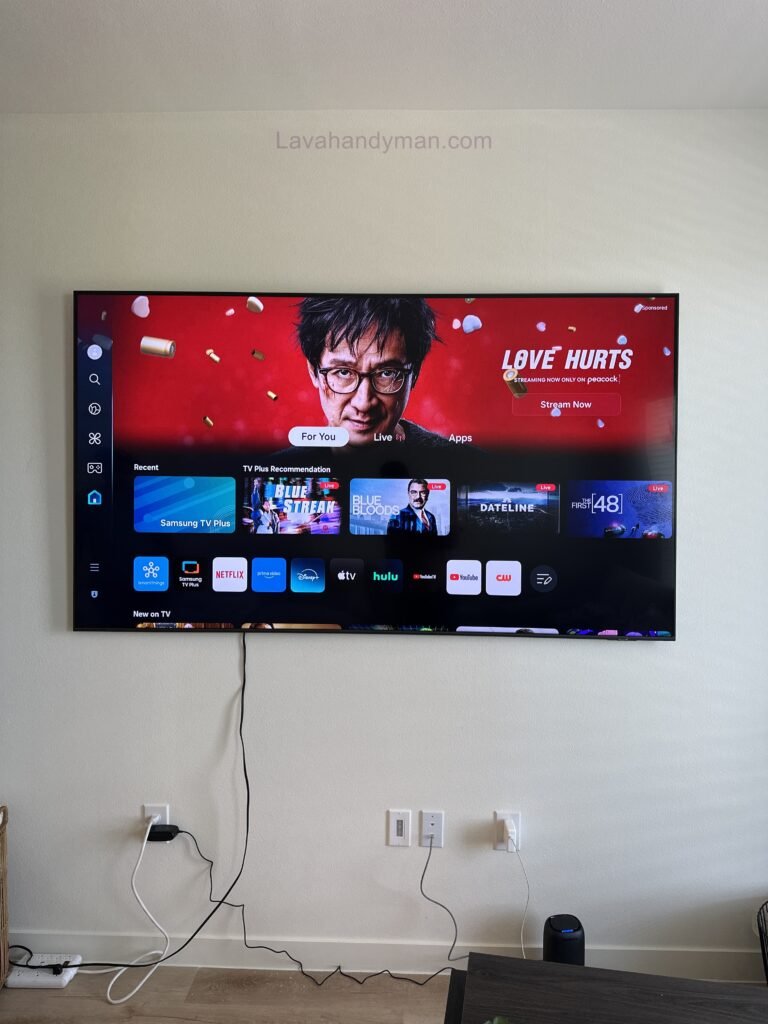
Samsung 55-Inch TV Wall Mount Installation
Benefits of Mounting a Samsung 55-Inch TV on the Wall
Many homeowners wonder whether they should place their TV on a stand or mount it on the wall. In most cases, wall mounting offers several advantages that make it the preferred choice.
Enhanced Home Décor
One of the biggest advantages of mounting a Samsung 55-inch TV on the wall is the clean, modern appearance it creates. Eliminating the TV stand gives your living room a more organized and spacious look.
Space Saving
If your living room or bedroom has limited space, wall mounting your TV frees up valuable floor space and allows for a more flexible furniture arrangement.
Improved Safety
Wall mounting significantly reduces the risk of the television being knocked over by children or pets, making it a safer option for families.
Better Viewing Experience
Samsung 55-Inch TV Wall Mount Installation
Installing your Samsung 55-inch TV at the correct viewing height helps reduce neck strain and provides a more comfortable viewing experience for movies, sports, and gaming.
Better Cable Management
Wall mounting also makes it easier to conceal power cords, HDMI cables, and antenna wires, resulting in a cleaner and more professional-looking setup.
Things to Consider Before Mounting a Samsung 55-Inch TV
Before you begin the installation process, there are several important factors you should consider. Proper planning ensures a safe, secure, and long-lasting installation.
Check Your Wall Type
The first step is identifying the type of wall where the TV will be mounted. Not every wall is suitable for supporting the weight of a 55-inch television.
Samsung 55-Inch TV Wall Mount Installation
Common wall types include:
- Concrete walls
- Brick walls
- Cement walls
- Drywall
- Plaster walls
Concrete and brick walls are generally the best options for mounting a TV. If you’re installing on drywall, you’ll need to use appropriate anchors or mount directly into wall studs to ensure maximum stability.
Consider the TV Weight and Mount Capacity
Depending on the model, a Samsung 55-inch TV typically weighs between 13 and 20 kilograms (29–44 lbs).
For safety, choose a wall mount bracket rated to support at least 30–40 kilograms (66–88 lbs). A high-quality mount provides better stability and protects your TV from accidental falls.
Understanding the VESA Standard
One of the most important specifications to check before purchasing a wall mount is the VESA mounting pattern. VESA refers to the distance between the mounting holes on the back of the television.
Samsung 55-Inch TV Wall Mount Installation
Most Samsung 55-inch TVs use one of the following VESA patterns:
- 200 × 200 mm
- 300 × 200 mm
- 400 × 300 mm
- 400 × 400 mm
Always verify your TV’s exact VESA specifications in the user manual or on Samsung’s product page before purchasing a wall mount bracket.
Tools Required for Samsung 55-Inch TV Wall Mount Installation
To install your Samsung TV safely and accurately, you’ll need the following tools:
- Hammer drill
- Masonry drill bits
- Screwdriver
- Measuring tape
- Spirit level or laser level
- Pencil for marking
- Wall anchors or expansion bolts
- Socket wrench
- Compatible TV wall mount bracket
- Stud finder or wall scanner (recommended)
Having the right tools makes the installation process faster, safer, and more precise.
Samsung 55-Inch TV Wall Mount Installation
Choosing the Best Wall Mount for a Samsung 55-Inch TV
Selecting the right wall mount is one of the most important parts of the installation process.
An unsuitable or low-quality bracket may cause the TV to wobble, become unstable, or even fall from the wall.
There are three common types of TV wall mounts.
Fixed Wall Mount
A fixed wall mount keeps the television close to the wall, creating a sleek and modern appearance.
Advantages:
- Affordable
- Strong and durable
- Minimal distance from the wall
- Easy installation
Samsung 55-Inch TV Wall Mount Installation
This type is ideal for living rooms, family rooms, and spaces where adjusting the viewing angle isn’t necessary.
Tilting or Full-Motion Wall Mount
This style allows the TV to move left and right, providing greater viewing flexibility.
Advantages:
- Improved viewing angles
- Perfect for larger rooms
- Allows horizontal movement
It’s an excellent choice for open-concept homes or rooms where viewers watch TV from multiple seating positions.
Articulating Arm Wall Mount
An articulating wall mount is the most versatile option available.
Advantages:
- Full range of motion
- Adjustable distance from the wall
- Tilt up and down
- Easy access to cables and ports
Samsung 55-Inch TV Wall Mount Installation
Although more expensive than other options, articulating mounts provide maximum flexibility and convenience.
Recommended Mounting Height for a Samsung 55-Inch TV
One of the most frequently asked questions is:
What is the ideal height for mounting a Samsung 55-inch TV?
If the TV is installed too high, extended viewing can cause neck discomfort and eye strain.
As a general guideline, the center of the TV screen should be at approximately eye level when you’re seated.
For most living rooms, this means the center of the screen should be about 100–110 cm (39–43 inches) from the floor. However, the ideal height may vary depending on your seating position, couch height, and room layout.
Samsung 55-Inch TV Wall Mount Installation
How to Install a Samsung 55-Inch TV on the Wall: Step-by-Step Guide
After choosing the right wall mount bracket and gathering the necessary tools, it’s time to begin your Samsung 55-inch TV wall mount installation. Following these steps carefully will ensure a secure installation, protect your television from damage, and provide the best possible viewing experience.
Whether you’re installing a Samsung Crystal UHD, QLED, Neo QLED, or OLED 55-inch TV, the installation process is very similar.
Step 1: Choose the Best Location for Your Samsung 55-Inch TV
Selecting the correct location is one of the most important parts of a successful Samsung TV wall mount installation.
Before drilling into the wall, make sure you consider the following:
- Choose a solid concrete, brick, or reinforced drywall surface.
- Keep the TV away from fireplaces and heat sources.
- Avoid direct sunlight to reduce screen glare.
- Make sure electrical outlets are easily accessible.
- Position the TV for comfortable viewing from your seating area.
Choosing the right location improves safety while maximizing picture quality.
Samsung 55-Inch TV Wall Mount Installation
Step 2: Measure the Ideal TV Mounting Height
One of the most frequently asked questions is:
What is the best height to mount a Samsung 55-inch TV?
For the most comfortable viewing experience, the center of the television should be positioned at approximately 39–43 inches (100–110 cm) from the floor when seated.
Use a measuring tape and a laser level to mark the exact installation height before drilling.
Accurate measurements are essential for a professional-looking installation.
Samsung 55-Inch TV Wall Mount Installation
Step 3: Locate Wall Studs or a Solid Surface
Before installing the wall mount bracket, locate secure mounting points.
For drywall installations:
- Use a stud finder.
- Mark every wall stud.
- Mount directly into wooden or metal studs whenever possible.
For concrete or brick walls:
Use heavy-duty expansion anchors that are rated for television installations.
A properly secured wall mount significantly improves safety and prevents accidents.
Samsung 55-Inch TV Wall Mount Installation
Step 4: Install the Wall Mount Bracket
Position the wall plate against the wall.
Follow these steps:
- Mark every mounting hole.
- Confirm the bracket is perfectly level.
- Drill pilot holes.
- Insert wall anchors if necessary.
- Tighten every bolt securely.
Once finished, gently pull the bracket forward to verify it is firmly attached.
A properly installed bracket is the foundation of a safe Samsung 55-inch TV wall mount installation.
Samsung 55-Inch TV Wall Mount Installation
Step 5: Attach the Mounting Arms to the Samsung TV
Place your Samsung television on a soft, flat surface to protect the screen.
Attach the mounting arms using the supplied hardware.
Before tightening the screws:
- Verify the correct VESA pattern.
- Use Samsung-compatible screws.
- Do not overtighten the screws.
Correct installation prevents unnecessary pressure on the back panel.
Samsung 55-Inch TV Wall Mount Installation
Step 6: Mount the Samsung 55-Inch TV
Since a 55-inch television can be heavy, this step should always be completed with the help of another person.
Carefully lift the TV.
Align the mounting arms with the wall bracket.
Lower the television until the locking mechanism clicks into place.
If your bracket includes safety screws or locking clips, secure them immediately.
Never leave the television unsecured.
Samsung 55-Inch TV Wall Mount Installation
Step 7: Connect All Necessary Cables
Before pushing the television completely against the wall, connect:
- Power cable
- HDMI devices
- Gaming console
- Streaming device
- Ethernet cable
- Optical audio cable
- Antenna cable
Leaving enough slack in each cable prevents unnecessary strain on the connectors.
Samsung 55-Inch TV Wall Mount Installation
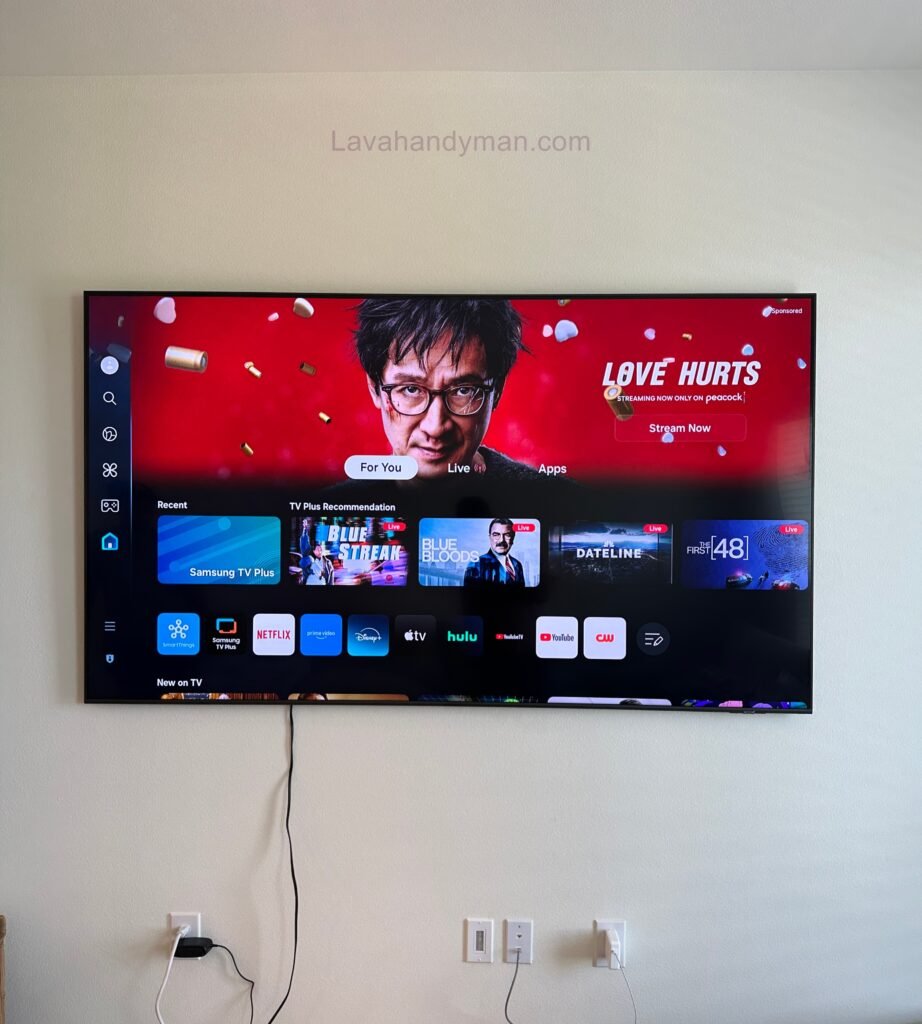
Step 8: Organize and Hide TV Cables
A professional Samsung TV wall mount installation isn’t complete without proper cable management.
Popular cable management solutions include:
- Cable raceways
- In-wall cable management kits
- Cable sleeves
- Decorative cable covers
- Floating media shelves
Hidden cables create a cleaner, safer, and more modern entertainment area.
Samsung 55-Inch TV Wall Mount Installation
Step 9: Inspect the Installation
Before turning on your television, inspect every part of the installation.
Samsung 55-Inch TV Wall Mount Installation
Confirm that:
- The wall mount is level.
- Every bolt is tight.
- The TV is securely locked.
- The bracket doesn’t move.
- All cables are connected correctly.
A final inspection ensures your Samsung TV is safely mounted and ready for everyday use.
Common Samsung TV Wall Mount Installation Mistakes
Avoid these common installation mistakes:
- Mounting the TV too high
- Using an incompatible wall mount bracket
- Ignoring the TV’s VESA mounting pattern
- Installing on weak drywall without reinforcement
- Forgetting to use a level before drilling
- Choosing a bracket with insufficient weight capacity
Avoiding these mistakes helps protect both your television and your wall.
Samsung 55-Inch TV Wall Mount Installation
Professional Tips for Installing a Samsung 55-Inch TV
Professional installers recommend the following:
- Leave 2–4 inches (5–10 cm) of space behind the TV for ventilation.
- Purchase a high-quality wall mount bracket.
- Double-check every measurement before drilling.
- Have another person assist during installation.
- Reinspect all mounting bolts every few months.
- Use a certified wall mount designed for Samsung TVs.
Following these recommendations ensures a safe installation and extends the lifespan of both your television and the wall mount.
Samsung 55-Inch TV Wall Mount Installation
Samsung 55-Inch TV Wall Mount Installation: Expert Tips, Best Practices and Complete FAQ Guide
A successful Samsung 55-inch TV wall mount installation requires more than simply attaching a TV bracket to the wall. To achieve a safe, professional, and long-lasting installation, you need to choose the right wall mount, install it at the correct height, manage cables properly, and ensure that every connection is secure.
Whether you own a Samsung Crystal UHD, QLED, Neo QLED, or OLED 55-inch TV, following professional Samsung TV mounting tips can help you create a clean and modern entertainment setup.
In this guide, you will learn the best practices for mounting a Samsung 55-inch TV on the wall, choosing the best TV wall mount bracket, hiding cables, maintaining your installation, and solving common wall mounting problems.
Samsung 55-Inch TV Wall Mount Installation
Expert Tips for Installing a Samsung 55-Inch TV on the Wall
A professional-looking TV installation depends on several important details. The following tips can help you achieve a safer and cleaner result.
Choose the Best Wall Mount Bracket for Samsung 55-Inch TV
Selecting the right wall mount bracket for a Samsung 55-inch TV is one of the most important steps before installation.
A high-quality TV wall mount should include:
- Strong and durable metal construction
- Compatibility with Samsung VESA mounting standards
- Suitable weight capacity
- Secure locking system
- Easy adjustment features
When choosing a bracket, always check:
- Your TV screen size
- TV weight
- VESA mounting pattern
- Wall type
A wall mount designed for 55-inch TVs provides better stability and reduces the risk of damage.
Keep Proper Ventilation Behind Your Samsung TV
Many people install their television too close to the wall without considering airflow.
Proper ventilation behind your Samsung 55-inch TV helps:
- Prevent excessive heat buildup
- Protect internal electronic components
- Improve long-term performance
- Extend TV lifespan
For most installations, leaving approximately 2–4 inches (5–10 cm) of space behind the television is recommended.
If you want a slim wall-mounted appearance, choose a high-quality low-profile bracket that still allows enough airflow.
Professional Cable Management for Wall-Mounted Samsung TVs
One of the biggest advantages of Samsung TV wall mounting is creating a clean and modern look. However, visible cables can reduce the beauty of your setup.
Professional cable management options include:
Cable Raceway Covers
Cable covers are an affordable solution for hiding:
- Power cables
- HDMI cables
- Internet cables
- Audio cables
They are easy to install and allow future cable access.
In-Wall Cable Installation
For a premium home theater appearance, cables can be routed inside the wall using approved cable management solutions.
This creates a completely clean look with almost no visible wiring.
Floating Shelves and Media Consoles
Wall-mounted shelves can organize devices such as:
- Gaming consoles
- Streaming devices
- Sound systems
- Blu-ray players
Installing a Soundbar with a Samsung 55-Inch TV
Many users combine their Samsung 55-inch wall-mounted TV installation with a soundbar setup.
A properly installed soundbar improves:
- Movie audio quality
- Dialogue clarity
- Gaming experience
- Overall entertainment quality
For the best result:
- Install the soundbar directly below the TV.
- Keep it centered with the screen.
- Make sure cables remain accessible.
Best Wall Mount Options for Samsung 55-Inch TVs
The ideal wall mount depends on your room design and viewing habits.
Fixed Wall Mount Bracket
A fixed TV mount is perfect for users who always watch television from the same seating position.
Advantages:
- Minimal distance from the wall
- Modern appearance
- Strong support
- Affordable price
Best choice for:
- Small living rooms
- Bedrooms
- Simple installations
Tilting Wall Mount Bracket
A tilting mount allows you to adjust the screen angle slightly.
Advantages:
- Reduces screen glare
- Improves viewing comfort
- Suitable for bedrooms
This option is useful when the TV needs to be mounted slightly higher than eye level.
Full-Motion TV Wall Mount
A full-motion bracket provides maximum flexibility.
Advantages:
- Left and right movement
- Adjustable viewing angle
- Easier cable access
- Better for large rooms
It is the best choice for open spaces where people watch TV from different positions.
Samsung 55-Inch TV Wall Mount Maintenance Tips
After completing your installation, regular maintenance helps keep your television safe.
Inspect Mounting Screws Regularly
Over time, bolts and screws may loosen slightly.
Check:
- Wall mounting bolts
- TV bracket screws
- Safety locks
Regular inspections help prevent future problems.
Clean Your Wall-Mounted Samsung TV Correctly
To clean your TV safely:
- Use a microfiber cloth.
- Avoid harsh cleaning chemicals.
- Do not spray liquid directly on the screen.
- Remove dust from ventilation areas.
Proper cleaning helps maintain picture quality and protects the display.
Common Samsung 55-Inch TV Wall Mount Installation Problems
Why Is My Samsung TV Not Level?
Common reasons include:
- Incorrect bracket installation
- Uneven wall surface
- Loose screws
Solution:
Check the bracket alignment and adjust the mounting points if possible.
Why Does My Wall-Mounted TV Move?
Possible causes:
- Loose mounting bolts
- Incorrect anchors
- Weak installation surface
- Wrong bracket size
Solution:
Inspect all mounting points and make sure the bracket is rated for your Samsung 55-inch TV.
Why Are My TV Cables Difficult to Reach?
This usually happens when the TV is mounted too close to the wall.
A tilting or full-motion bracket can make cable access easier.
Frequently Asked Questions About Samsung 55-Inch TV Wall Mount Installation
How do you mount a Samsung 55-inch TV on the wall?
To mount a Samsung 55-inch TV on the wall, you need to select a compatible VESA wall mount, locate secure mounting points, install the bracket correctly, attach the mounting arms, and safely hang the TV.
What is the best height for a Samsung 55-inch TV wall mount?
The ideal height is usually around 100–110 cm from the floor to the center of the screen. The exact height depends on your sofa height and viewing position.
What wall mount fits a Samsung 55-inch TV?
A suitable wall mount should support:
- 55-inch screen size
- Your TV weight
- Correct VESA pattern
Always check your Samsung TV model specifications before purchasing.
Can a Samsung 55-inch TV be mounted on drywall?
Yes, but the installation must use proper reinforcement or wall studs. Installing a heavy TV only with basic drywall anchors is not recommended.
Should I choose a fixed or full-motion mount for my Samsung TV?
A fixed mount is ideal for simple setups with one viewing position.
A full-motion mount is better for large rooms where viewers watch TV from different angles.
Final Thoughts on Samsung 55-Inch TV Wall Mount Installation
A professional Samsung 55-inch TV wall mount installation improves your home’s appearance, saves space, and creates a better viewing experience.
By choosing the correct wall mount bracket, following the recommended TV mounting height, checking VESA compatibility, and managing cables properly, you can enjoy a safe and stylish wall-mounted Samsung TV setup for years.
Whether you choose a fixed, tilting, or full-motion TV bracket, proper installation is the key to protecting your television and achieving the best possible viewing experience.
📞 Need Help?
Let us take care of the hard work while you sit back and relax.
📍 Serving: Austin, Round Rock, Cedar Park & more
📱 Call or Text: (737) 420-6992
🌐 Visit: https://lavahandyman.com