10 Common Mistakes When Mounting a TV on the Wall and How to Avoid Them
Introduction
Mounting a TV on the wall is one of the best ways to create a modern living space while maximizing floor space. A properly mounted television not only enhances your home’s appearance but also provides a better viewing experience and improves safety. However, many homeowners underestimate the importance of proper installation.
Choosing the wrong TV wall mount, installing the television at an incorrect height, using low-quality mounting hardware, or ignoring the type of wall are some of the most common mistakes that can result in expensive repairs or even a damaged television.
In this guide, we’ll walk you through the 10 most common TV wall mounting mistakes and explain how to avoid them. Whether you’re mounting a TV yourself or hiring a professional installer, these expert tips will help ensure a secure, safe, and long-lasting installation.
10 Common Mistakes When Mounting a TV
Why Proper TV Wall Mounting Matters
Many people focus only on the appearance of a wall-mounted TV, but proper installation offers much more than aesthetics. A professionally installed TV improves safety, protects your investment, and provides a comfortable viewing experience.
Some of the biggest benefits of proper TV wall mounting include:
- Preventing your TV from falling
- Improving household safety, especially for children
- Extending the lifespan of your television
- Creating the ideal viewing angle
- Reducing neck and eye strain
- Better cable management
- Saving valuable floor space
- Enhancing your home’s interior design
Improper installation can cost far more than purchasing a high-quality TV wall bracket or hiring a professional installer.
10 Common Mistakes When Mounting a TV
Mistake #1: Choosing the Wrong TV Wall Mount
One of the biggest mistakes people make when mounting a TV on the wall is selecting the wrong wall mount.
Many buyers focus only on price, overlooking important specifications such as weight capacity, screen size compatibility, and VESA mounting standards.
A wall mount that cannot support the weight of your television may bend, loosen over time, or even fail completely, causing the TV to fall.
How to Avoid This Mistake
10 Common Mistakes When Mounting a TV
Before purchasing a TV wall mount, check the following:
- TV screen size
- TV weight
- VESA mounting pattern
- Mount type (Fixed, Tilting, or Full-Motion)
- Maximum weight capacity
Pro Tip: Choose a wall mount that supports at least 20–30% more weight than your television for added safety.
Mistake #2: Mounting the TV at the Wrong Height
10 Common Mistakes When Mounting a TV
Installing a television too high or too low is another common mistake that negatively affects viewing comfort.
Many homeowners place the TV too high for aesthetic reasons, forcing viewers to tilt their heads upward during long viewing sessions. This can lead to neck pain, eye fatigue, and an uncomfortable entertainment experience.
What’s the Ideal TV Mounting Height?
In most living rooms, the center of the TV screen should be at approximately eye level when you’re seated.
The exact height depends on factors such as:
- TV size
- Viewing distance
- Sofa height
- Room layout
How to Avoid This Mistake
10 Common Mistakes When Mounting a TV
Before drilling into the wall:
- Mark the desired location with painter’s tape.
- Temporarily hold the TV against the wall.
- Sit in your normal viewing position and evaluate the angle.
- If using a full-motion mount, ensure there’s enough space for movement.
Mistake #3: Mounting the TV on the Wrong Type of Wall
Not every wall is suitable for mounting a television.
Different wall materials require different mounting techniques and hardware.
10 Common Mistakes When Mounting a TV
For example:
- Concrete walls offer excellent support.
- Brick walls are also highly durable.
- Drywall requires secure attachment to wall studs.
- Plaster walls may need specialized anchors.
Ignoring the wall type can lead to loose brackets, wall damage, or even a fallen television.
How to Avoid This Mistake
Always identify your wall material before installation.
If you’re mounting on drywall, locate the wall studs using a stud finder and secure the bracket directly into them whenever possible. For concrete or brick walls, use heavy-duty anchors and masonry screws designed for the job.
10 Common Mistakes When Mounting a TV
Mistake #4: Using Low-Quality Screws and Anchors
Another common reason TVs fall from the wall is the use of poor-quality mounting hardware.
Cheap or incorrect screws, anchors, and wall plugs may not provide enough holding strength, especially for larger televisions.
Using hardware that is too short, too thin, or incompatible with your wall can significantly reduce installation safety.
How to Avoid This Mistake
For a secure installation:
- Use the screws supplied with the TV mount whenever possible.
- Choose anchors appropriate for your wall material.
- Use high-strength steel screws.
- For large or heavy TVs, invest in heavy-duty mounting hardware designed for higher weight capacities.
10 Common Mistakes When Mounting a TV
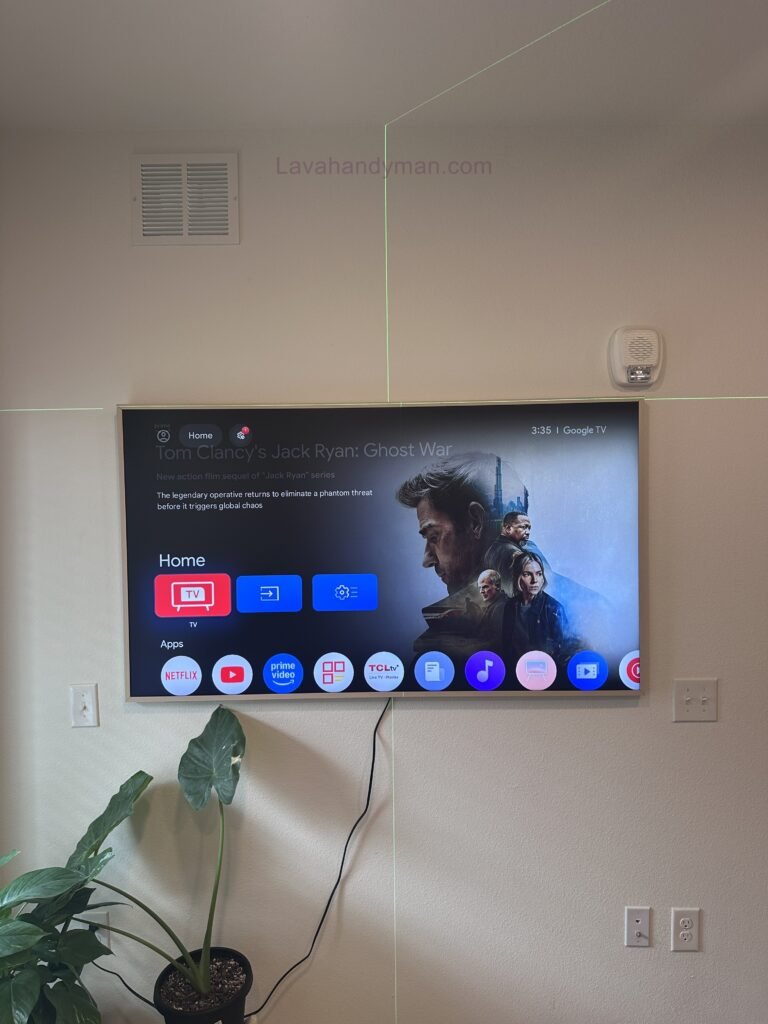
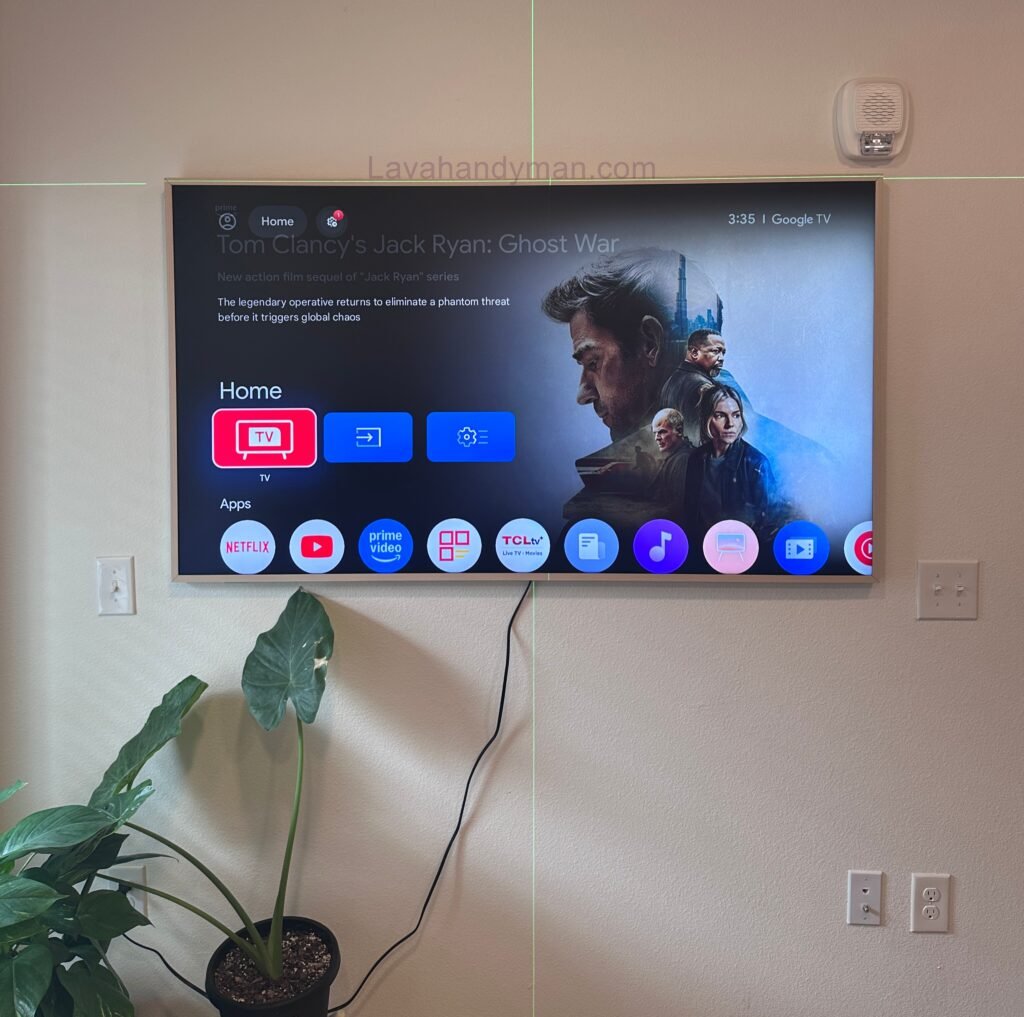
Mistake #5: Not Using a Level During TV Wall Installation
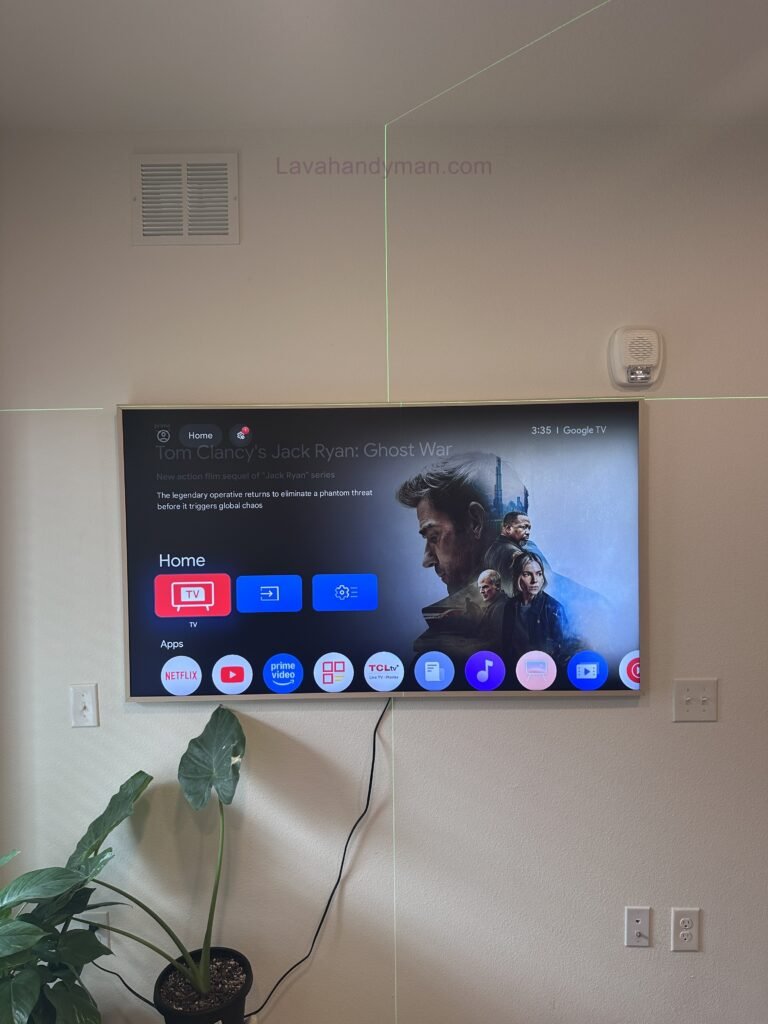
One of the most common TV wall mounting mistakes is failing to ensure the television is perfectly level. Even a slight tilt can make an expensive installation look unprofessional and negatively affect the overall appearance of your living room.
Many homeowners assume that a TV wall mount automatically guarantees a straight installation. However, walls, floors, and ceilings are rarely perfectly level. Relying only on visual judgment often results in a crooked TV.
How to Avoid This Mistake
Before tightening the mounting bolts:
- Use a spirit level or laser level to verify alignment.
- Measure both sides of the TV from the floor.
- Double-check the position before locking the mount.
- Choose a wall mount with post-installation leveling adjustment whenever possible.
Expert Tip: Spending a few extra minutes checking the alignment can save hours of reinstallation later.
10 Common Mistakes When Mounting a TV
Mistake #6: Poor Cable Management
Professional TV wall installation isn’t just about securely attaching the television to the wall. Proper cable management plays an equally important role in achieving a clean, modern appearance.
Visible HDMI cables, power cords, and network cables can make even the most expensive television setup look messy. Poor cable routing can also increase wear on connectors and create unnecessary safety hazards.
How to Avoid This Mistake
10 Common Mistakes When Mounting a TV
For a cleaner installation:
- Install an in-wall cable management system.
- Use cable raceways that match your wall color.
- Organize cables with reusable Velcro straps.
- Separate power cables from signal cables whenever possible.
- Leave enough slack to avoid placing tension on cable connectors.
Planning your cable routing before mounting the TV will make installation faster and much more professional.
Mistake #7: Overlooking Power Outlet Placement
Another common mistake when mounting a TV on the wall is ignoring the location of electrical outlets and media connections.
10 Common Mistakes When Mounting a TV
Many homeowners finish mounting the television only to discover that the outlet is hidden behind the bracket or that HDMI cables are too short to reach their devices. This often leads to exposed extension cords or having to remove the TV and reinstall the mount.
How to Avoid This Mistake
Before drilling any holes:
- Locate all nearby electrical outlets.
- Plan where streaming devices, gaming consoles, and soundbars will be placed.
- Measure HDMI and power cable lengths.
- Consider future upgrades that may require additional connections.
Installing a recessed outlet behind the television provides the cleanest and most professional finish.
10 Common Mistakes When Mounting a TV
Mistake #8: Ignoring Wall Strength and Load Capacity
Choosing the right TV wall bracket is only part of the installation process. The wall itself must also be strong enough to support the combined weight of the television and mounting bracket.
Weak drywall, damaged plaster, or poorly constructed walls may not provide adequate support, especially for large TVs measuring 65 inches or more.
How to Avoid This Mistake
Always inspect the wall before installation.
- Mount directly into wooden or metal studs whenever possible.
- Use heavy-duty anchors for concrete or brick walls.
- Avoid mounting heavy televisions on weak or damaged walls.
- If you’re unsure about the wall’s structural strength, consult a professional TV installer.
A secure wall is just as important as a high-quality wall mount.
10 Common Mistakes When Mounting a TV
Mistake #9: Skipping the Manufacturer’s Installation Instructions
Many DIY installers assume every television mounts the same way. Unfortunately, this assumption often leads to installation mistakes.
Every TV manufacturer provides recommendations regarding mounting hardware, bolt sizes, VESA compatibility, and weight limits. Ignoring these instructions may result in an unstable installation or even void your product warranty.
How to Avoid This Mistake
Always review both manuals before installation:
- The TV owner’s manual.
- The TV wall mount installation guide.
10 Common Mistakes When Mounting a TV
Pay close attention to:
- VESA mounting specifications.
- Recommended screw sizes.
- Weight capacity.
- Installation sequence.
- Safety instructions.
Following the manufacturer’s recommendations significantly improves installation safety and reliability.
Mistake #10: Attempting to Mount a Large TV Alone
Modern televisions are thinner than ever, but they’re also becoming larger and heavier. Attempting to install a large TV without assistance is one of the leading causes of damaged screens and installation accidents.
10 Common Mistakes When Mounting a TV
Professional installers almost always work with a second person when mounting televisions larger than 65 inches.
How to Avoid This Mistake
For a safer installation:
- Ask someone to help lift the television.
- Prepare all tools before lifting the TV.
- Wear protective gloves for a better grip.
- Install the wall bracket completely before attaching the television.
- Lift the TV slowly and carefully into position.
Hiring a professional installer is often the safest choice for large or premium televisions.
10 Common Mistakes When Mounting a TV
Pro Tips for a Safe and Professional TV Wall Installation
Following professional installation practices will help protect your television while improving your viewing experience.
Test all power and HDMI connections before completing the installation.
Choose a wall mount compatible with your TV’s size and weight.
Verify the VESA mounting pattern before purchasing a bracket.
Install the TV at the optimal viewing height.
Plan cable management before drilling.
Leave adequate ventilation behind the television.
Inspect every bolt and anchor before hanging the TV.
10 Common Mistakes When Mounting a TV
Frequently Asked Questions About TV Wall Mounting
1. What Is the Best Height for TV Wall Mounting?
Choosing the best height for TV wall mounting is one of the most important factors in creating a comfortable viewing experience. While there isn’t a universal measurement that works for every home, experts generally recommend positioning the center of the TV screen at eye level when seated.
The ideal mounting height depends on several factors, including:
- TV screen size
- Viewing distance
- Seating height
- Room layout
- Viewing angle
- TV wall mount type
10 Common Mistakes When Mounting a TV
For example, a 55-inch TV is typically mounted lower than an 85-inch television to maintain an ergonomic viewing position and reduce neck strain.
Expert Recommendation
Before drilling into the wall, temporarily hold the TV in place or use painter’s tape to outline the screen. Sit in your normal viewing position to ensure the height feels comfortable before permanently installing the TV wall bracket.
2. Can You Mount a TV on Drywall?
Yes—but proper installation is essential.
10 Common Mistakes When Mounting a TV
Many homeowners ask whether TV wall mounting on drywall is safe. The answer depends on how the wall mount is secured.
Drywall alone is generally not strong enough to support the weight of most modern televisions. Installing a TV wall mount directly into drywall without proper reinforcement can cause the bracket to loosen over time, increasing the risk of the television falling.
Best Practices
For a secure installation:
- Locate wall studs using a stud finder.
- Fasten the TV wall bracket directly into the studs whenever possible.
- Use heavy-duty masonry anchors for brick or concrete walls.
- Only use drywall anchors specifically rated for your TV’s weight if studs are unavailable.
Proper wall preparation is one of the most critical steps in professional TV wall installation.
10 Common Mistakes When Mounting a TV
3. How Do You Choose the Right TV Wall Mount?
Selecting the correct TV wall mount is essential for both safety and functionality.
Before purchasing a bracket, verify the following:
- TV screen size compatibility
- Maximum supported weight
- VESA mounting pattern
- Mount style (Fixed, Tilting, or Full-Motion)
- Wall compatibility
10 Common Mistakes When Mounting a TV
A high-quality TV wall bracket not only protects your television but also improves viewing flexibility and ensures long-term reliability.
Pro Tip
Choose a wall mount with a higher weight capacity than your television. A safety margin of 20–30% above your TV’s actual weight is recommended by many installation professionals.
4. Should You Hire a Professional TV Wall Mounting Service?
Although many homeowners successfully complete DIY installations, hiring a professional TV wall mounting service can save time, reduce risk, and ensure the job is completed correctly.
Professional installers have the experience and specialized tools needed to:
10 Common Mistakes When Mounting a TV
- Mount the TV perfectly level.
- Secure the bracket safely.
- Hide cables neatly.
- Protect your wall from unnecessary damage.
- Ensure compliance with manufacturer recommendations.
If you’re installing a large television, mounting onto brick or concrete, or using a full-motion wall mount, professional installation is often the safest option.
5. How Much Weight Can a TV Wall Mount Support?
10 Common Mistakes When Mounting a TV
Every TV wall mount bracket is designed with a specific maximum weight capacity.
Never choose a mount based solely on your TV’s screen size.
Instead, always compare:
- The actual weight of the television.
- The mount’s maximum weight rating.
- Wall construction materials.
- Recommended mounting hardware.
Safety Tip
For maximum security, choose a TV wall mount capable of supporting at least 20–30% more than your television’s weight. This extra capacity provides a greater safety margin and helps ensure long-term stability.
10 Common Mistakes When Mounting a TV
Key Takeaways
When in doubt, hire a professional TV wall mounting service for the safest and most reliable installation.
Choose a TV wall mount that matches your TV’s size, weight, and VESA pattern.
Mount the television at the optimal viewing height for maximum comfort.
Always secure the wall bracket into wall studs or solid masonry.
Use premium screws, anchors, and mounting hardware.
Plan cable management before installation begins.
Verify the TV is perfectly level before tightening the final bolts.
Inspect the wall structure before mounting heavy televisions.
Follow the manufacturer’s installation instructions carefully.
Get assistance when mounting large TVs.
10 Common Mistakes When Mounting a TV
Final Thoughts
TV wall mounting is one of the most effective ways to create a modern, organized, and space-efficient living environment. A professionally installed wall-mounted TV not only enhances your home’s aesthetics but also improves safety, optimizes viewing comfort, and protects your investment for years to come.
However, even a minor installation mistake—such as selecting the wrong TV wall mount, mounting the television at an incorrect height, using low-quality mounting hardware, or failing to consider the wall type—can lead to costly repairs, poor viewing angles, or even a fallen television.
In this comprehensive guide, we’ve covered the 10 most common TV wall mounting mistakes and shared practical solutions to help you avoid them. From choosing the right TV wall bracket and understanding VESA compatibility to determining the ideal mounting height and using the correct anchors and screws, every step contributes to a safe and professional installation.
Whether you’re planning a DIY installation or hiring a professional TV wall mounting service, taking the time to prepare properly will ensure better performance, improved safety, and long-term reliability.
By following the recommendations in this guide, you can enjoy a secure TV wall installation, a cleaner entertainment space, and the best possible viewing experience for years to come.
10 Common Mistakes When Mounting a TV
Frequently Asked Questions (FAQ)
Can Any TV Be Mounted on the Wall?
Yes. Most modern LED, OLED, QLED, and Mini-LED TVs are designed with the VESA mounting standard, allowing them to be installed using compatible TV wall mounts. Before purchasing a bracket, always verify your TV’s VESA pattern, screen size, and weight capacity to ensure compatibility.
What Is the Ideal Height for TV Wall Mounting?
The ideal TV wall mounting height depends on your screen size, seating position, viewing distance, and room layout. In most cases, the center of the television should be positioned at eye level while seated to provide the most comfortable viewing experience and minimize neck strain.
What Tools Do I Need to Mount a TV on the Wall?
A successful TV wall installation typically requires the following tools:
- Power drill
- Spirit level or laser level
- Measuring tape
- Screwdriver
- Stud finder (for drywall installations)
- Heavy-duty wall anchors and mounting screws
- Pencil for marking drill locations
Using the proper tools improves installation accuracy and significantly increases safety.
Can You Mount a TV on Drywall?
Yes, but only when installed correctly.
For the safest TV wall mounting on drywall, the bracket should be secured directly into wooden or metal wall studs whenever possible. If stud mounting isn’t an option, use heavy-duty drywall anchors specifically designed to support the weight of your television.
Improper drywall installation is one of the leading causes of TV mounting failures.
Is It Worth Hiring a Professional TV Wall Mounting Service?
If you’re mounting a large television, installing a full-motion bracket, or working with concrete, brick, or drywall, hiring a professional TV wall mounting service is often the safest and most reliable choice.
Professional installers ensure:
- Accurate positioning
- Perfect leveling
- Secure mounting
- Clean cable management
- Compliance with manufacturer guidelines
- Reduced risk of damage to both the TV and the wall
For premium televisions, professional installation provides additional peace of mind and long-term reliability.
📞 Need Help?
Let us take care of the hard work while you sit back and relax.
📍 Serving: Austin, Round Rock, Cedar Park & more
📱 Call or Text: (737) 420-6992
🌐 Visit: https://lavahandyman.com