The Ultimate TV Wall Mount Installation Guide: Tools, Steps, and Safety Tips
Introduction
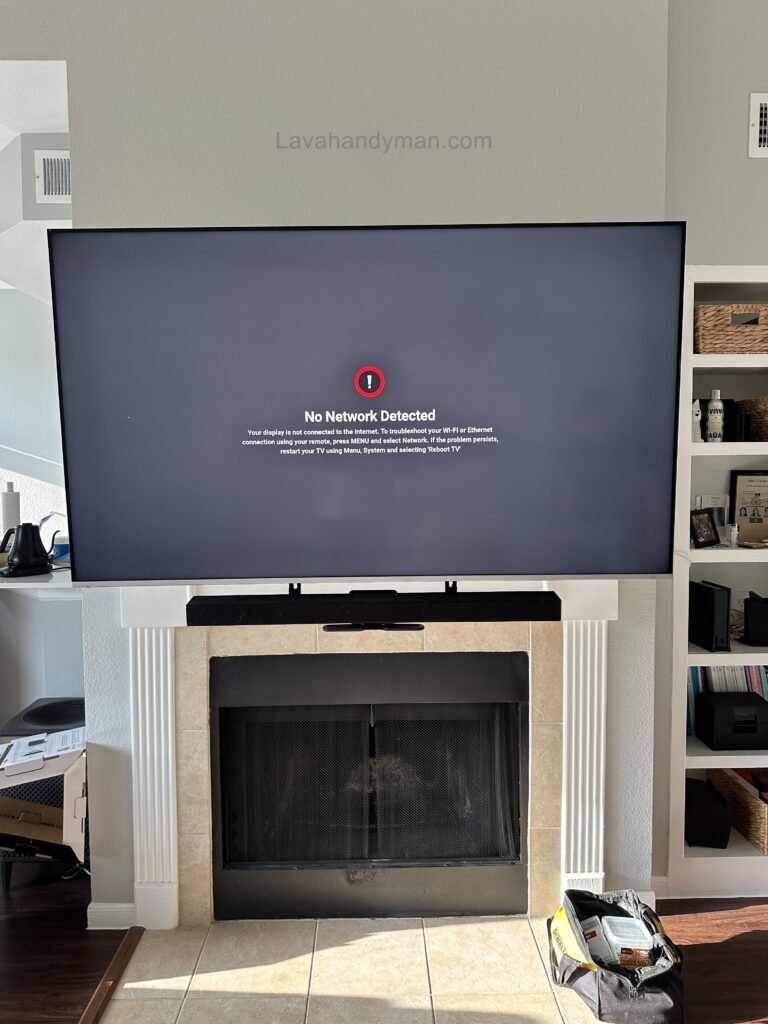
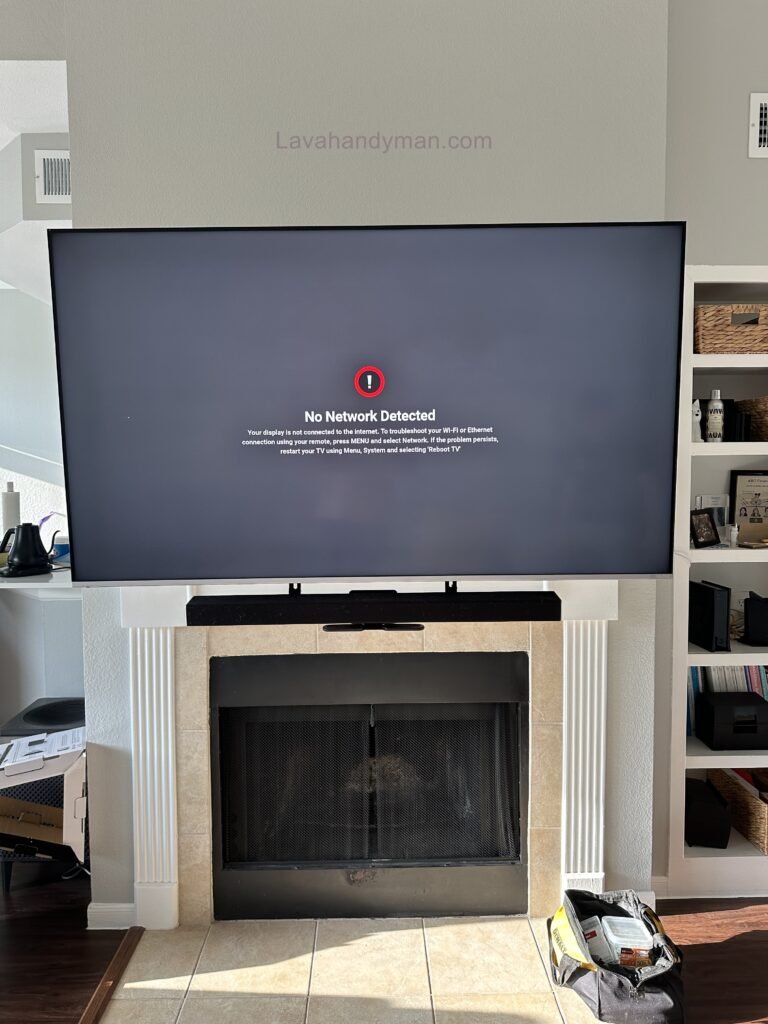
TV wall mounting is one of the best ways to create a modern, stylish, and functional living or working space. Today, many homeowners prefer mounting their TVs on the wall instead of placing them on traditional TV stands. This not only saves valuable floor space but also improves viewing angles and enhances the overall interior design.
However, installing a TV on the wall involves much more than simply attaching a bracket. Choosing the right TV wall mount, evaluating the wall type, determining the correct mounting height, managing cables, and following safety guidelines are all essential for a secure and long-lasting installation.
In this guide, you’ll learn everything you need to know about TV wall mount installation, from selecting the proper tools and mounting bracket to installation steps, technical considerations, and common mistakes to avoid.
The Ultimate TV Wall Mount
Why Mount Your TV on the Wall?
Wall mounting your TV offers several practical and aesthetic benefits, making it one of the most popular choices for modern homes.
Improve Your Home’s Appearance
A wall-mounted TV creates a clean, minimalist look. Eliminating a bulky TV stand makes the room feel larger while providing an attractive focal point for your entertainment area.
Save Valuable Space
If you’re working with a smaller room or apartment, mounting your TV on the wall frees up floor space and allows for better furniture arrangement.
Better Viewing Experience
A properly mounted TV can be positioned at the ideal viewing height, reducing neck strain and eye fatigue while improving overall comfort.
Increased Safety
A securely mounted TV is far less likely to tip over or become damaged, making it a safer option for homes with children or pets.
The Ultimate TV Wall Mount
Essential Tools for TV Wall Mount Installation
Professional installation requires the right equipment. Using quality tools improves accuracy and helps prevent damage to both the wall and the television.
You’ll need:
- Electric drill with the appropriate drill bits
- Spirit level or laser level
- Measuring tape and pencil
- Screwdrivers and socket wrench
- Heavy-duty wall anchors and mounting screws
- Stud finder or wall scanner (recommended)
Using the correct tools makes the installation faster, safer, and more reliable.
The Ultimate TV Wall Mount
Choosing the Best TV Wall Mount
The wall mount (also known as a TV bracket) is the most important component of the installation. Your choice should be based on your TV’s size, weight, and VESA mounting pattern.
Fixed TV Wall Mount
A fixed mount keeps the television close to the wall and is ideal if you don’t need to adjust the viewing angle.
Advantages
- Affordable
- Strong and durable
- Slim appearance
The Ultimate TV Wall Mount
Disadvantages
- No angle adjustment
Tilting TV Wall Mount
A tilting mount allows the television to tilt vertically, making it ideal for TVs installed higher on the wall.
Full-Motion TV Wall Mount
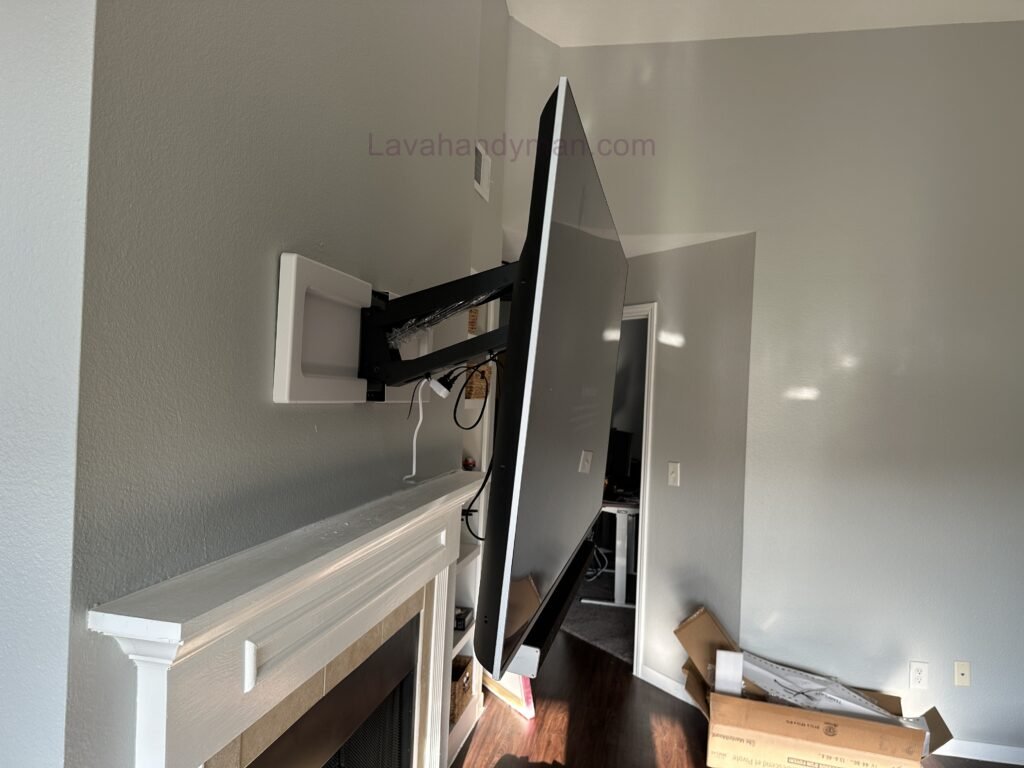
A full-motion or articulating mount allows the TV to move left, right, forward, and backward, providing maximum flexibility and improved viewing angles.
What Is the VESA Standard?
Before purchasing a TV wall mount, it’s important to verify your TV’s VESA compatibility. VESA refers to the standardized spacing between the mounting holes on the back of the television.
The Ultimate TV Wall Mount
Common VESA sizes include:
- 100 × 100 mm
- 200 × 200 mm
- 400 × 400 mm
- 600 × 400 mm
Choosing a wall mount that matches your TV’s VESA pattern ensures a safe and secure installation.
What Is the Best Height to Mount a TV?
Proper mounting height is essential for comfortable viewing.
As a general rule, the center of the TV screen should be positioned at approximately eye level when you’re seated.
The Ultimate TV Wall Mount
Factors that affect mounting height include:
- TV screen size
- Viewing distance
- Seating height
- Room layout
Installing the TV too high or too low can lead to neck discomfort and eye strain.
Step-by-Step TV Wall Mount Installation
Step 1: Choose the Right Location
Select a wall that can safely support the combined weight of the television and the wall mount. The location should also provide easy access to electrical outlets and minimize glare from windows.
The Ultimate TV Wall Mount
Step 2: Measure and Mark
Use a measuring tape and a level to determine the exact mounting position. Accurate measurements ensure the TV will hang perfectly level.
Step 3: Drill and Install the Wall Mount
Drill the mounting holes using the appropriate drill bit for your wall type. Insert wall anchors if needed, then securely fasten the mounting bracket using heavy-duty screws.
Step 4: Attach the Mounting Rails to the TV
Install the mounting rails or brackets on the back of the television using the screws supplied with the wall mount. Be careful not to overtighten the screws.
Step 5: Hang the TV
With the help of another person, carefully lift the TV and attach it to the wall bracket. Lock the safety mechanism, then verify that the TV is level and securely mounted.
The Ultimate TV Wall Mount
Important TV Wall Mounting Tips
- Choose a wall mount rated for your TV’s weight and size.
- Check for electrical wiring and plumbing before drilling.
- Avoid overtightening mounting screws.
- Organize power and HDMI cables neatly.
- Double-check the bracket’s stability after installation.
- Use reinforced mounts for TVs larger than 65 inches.
- Use specialized anchors when mounting on drywall.
The Ultimate TV Wall Mount
Common TV Wall Mounting Mistakes
Many installation problems result from simple mistakes that can easily be avoided.
Common errors include:
- Choosing the wrong wall mount
- Installing the TV too high or too low
- Using low-quality screws or anchors
- Ignoring VESA compatibility
- Mounting on weak or unsupported walls
- Failing to level the bracket before installation
- Leaving cables exposed and unorganized
Avoiding these mistakes will ensure a safe, professional, and long-lasting installation.
The Ultimate TV Wall Mount
TV Wall Mount Installation on Different Wall Types: A Complete Guide for Drywall, Concrete, Brick, and Plaster Walls
One of the most important aspects of TV wall mount installation is identifying the type of wall you’re working with. Whether your wall is drywall, concrete, brick, or plaster, each material requires different mounting hardware and installation techniques. Using the wrong anchors or installation method can lead to an unstable mount, wall damage, or even the TV falling.
In this guide, you’ll learn the proper techniques for mounting a TV on drywall, concrete, brick, and plaster walls safely and professionally.
How to Mount a TV on a Drywall
The Ultimate TV Wall Mount
Drywall TV mounting requires extra care because drywall alone cannot safely support the weight of most televisions. Choosing the correct mounting location and hardware is essential for a secure installation.
For safe drywall TV installation:
- Locate the wall studs using a stud finder.
- Mount the TV bracket directly into the wooden or metal studs whenever possible.
- Use heavy-duty drywall anchors and lag bolts designed for TV wall mounts.
- For TVs larger than 55 inches, use reinforced mounting brackets.
- Never rely solely on drywall panels to support heavy televisions.
Professional Tip
If you cannot secure the bracket into wall studs, it’s best to hire a professional TV wall mounting service to ensure a safe installation.
The Ultimate TV Wall Mount
How to Mount a TV on a Concrete Wall
Concrete wall TV mounting is one of the safest installation options because concrete provides exceptional strength and durability.
For a secure installation:
- Use a hammer drill with a masonry drill bit.
- Install heavy-duty concrete anchors or expansion bolts.
- Remove dust from drilled holes before inserting anchors.
- Tighten all mounting bolts evenly to ensure maximum stability.
A properly installed TV on a concrete wall offers excellent long-term reliability and can safely support large flat-screen televisions.
The Ultimate TV Wall Mount
How to Mount a TV on a Brick Wall
Brick wall TV installation is another excellent option, provided the bracket is attached directly to the bricks rather than the mortar joints.
For the best results:
- Drill into the center of each brick.
- Use masonry anchors specifically designed for brick walls.
- Avoid damaged or cracked bricks.
- Inspect the wall for structural integrity before installation.
Following these steps ensures a strong and secure TV wall mount.
The Ultimate TV Wall Mount
How to Mount a TV on a Plaster Wall
Plaster wall TV mounting requires additional caution because plaster is more brittle than drywall or concrete.
For a successful installation:
- Locate the wall studs behind the plaster.
- Drill slowly to prevent cracking.
- Use appropriate plaster wall anchors when necessary.
- Avoid overtightening the mounting screws.
In older homes with plaster walls, professional installation is often the safest option.
The Ultimate TV Wall Mount
Cable Management After TV Wall Mount Installation
Proper TV cable management is an essential part of every professional TV wall installation. Even a perfectly mounted television can look untidy if power and HDMI cables are left hanging.
Concealing TV Cables Inside the Wall
Running cables behind the wall provides the cleanest and most modern appearance while protecting the wiring from accidental damage.
Benefits include:
- Clean, minimalist appearance
- Better cable protection
- Improved home aesthetics
- Reduced visual clutter
The Ultimate TV Wall Mount
Using Cable Raceways
If in-wall cable routing isn’t possible, installing a cable raceway is an excellent alternative.
Benefits include:
- Quick and easy installation
- Paintable to match your wall color
- Ideal for rental properties
- Easy cable access for future upgrades
The Ultimate TV Wall Mount
Using Cable Sleeves
Cable sleeves organize multiple wires into a single protective cover, reducing clutter while protecting cables from wear and damage.
Essential TV Wall Mount Safety Tips
Following proper safety procedures helps protect both your television and your home.
Important recommendations include:
- Use a wall mount rated for your TV’s weight and size.
- Check for electrical wiring and plumbing before drilling.
- Use high-quality mounting screws and anchors.
- Test the wall mount’s stability after installation.
- Inspect mounting hardware every 6 to 12 months.
- Prevent children from climbing or pulling on the mounted TV.
The Ultimate TV Wall Mount
Professional TV Wall Mount Installation vs DIY Installation
If you have the proper tools and experience, installing your TV yourself can save money. However, hiring a professional often provides greater safety and peace of mind.
Benefits of Professional TV Installation
Workmanship warranty (when available)
Perfectly level installation
Proper viewing height
Professional cable management
Reduced risk of damage to the TV or wall
Faster installation
The Ultimate TV Wall Mount
TV Wall Mount Installation Cost: Factors That Affect the Price
One of the first questions homeowners ask before a TV wall mount installation is, “How much does it cost to mount a TV on the wall?” The truth is that installation costs vary depending on several factors, and there is no one-size-fits-all price.
If you’re planning a TV wall mount installation, it’s important to understand what influences the overall cost before purchasing a wall mount or hiring a professional installer.
Factors That Affect TV Wall Mount Installation Cost
The cost of mounting a TV typically depends on:
- TV size and weight
- Wall type (drywall, concrete, brick, or plaster)
- Type of TV wall mount (fixed, tilting, or full-motion)
- Cable concealment and cable management
- Installing or relocating electrical outlets
- Smart TV setup and initial configuration
- Mounting height
- Professional installation labor and geographic location
The more complex the installation, the higher the overall cost. For example, mounting a TV on drywall or concrete walls often requires specialized tools, additional hardware, and more installation time.
The Ultimate TV Wall Mount
Common TV Wall Mount Installation Mistakes
Failing to follow proper installation techniques during a TV wall mount installation can compromise safety, damage your television, or even cause the TV to fall. Below are some of the most common mistakes and how to avoid them.
1. Mounting the TV Too High
One of the most common mistakes is installing the television too close to the ceiling. The ideal mounting height places the center of the screen approximately at eye level while seated, reducing neck strain and improving viewing comfort.
The Ultimate TV Wall Mount
2. Choosing the Wrong TV Wall Mount
Not every wall mount is compatible with every television. Before purchasing a mount, make sure to check:
- TV size
- TV weight
- VESA mounting pattern
- Mount type (fixed, tilting, or full-motion)
Selecting the correct wall mount ensures maximum safety and long-term durability.
The Ultimate TV Wall Mount
3. Ignoring the Wall Type
Each wall requires a different installation method. Mounting a TV on drywall, concrete, or brick walls requires specific anchors and mounting hardware. Using the wrong fasteners can significantly increase the risk of the TV falling.
4. Using Low-Quality Screws and Anchors
Poor-quality screws and wall anchors may loosen over time, reducing the strength of the installation. Always use high-quality hardware supplied by the wall mount manufacturer or equivalent professional-grade fasteners.
The Ultimate TV Wall Mount
5. Failing to Plan Cable Management
Many homeowners install the television before deciding how to route the cables. Planning TV cable management in advance results in a cleaner, safer, and more professional-looking installation.
Best TV Viewing Distance
After completing your TV wall mount installation, maintaining the correct viewing distance is just as important as choosing the proper mounting height. The right distance improves picture quality while reducing eye strain.
The Ultimate TV Wall Mount
| TV Size | Recommended Viewing Distance |
|---|---|
| 43-inch | 5.5–7 ft (1.7–2.1 m) |
| 50-inch | 6–8 ft (1.8–2.4 m) |
| 55-inch | 7–9 ft (2.1–2.7 m) |
| 65-inch | 8–10 ft (2.4–3 m) |
| 75-inch | 9–12 ft (2.7–3.6 m) |
| 85-inch | 10–14 ft (3–4.2 m) |
These recommendations may vary depending on screen resolution, room layout, and personal preference.
The Ultimate TV Wall Mount
Maintenance Tips After TV Wall Mount Installation
Proper maintenance after your TV wall mount installation helps ensure long-term safety and extends the lifespan of both the television and the wall mount.
Follow these maintenance tips:
- Inspect mounting screws and anchors every six months.
- Remove dust from the wall mount and the back of the TV.
- Keep cables neatly organized.
- Prevent cables from being pulled or placed under tension.
- Recheck the TV’s level after moving furniture or making room adjustments.
Routine maintenance helps keep your installation safe, secure, and looking its best.
The Ultimate TV Wall Mount
Frequently Asked Questions About TV Wall Mount Installation
Is it safe to mount a TV on drywall?
Yes. As long as the wall mount is secured to wall studs or installed using heavy-duty drywall anchors rated for your TV’s weight, drywall installation is completely safe.
What is the best height for mounting a TV?
The ideal mounting height places the center of the television screen at approximately eye level while seated.
The Ultimate TV Wall Mount
Can all TVs be mounted on the wall?
Most modern LED, OLED, and QLED televisions support wall mounting through the VESA mounting standard. Always check your TV’s specifications before purchasing a wall mount.
What is the best TV wall mount?
The best wall mount depends on your needs:
- Fixed Wall Mount: Best for a slim, low-profile installation.
- Tilting Wall Mount: Ideal for reducing screen glare.
- Full-Motion Wall Mount: Perfect for adjustable viewing angles and maximum flexibility.
The Ultimate TV Wall Mount
Can TV cables be hidden?
Yes. You can hide cables using in-wall cable management systems, cable raceways, or protective cable covers for a clean, organized appearance.
Can I mount a TV myself?
Yes, if you have the proper tools, installation knowledge, and assistance when lifting the TV. However, for large televisions or installations on drywall, concrete, or brick walls, hiring a professional installer is the safest option.
The Ultimate TV Wall Mount
Conclusion
TV wall mounting is an excellent way to improve your home’s appearance, save space, and create a better viewing experience. By selecting the right wall mount, using professional-grade tools, following proper installation procedures, and observing important safety precautions, you can achieve a secure and attractive installation.
📞 Need Help?
Let us take care of the hard work while you sit back and relax.
📍 Serving: Austin, Round Rock, Cedar Park & more
📱 Call or Text: (737) 420-6992
🌐 Visit: https://lavahandyman.com