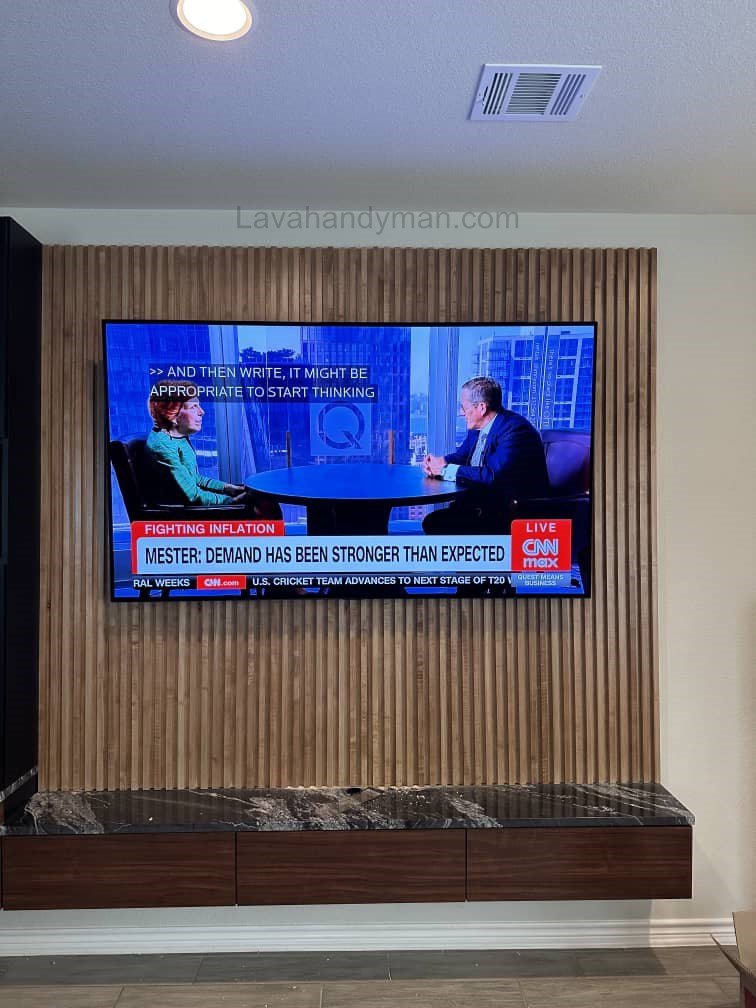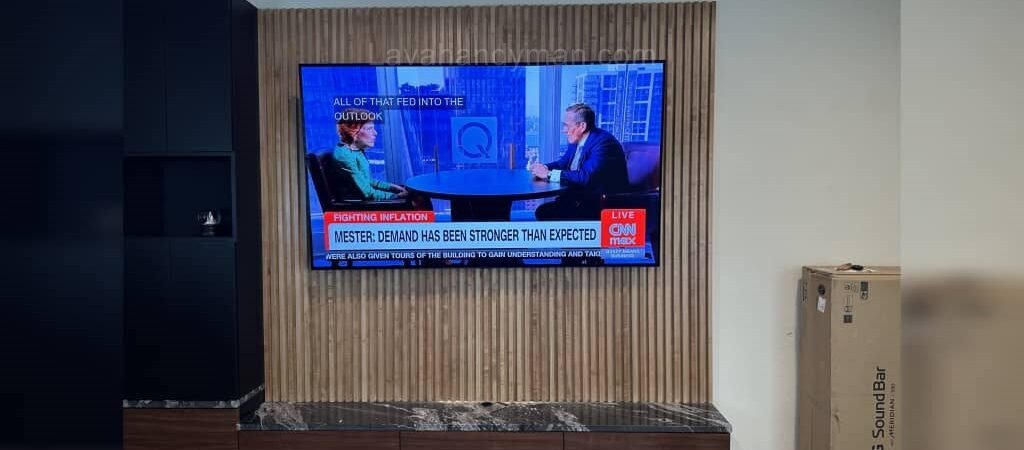
The Best Method for Wall-Mounting an LG 75-Inch TV + Complete Guide
Introduction
Wall-mounting an LG 75-inch TV is one of the most effective ways to improve interior design, save space, and enhance viewing comfort. Due to the large size and weight of 75-inch TVs, following proper installation standards is essential.
Why Wall-Mounting an LG 75-Inch TV Matters
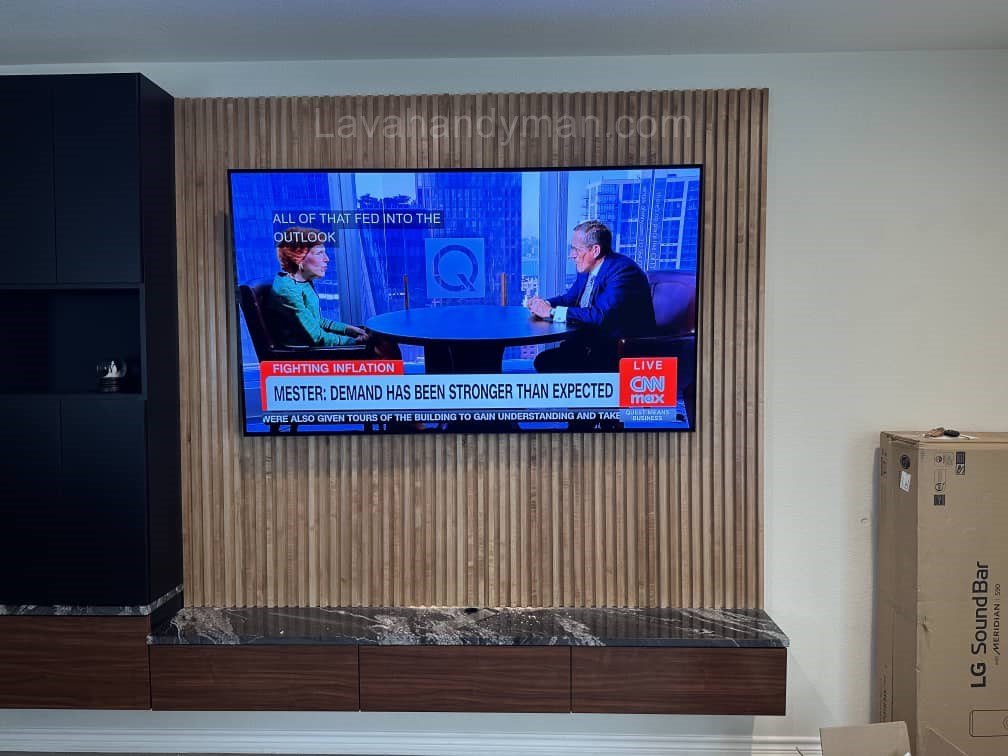
The Best Method for Wall-Mounting an LG 75-Inch TV
Mounting a large TV like the LG 75-inch model provides several benefits, especially in modern living rooms and entertainment spaces.
1. Space Saving & Improved Aesthetics
Mounting the LG 75-inch TV on the wall frees up floor space and gives your room a clean, modern, and minimalistic look.
2. Increased Safety
Large TVs are heavy and can fall when placed on a stand. Wall-mounting ensures maximum stability and prevents accidents, especially in homes with children.
3. Better Viewing Angle & Less Eye Strain
By installing the TV at the correct height, you can maintain a natural viewing angle that reduces neck strain and improves overall comfort.
Important Considerations Before Mounting Your LG 75-Inch TV
The Best Method for Wall-Mounting an LG 75-Inch TV
Choosing the Right Wall
The first step is selecting a suitable and structurally safe wall.
Concrete or Brick Walls
These are the best and strongest options for mounting heavy TVs.
Drywall or Plasterboard (Gypsum Board)
If mounting on drywall, you must use special anchors or toggle bolts, and ideally mount into wall studs or a reinforced frame.
Wooden Walls
Use wood screws and ensure the wall can handle the weight of the TV.
The Best Method for Wall-Mounting an LG 75-Inch TV
Choosing the Right Wall Mount (Bracket) for an LG 75-Inch TV
The wall mount is the foundation of a safe installation. Choosing a high-quality, VESA-compatible bracket is essential.
Recommended Types of Wall Mounts
✔ Fixed Wall Mount
Simple, affordable, and extremely stable. Best for installations where adjustment is not required.
✔ Full-Motion (Articulating) Wall Mount
Allows you to pull the TV forward, swivel left/right, and tilt for the perfect viewing angle.
✔ Tilt Wall Mount
Ideal when installing the TV slightly higher and needing a downward tilt.
VESA Standard for LG 75-Inch TVs
Most LG 75-inch TVs use VESA 400×400 or 400×600.
Always use the correct VESA screws to avoid damaging the TV.
The Best Method for Wall-Mounting an LG 75-Inch TV
Ideal Height for Mounting an LG 75-Inch TV
Choosing the right height significantly improves viewing comfort.
Recommended Mounting Height
The center of the screen should be 100–120 cm (40–48 inches) above the floor.
Ideal Viewing Distance
For a 75-inch TV, the recommended viewing distance is 2.5 to 4.5 meters (8–15 feet).
The Best Method for Wall-Mounting an LG 75-Inch TV
Tools Required for Installation
- Hammer drill
- Laser level
- Tape measure and pencil
- Anchors and screws
- Screwdriver or wrench
- VESA-compatible wall mount
- Safety gloves
Step-by-Step Guide: How to Wall-Mount an LG 75-Inch TV
1. Mark the Mounting Position
Determine the exact location and use a level to ensure accuracy before drilling.
2. Install the Wall Plate
- Drill holes in the marked spots
- Insert anchors or bolts
- Securely attach the wall plate to the wall
The Best Method for Wall-Mounting an LG 75-Inch TV
3. Attach the Mounting Arms to the TV
Connect the mount’s arms or bracket to the back of the LG TV using the proper VESA screws.
💡 Important:
Screws that are too long can damage the internal board of the TV.
4. Hang the TV on the Wall Mount
With the help of at least two people, lift the TV and secure it onto the wall plate.
5. Final Adjustment
Use the mount’s tilt or swivel features (if available) to achieve the perfect viewing angle.
The Best Method for Wall-Mounting an LG 75-Inch TV
Cable Management After Mounting Your LG 75-Inch TV
Recommended Cable Solutions
✔ Run cables through the wall
✔ Use cable management covers or raceways
✔ Avoid bending HDMI cables excessively
Proper cable management not only improves aesthetics but also prevents cable damage.
Safety Tips for Mounting an LG 75-Inch TV
- Ensure the wall mount supports more weight than the TV.
- Avoid installing the TV above fireplaces or heat sources.
- Maintain at least a 5 cm gap between the TV and the wall for ventilation.
- Always use a surge protector to protect the TV from power fluctuations.
The Best Method for Wall-Mounting an LG 75-Inch TV
Common Mistakes When Mounting an LG 75-Inch TV
❌ Mounting without checking wall strength
❌ Using cheap or low-quality brackets
❌ Not leveling the wall mount
❌ Using incorrect screws
❌ Ignoring ventilation space
Avoiding these mistakes ensures a safer and more durable installation.
Benefits of Hiring a Professional Installer
A certified technician can:
- Prevent damage caused by incorrect drilling
- Choose the best mount for your LG TV
- Ensure perfect leveling
- Provide professional cable management
- Extend the lifespan of your TV
If you lack experience, professional installation is strongly recommended.
The Best Method for Wall-Mounting an LG 75-Inch TV
Step-by-Step Guide to Wall-Mounting a TV
Wall-Mounting a TV: A Complete, Professional Guide
Wall-mounting a TV is one of the best ways to enhance your interior design, free up space, and create a professional viewing experience. If you want to mount your TV—especially larger models like 65″, 70″, or 75 inches—in a safe and fully standard way, this step-by-step guide is designed for you.
In this article, we cover all the stages, necessary tools, safety tips, and technical principles for mounting a TV on the wall.
Tools and Equipment Needed for Wall-Mounting a TV
To achieve a secure and professional installation, you’ll need the following tools:
- Drill and suitable drill bits (for concrete, brick, or drywall)
- Screws and wall anchors (heavy-duty anchors for large TVs)
- A wall-mount bracket compatible with your TV (VESA standard)
- Level (manual or laser)
- Measuring tape and pencil
- Screwdriver, Allen key, or wrench
- Stud finder (for drywall)
- Safety gloves and protective glasses
- At least one helper to lift the TV safely
Using proper tools ensures both safety and installation quality.
The Best Method for Wall-Mounting an LG 75-Inch TV
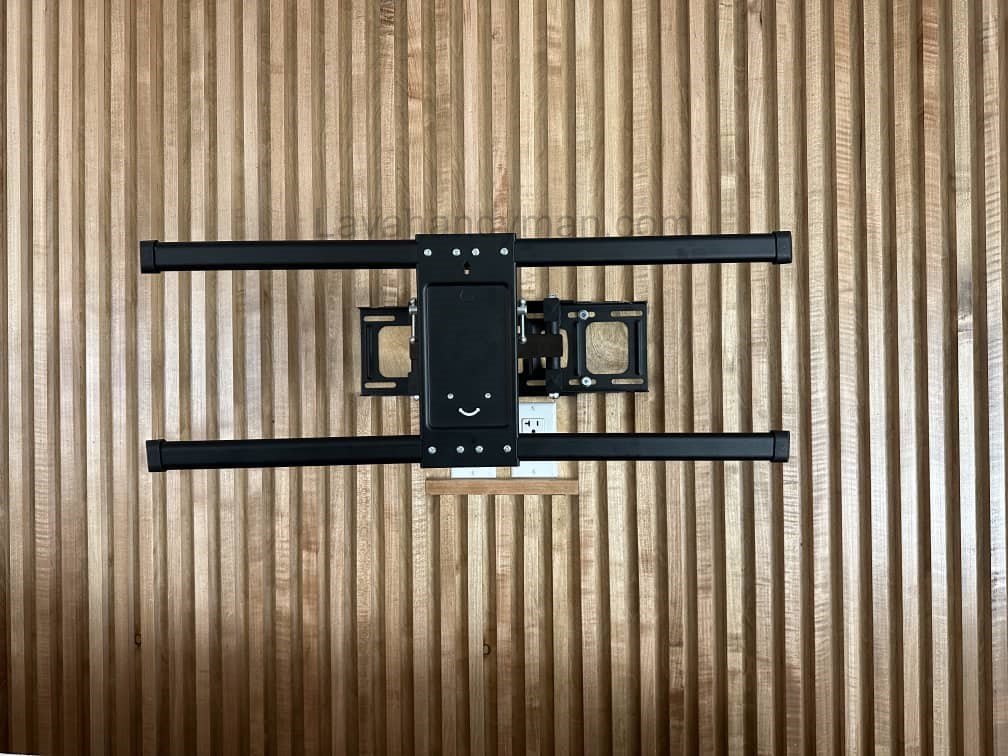
Step 1: Choosing the Best Mounting Location
1. Determine the ideal mounting height
The standard height is when the center of the TV sits about 100–120 cm (40–47 inches) from the floor.
This ensures a comfortable viewing angle in a seated position without straining the neck.
2. Maintain the recommended viewing distance
For large TVs such as a 75-inch model, the optimal viewing distance is usually 2.5 to 3.5 meters (8–12 feet).
3. Check access to power outlets and ports
Ensure easy access to power, HDMI ports, and routing spaces for cables.
Step 2: Identify Your Wall Type and Choose the Right Anchors
• Concrete or Brick Walls
Use heavy-duty anchors and masonry drill bits.
• Drywall (Gypsum/Known as Stud Wall)
The Best Method for Wall-Mounting an LG 75-Inch TV
You must mount the bracket directly onto a wall stud.
If you cannot reach a stud, use toggle bolts or create proper reinforcement behind the wall.
Mounting heavy TVs directly onto drywall alone is unsafe.
• Wooden Walls
Use appropriate wood screws for maximum grip.
Step 3: Level and Mark the Mounting Points
- Hold the bracket against the wall.
- Mark all screw holes with a pencil.
- Use a level to ensure perfect alignment.
- Double-check the height and position before drilling.
Proper leveling is crucial for a clean and professional result.
Step 4: Drill the Holes and Install the Wall Bracket Plate
- Drill holes using the correct bit for your wall type.
- Insert wall anchors fully.
- Attach the bracket plate to the wall using screws.
- Use the level again to ensure the bracket is perfectly straight.
The Best Method for Wall-Mounting an LG 75-Inch TV
Step 5: Attach the Bracket Arms to the Back of the TV
- Place the TV face-down on a soft surface.
- Attach the bracket arms following the VESA hole pattern.
- Use the recommended VESA screw length (too long may damage the TV panel).
Step 6: Mount the TV onto the Wall Bracket (With Help)
Large TVs—especially 75-inch models—are heavy, so:
- Lift the TV with at least two people.
- Hang the TV arms securely onto the wall plate.
- Tighten any safety locks or security screws.
Step 7: Adjust the Viewing Angle and Fine-Tune the Level
If your mount allows movement:
- Adjust tilt (up/down)
- Adjust swivel (left/right)
- Adjust the extension distance if using a full-motion mount
Recheck the TV’s level for a perfectly straight installation.
The Best Method for Wall-Mounting an LG 75-Inch TV
Step 8: Cable Management and Improving the Final Look
To keep your setup clean and professional:
- Use cable covers or decorative conduits
- Avoid bending HDMI cables sharply
- Ensure at least 4–5 cm of ventilation space behind the TV
- Use a surge protector for electrical safety
Step 9: Final Test and Security Check
After installation:
- Turn the TV on
- Test HDMI connections, picture, and sound
- Ensure all screws are fully tightened
- Check for any wobbling or looseness
Final Checklist Before Finishing
Proper ventilation exists behind the TV
Bracket is fully level
Screws are tightened
Safety locks are secured
Cables are neat and not under tension
Which TV Wall Mount Should You Use?
Choosing the right wall mount is one of the most important steps for safely and securely mounting your TV. The type of mount depends on TV size, weight, wall type, and user needs. Here’s a complete guide to the most common and reliable TV wall mounts.
The Best Method for Wall-Mounting an LG 75-Inch TV
1. Fixed Wall Mount
✔ Ideal for:
- TVs from 32 to 86 inches
- Standard-height installations
- Users who don’t need to change the viewing angle
✔ Advantages:
- Most secure and stable type
- Affordable
- TV sits very close to the wall
- Easy to install and long-lasting
✔ Limitations:
- No tilt or swivel adjustment
- Limited access to ports
For large TVs like 75 inches, this is one of the safest options.
The Best Method for Wall-Mounting an LG 75-Inch TV
2. Tilt Wall Mount
✔ Ideal for:
- Mounting TVs at higher positions
- Reducing glare from windows or lights
- Viewing from a lower angle
✔ Advantages:
- Adjustable vertical tilt (up/down)
- Reduces neck strain
- Easy to install
✔ Limitations:
- No horizontal swivel
Perfect for mounting above fireplaces or on tall walls.
The Best Method for Wall-Mounting an LG 75-Inch TV
3. Full-Motion / Articulating Mount
✔ Ideal for:
- Rooms where you watch TV from multiple angles
- Kitchens, large living rooms, or bedrooms
- Users who want maximum flexibility
✔ Advantages:
- Moves left/right, up/down, forward/back
- Easy access to the back of the TV
- Excellent flexibility
✔ Limitations:
- Higher cost
- Requires very secure installation, especially for large TVs
The Best Method for Wall-Mounting an LG 75-Inch TV
4. Double-Arm Heavy Duty Mount
✔ Ideal for:
- Heavy and large TVs (70–86 inches)
- Mounting on drywall, concrete, or brick
✔ Advantages:
- Extremely strong load capacity
- Dual arms prevent wobbling
- Full rotation and stability superior to standard mounts
The Best Method for Wall-Mounting an LG 75-Inch TV
5. Ceiling Mount
✔ Ideal for:
- Stores, hospitals, or conference rooms
- Areas without suitable wall space
✔ Advantages:
- Adjustable tilt and rotation
- 360-degree viewing
6. Ultra Slim / Low-Profile Mount
✔ Ideal for:
- TVs installed flush to the wall
- Modern, minimalist interior designs
✔ Advantages:
- Only 1–2 cm distance from the wall
- Very sleek and stylish appearance
✔ Limitations:
- Harder access to ports
- Lower weight capacity than full-motion mounts
Which Mount is Best for a 75-Inch TV?
⭐ If full motion and rotation are needed:
Heavy-Duty Full-Motion Mount
⭐ If only vertical tilt is needed:
Sturdy Tilt Mount
⭐ If simple, secure installation is desired:
Fixed VESA-Standard Mount
Conclusion
Mounting a 75-inch LG TV on the wall requires precision, the right tools, and adherence to installation standards. By choosing the correct wall, selecting a high-quality VESA-compatible mount, determining the right height, and following safety procedures, you can enjoy an optimal viewing experience and extend the life of your TV.
📞 Need Help?
Let us take care of the hard work while you sit back and relax.
📍 Serving: Austin, Round Rock, Cedar Park & more
📱 Call or Text: (737) 420-6992
🌐 Visit: https://lavahandyman.com