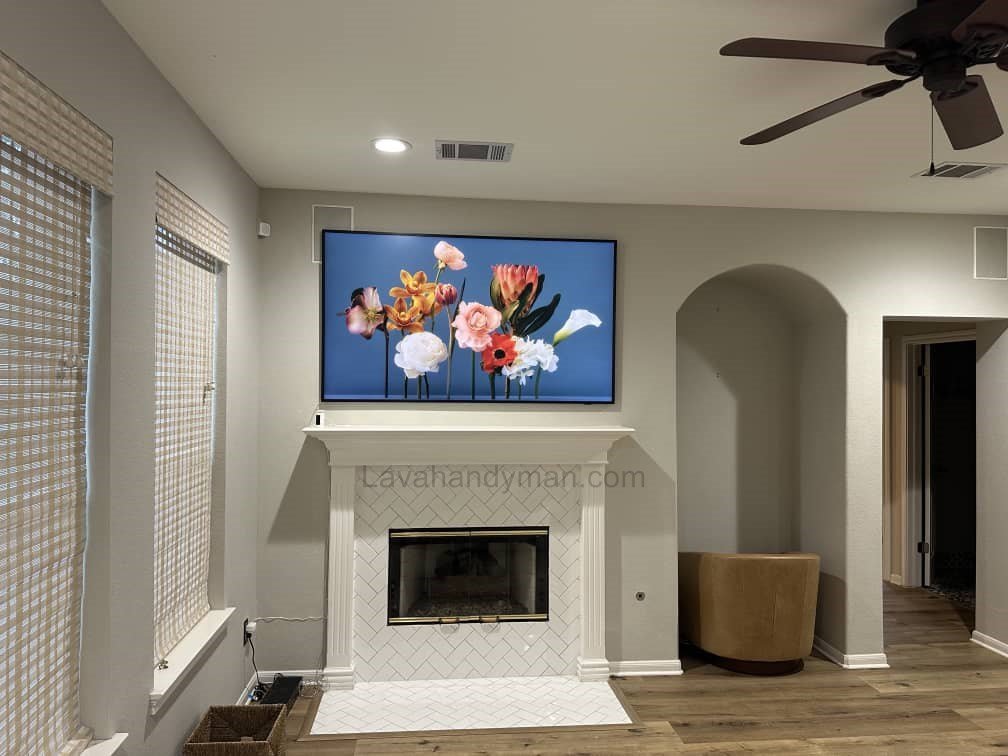
58-Inch TV Wall Mount: Expert Tips for a Clean and Secure Installation
Why Mount a 58-Inch TV on the Wall?
Wall-mounting a 58-inch TV provides multiple advantages:
- Space Optimization: Eliminates the need for bulky TV stands, freeing up floor space for other furniture or decorations.
- Enhanced Safety: Prevents the TV from tipping over, particularly in households with children or pets.
- Aesthetic Appeal: Creates a modern, clean look and integrates seamlessly with home décor.
- Improved Viewing Angles: Mounting at eye level ensures a comfortable viewing experience for all.
- Reduced Glare: Proper positioning minimizes reflections from windows or bright lights.
58-Inch TV Wall Mount
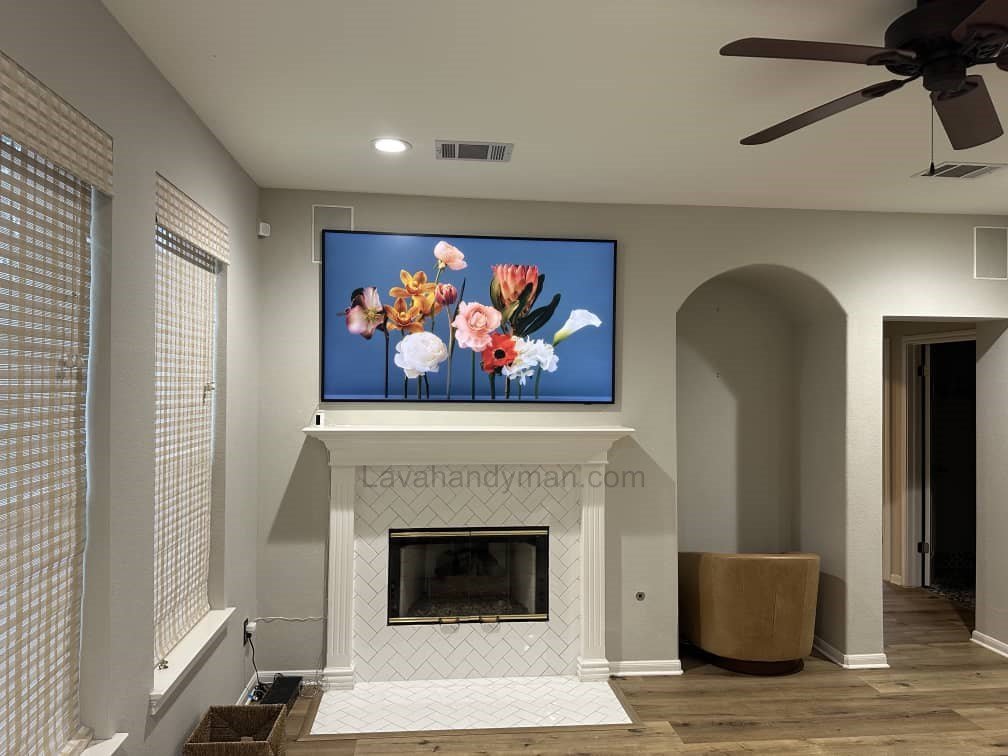
Pre-Installation Considerations
Before drilling and mounting, careful planning is essential.
1. Choosing the Right Wall
- Sturdiness: Preferably concrete, brick, or stud-backed drywall. Avoid unsupported drywall alone.
- Height and Eye Level: The center of the screen should be roughly 90–110 cm (35–43 inches) from the floor, depending on seating height.
- Distance from Seating: For a 58-inch TV, the optimal viewing distance is 2–3 meters (6–10 feet).
- Avoid Heat Sources: Keep the TV away from heaters or fireplaces.
- Lighting Considerations: Minimize direct sunlight hitting the screen to reduce glare.
2. Selecting the Right Wall Mount
- Weight Capacity: Ensure the mount can support your TV’s weight. Heavy-duty mounts are recommended.
- VESA Compatibility: Match the mount’s VESA pattern with your TV’s mounting holes.
- Mount Type: Choose fixed, tilting, or full-motion depending on your preferences.
- Adjustability: Tilt, swivel, and extend features improve viewing flexibility.
3. Tools and Materials
Prepare all necessary tools and materials:
- Electric drill with appropriate bits (masonry for concrete or brick)
- Screwdriver set
- Measuring tape and pencil
- Spirit level
- Screws and wall anchors rated for the mount and TV weight
- Cable organizers, channels, or in-wall cable kits
58-Inch TV Wall Mount
Step-by-Step Installation Guide
Step 1: Preparing the Wall
- Clean and dry the wall surface.
- Mark the optimal center location for the TV.
- Use a spirit level to ensure straight markings.
- Locate studs if mounting on drywall to secure screws properly.
58-Inch TV Wall Mount
Step 2: Installing the Wall Bracket
- Hold the wall bracket in place and mark drill holes.
- Drill holes carefully according to your markings.
- Insert wall anchors if necessary (especially for drywall).
- Secure the bracket with screws.
- Double-check that the bracket is level and stable.
Step 3: Mounting the TV
- Attach the bracket plate to the back of the TV.
- With a helper, carefully lift the TV and place it on the wall bracket.
- Secure screws, clips, or locks according to the manufacturer’s instructions.
- Adjust tilt and angle for optimal viewing.
58-Inch TV Wall Mount
Step 4: Cable Management
- Use cable organizers or channels to route HDMI, power, and other cables neatly.
- Avoid pinching or tightly bending cables to prevent damage.
- Consider in-wall cable management kits for a clean appearance.
58-Inch TV Wall Mount
Safety Tips
- Always lift the TV with a second person; large TVs are heavy.
- Verify wall strength and weight capacity of screws and anchors.
- Keep the TV out of reach of children.
- Confirm that all screws are tight and the bracket is level before powering on the TV.
- Avoid sharp corners or clutter under the TV to prevent accidents.
Additional Tips for Optimal Viewing
- Lighting: Reduce glare using curtains, blinds, or anti-reflective screens.
- Sound Setup: Plan speaker or soundbar placement for best audio experience.
- Decor Considerations: Use cable concealment systems for a professional look.
- Viewing Distance: 2–3 meters (6–10 feet) from a 58-inch TV is ideal.
58-Inch TV Wall Mount
FAQ – Frequently Asked Questions
Q1: Can I mount a 58-inch TV on drywall?
A: Yes, but ensure you locate studs and use heavy-duty anchors. Do not rely on drywall alone.
Q2: Which type of mount is best?
A: Tilting or full-motion mounts offer flexibility; fixed mounts provide a flush, secure setup.
Q3: How high should I mount my TV?
A: Center of the screen should be at eye level when seated, usually 90–110 cm from the floor.
Q4: How do I hide TV cables?
A: Use cable channels, concealers, or in-wall kits for a clean look.
Q5: What tools do I need for installation?
A: Drill, screws, anchors, measuring tape, spirit level, screwdriver, and cable organizers.
58-Inch TV Wall Mount
Internal and External Linking Suggestions
- Internal Links:
- “Best TV mounts for large screens” (link to site’s product page or review)
- “How to choose the right TV for your living room”
- External Links:
- Manufacturer installation manuals for 58-inch TVs
- Safety guidelines for wall-mounted TVs from reliable sources
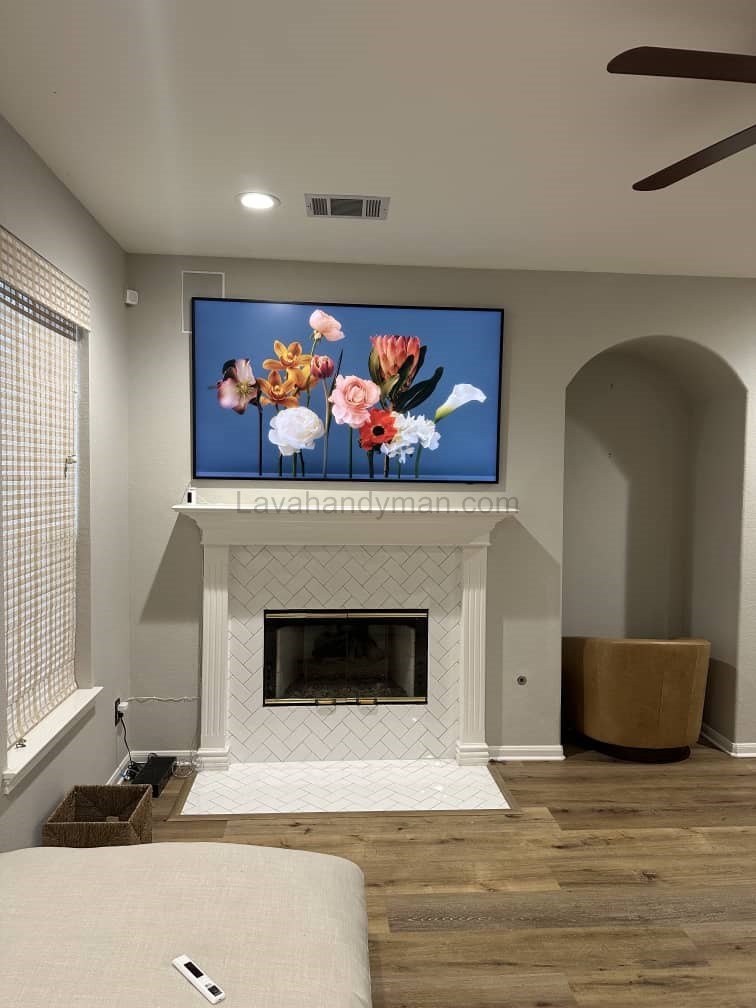
Step-by-Step Guide to Mounting a 58-Inch TV on the Wall
58-Inch TV Wall Mount
Why Mount a TV on the Wall?
Mounting your TV on the wall offers several benefits:
- Space-saving: Frees up floor and table space.
- Enhanced safety: Prevents the TV from tipping over, especially in homes with children or pets.
- Aesthetic appeal: Gives your room a modern, professional, and organized look.
- Better viewing angles: Everyone in the room can comfortably watch the TV.
Step 1: Choose the Right Location
- Sturdy wall: Concrete, brick, or stud-backed drywall is ideal.
- Proper height: The center of the TV should be at eye level when seated (90–110 cm / 35–43 inches from the floor).
- Avoid heat and direct sunlight: Keep the TV away from heaters, fireplaces, and windows with direct sunlight.
58-Inch TV Wall Mount
Step 2: Prepare Tools and Materials
You will need:
- Drill and suitable drill bits
- Screwdriver or power screwdriver
- Measuring tape and ruler
- Spirit level for alignment
- Pencil for marking
- Screws and wall anchors suitable for TV weight
- Wall mount bracket compatible with your TV
- Cable clips or channels
Tip: Using proper tools ensures safety and a stable installation.
58-Inch TV Wall Mount
Step 3: Prepare the Wall and Mark Holes
- Mark the center and position for the bracket.
- Use a spirit level to ensure marks are perfectly aligned.
- Mark the drill points with a pencil.
Tip: On drywall, attach the bracket to wall studs to support the TV’s weight.
Step 4: Install the Wall Bracket
- Drill holes at the marked points.
- Insert wall anchors if needed.
- Place the wall bracket and secure it with screws.
- Check again with the level to ensure the bracket is straight and stable.
Tip: If your bracket can tilt or swivel, adjust the angle before mounting the TV.
58-Inch TV Wall Mount
Step 5: Mount the TV on the Bracket
- Attach the bracket plate to the back of your TV.
- With a helper, carefully lift the TV and hook it onto the wall bracket.
- Secure screws and locks.
- Adjust the viewing angle so everyone can watch comfortably.
Tip: Never lift a large TV alone; always have assistance.
Step 6: Manage the Cables
- Use cable clips or channels to keep wires organized.
- Avoid stretching or sharply bending cables to prevent damage.
- For a clean look, consider hiding cables inside the wall or in a cable channel.
Step 7: Final Check and Safety
- Ensure the bracket is secure and the TV is level.
- Mount the TV out of reach of children.
- Make sure cables are neat and not under tension.
- Turn on the TV and check viewing angle and sound quality.
58-Inch TV Wall Mount
Important Safety Tips
- Always have a second person to help lift and mount the TV.
- Use screws and wall anchors rated for your TV’s weight.
- Keep proper distance from furniture (2–3 meters / 6–10 feet for a 58-inch TV).
- Check room lighting and window reflections to reduce glare and eye strain.
Types of Wall Mount Brackets for 58-Inch TVs
58-Inch TV Wall Mount
1. Fixed/Flat Wall Mount
- Features: The TV sits completely flat against the wall and cannot be moved.
- Advantages: Easy to install, compact, stable, and durable.
- Disadvantages: Viewing angle is fixed; cannot tilt or swivel.
- Best for: Walls with limited space and rooms where a fixed viewing angle is sufficient.
2. Tilting Wall Mount
- Features: Allows the TV to tilt up or down.
- Advantages: Reduces glare, improves viewing angles, ideal for mounting above eye level.
- Disadvantages: Cannot swivel left or right; only tilts vertically.
- Best for: Rooms with bright ambient light or TVs installed at higher heights.
58-Inch TV Wall Mount
3. Full-Motion / Articulating Wall Mount
- Features: Offers full movement: swivel left and right, tilt up and down, and extend away from the wall.
- Advantages: Maximum flexibility for viewing angles, easy access to the back of the TV, ideal for corner walls.
- Disadvantages: More complex to install and more expensive than a fixed mount.
- Best for: Large rooms and multi-purpose TVs.
4. Pull-Down or Adjustable Mount
- Features: The TV can be pulled down or away from the wall and then returned to its original position.
- Advantages: Perfect for mounting above a fireplace or at high locations.
- Disadvantages: Higher cost and more complicated installation.
58-Inch TV Wall Mount
Key Considerations When Choosing a Bracket for a 58-Inch TV
Material Quality: Opt for a durable steel bracket with suitable screws and anchors.
TV Weight: Ensure the bracket can support the weight of your TV.
Bracket Size & VESA Standard: The mounting holes on the TV must match the bracket.
Type of Movement: Choose a bracket that meets your desired movement (tilt, swivel, or full-motion).
58-Inch TV Wall Mount
Conclusion
Mounting a 58-inch TV on the wall is a practical and stylish solution for modern homes. Following this comprehensive guide ensures:
- Secure installation with minimal risk
- Optimized viewing angles and room aesthetics
- Organized cables and professional-looking setup
- Adherence to all safety precautions
By preparing properly, selecting the right bracket, and following step-by-step instructions, anyone can safely mount their 58-inch TV and enjoy a superior home entertainment experience.
📞 Need Help?
Let us take care of the hard work while you sit back and relax.
📍 Serving: Austin, Round Rock, Cedar Park & more
📱 Call or Text: (737) 420-6992
🌐 Visit: https://lavahandyman.com